
Choosing the right Moodle theme is about more than finding a design you like. Whether you’re setting up a new Moodle site or upgrading an existing one, your theme plays an important role in how learners navigate courses, access content, and interact with your learning platform.
A good theme should also make your life easier as an administrator. It should support your branding, work with your Moodle version, and be practical to maintain over time.
In this guide, we’ve selected 6 of the best free and premium Moodle themes for Moodle 5.x and 4.x sites. We’ll look at their features, design approaches, compatibility, and ideal use cases to help you find the right theme for your university, training organization, or online learning platform.
1. Boost (Free Moodle Theme)
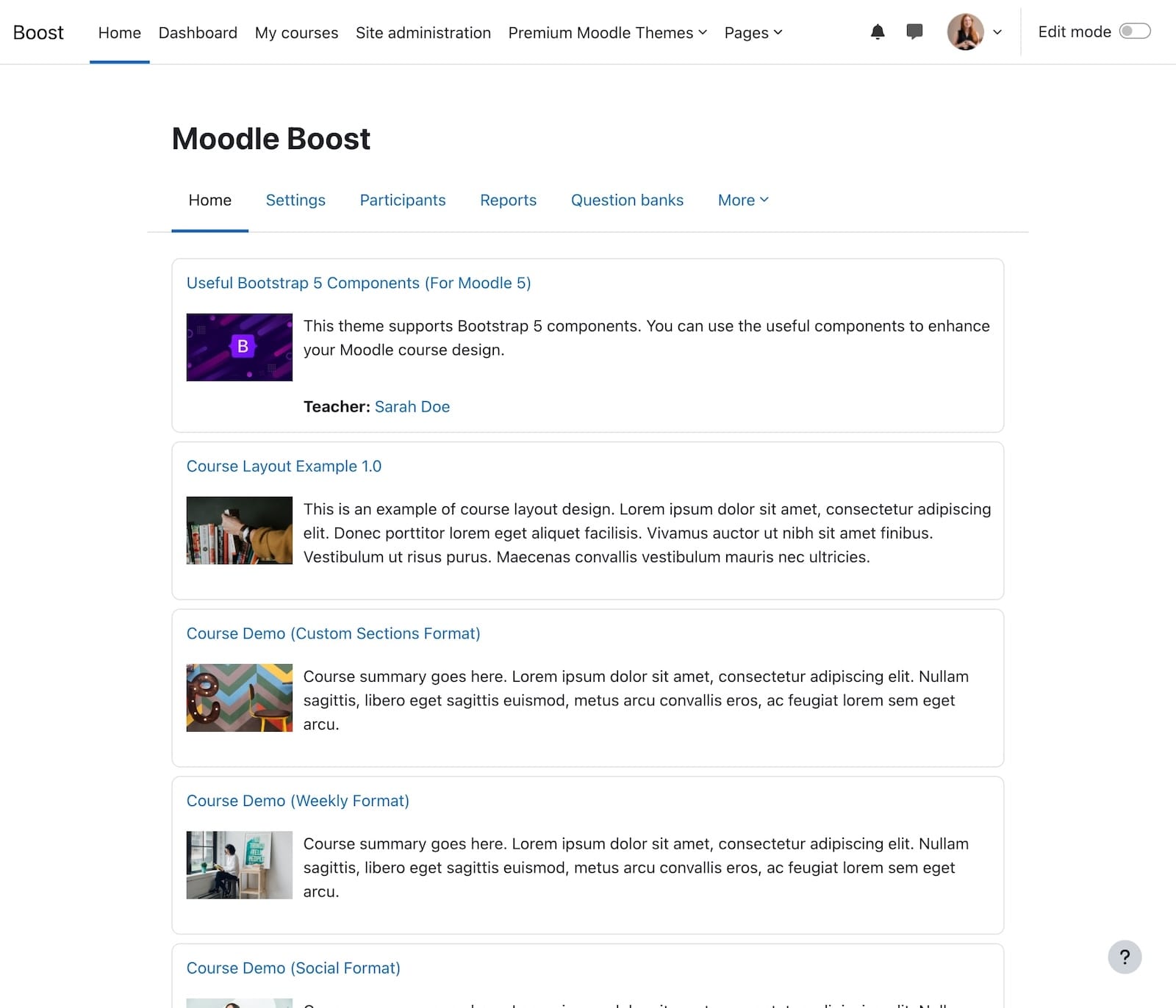
Boost is Moodle’s default theme and a good starting point for anyone setting up a Moodle site.
It provides a clean, straightforward interface with familiar navigation and course layouts. Because Boost is part of Moodle core, it receives updates alongside Moodle itself.
Want to see what’s new in Moodle’s Boost theme? Check out our Moodle 5.3 UI/UX and Theme Improvements guide for a closer look at the latest interface changes, with screenshots and examples.
Boost is also the foundation for many third-party Moodle themes, including the premium and free options covered in this article.
If you’re happy with Moodle’s standard appearance and don’t need extensive branding or custom page layouts, Boost may be all you need.
However, if you want to create a more distinctive website with a professional homepage, course promotions, or marketing content, you’ll probably need additional design and development work.
One option is to use Boost for your learning platform and link to it from your organization’s existing website. You can also require users to log in before accessing your Moodle site.
Moodle Compatibility: Boost is included with Moodle core, including Moodle 5.3 LTS and Moodle 4.5 LTS.
Best for: Organizations that want a simple, familiar Moodle experience without installing an additional theme.
2. Lumo (Premium Moodle 5 Theme)
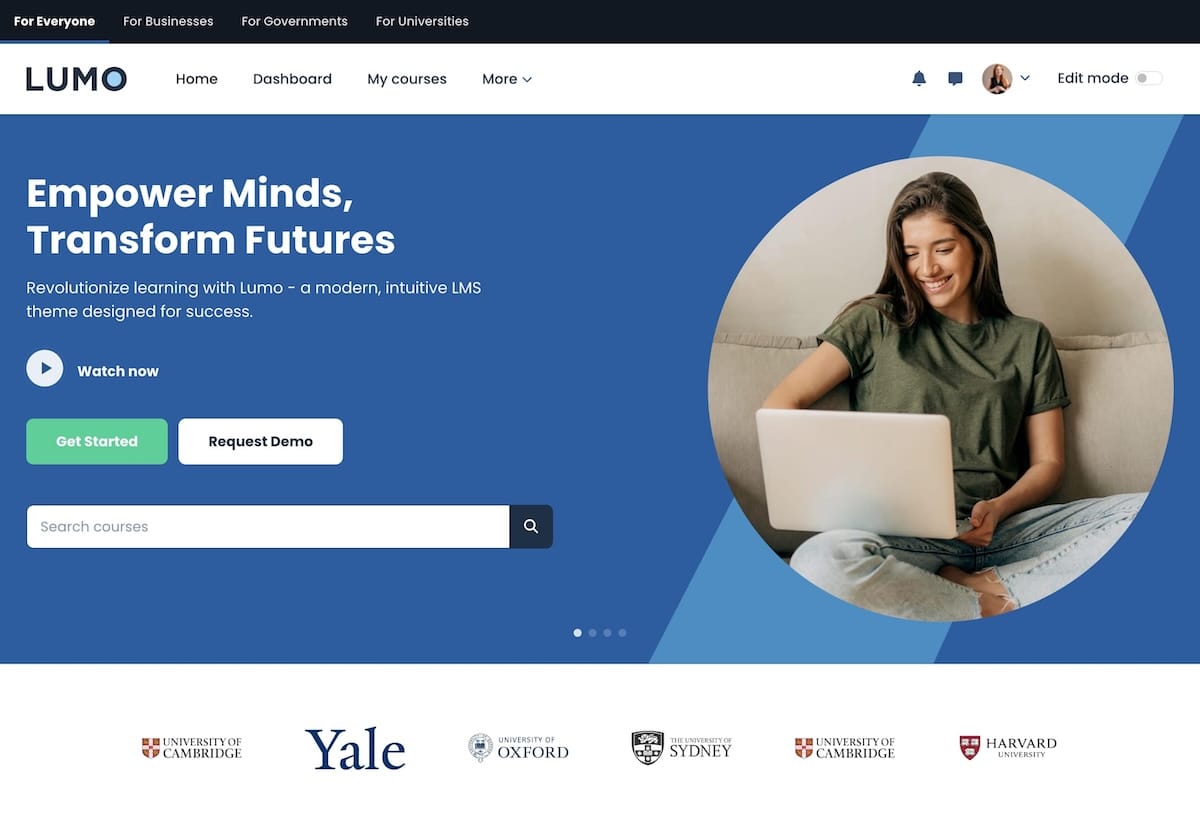
Lumo is our flagship premium Moodle theme, designed specifically for Moodle 5.x.
It features a modern, minimal design with plenty of white space, making it a great fit for universities, training providers, and corporate learning platforms.
Lumo is built on Moodle’s Boost theme and stays closely aligned with Moodle core. This means you can give your site a professional, branded appearance while keeping much of Moodle’s familiar functionality.
A Professional Design That’s Ready to Customize
One of Lumo’s biggest advantages is that you don’t have to design your Moodle site from scratch.
We’ve already put considerable thought into the layouts, navigation, typography, spacing, and overall user experience.
Lumo comes with professionally designed homepage sections and content layouts that you can customize to match your organization’s branding. The example content and suggested copy also help you present your courses, training programs, and organization effectively.
This is particularly useful if you don’t have an in-house UX/UI designer.
More Than Just an LMS Interface
Lumo is also designed to help organizations promote their courses and training programs.
Its flexible homepage sections and marketing-oriented layouts make it easier to create a professional online presence alongside your Moodle learning platform.
Whether you’re building a university learning portal, corporate training site, or government learning platform, Lumo provides a professionally designed starting point that you can adapt to your needs.
Explore our Lumo demos to see how the theme can be customized for different organizations:
- Demo Examples: For Everyone (Default), Business, Government, and University.
- Homepage Styles: Standard, Full Screen Hero, and Creative Hero.
For organizations considering bespoke Moodle theme development, Lumo offers a more affordable alternative without the time and complexity of designing a theme from scratch.
Moodle Compatibility: Lumo is designed exclusively for Moodle 5.x, including Moodle 5.3 LTS. There are no Moodle 4.x versions.
Best for: Universities, training providers, corporate learning teams, and agencies that want a modern, professionally designed Moodle 5 site with flexible branding and marketing features.
Explore Lumo Tutorials & Examples
Looking for ideas to customize your Moodle site? Explore these practical tutorials and free HTML templates to help you create professional pages for your learning platform.
- Moodle 5 Theme Lumo Guide: Customize the Hero Section (Full-Width Background Option)
- How to Create a Udemy-Style Moodle Course Landing Page: A Step-by-Step Guide (Free HTML Templates Included)
- How to Create a Course Catalog Page in Moodle Using the Static Pages Plugin (With Free HTML Template)
- How to Create a Lead Generation Form Page for Your Moodle 5 Site (Free HTML Templates Included)
3. Edutor (Premium Moodle Theme)
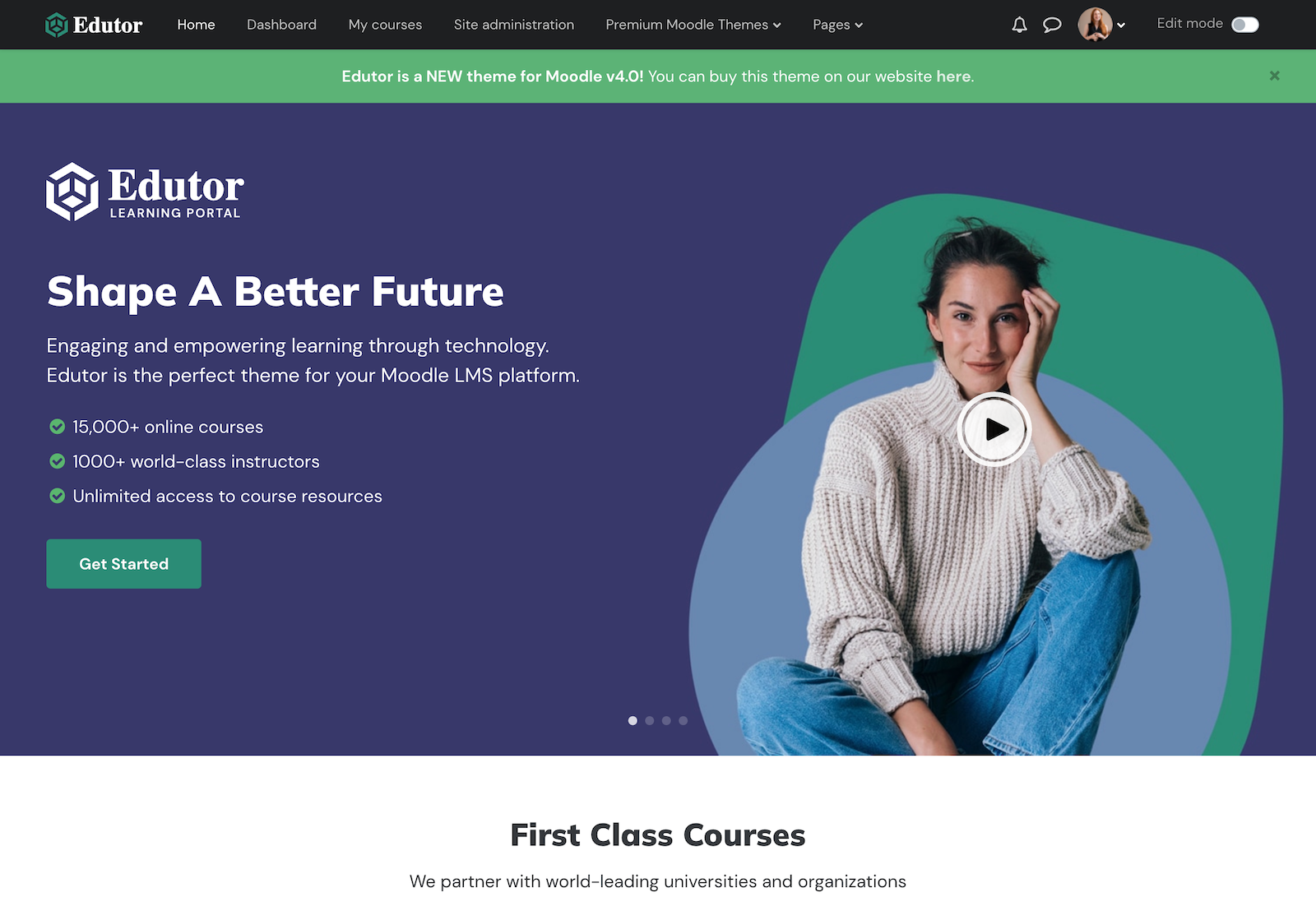
Edutor is a premium Moodle theme designed for universities, colleges, and training organizations that need a professional, well-organized learning platform.
Built on Moodle’s Boost theme, Edutor combines a clean interface with ready-made layouts for presenting courses and learning content.
It’s particularly suited to organizations that want a structured learning environment where students can easily find courses and navigate their learning materials.
Designed for Course-Focused Learning Platforms
Edutor includes professionally designed page layouts and content sections that help you organize and present information clearly.
Rather than building everything from scratch, you can start with the existing designs and customize them to suit your organization. The theme also includes example content to show how different sections can be used effectively.
Edutor keeps Moodle’s familiar core functionality while adding its own design and branding options. This makes it a practical choice for organizations that want a professional learning experience without introducing unnecessary complexity.
Like our other premium themes, Edutor is designed to stay closely aligned with Moodle core, helping reduce maintenance work and upgrade friction.
Moodle Compatibility: Edutor supports Moodle 5.x (including Moodle 5.3 LTS) and Moodle 4.5 LTS. Choose the theme version that matches your Moodle installation.
Best for: Universities, colleges, and training providers looking for a professional, structured, course-focused learning platform.
4. Maker (Premium Moodle Theme)
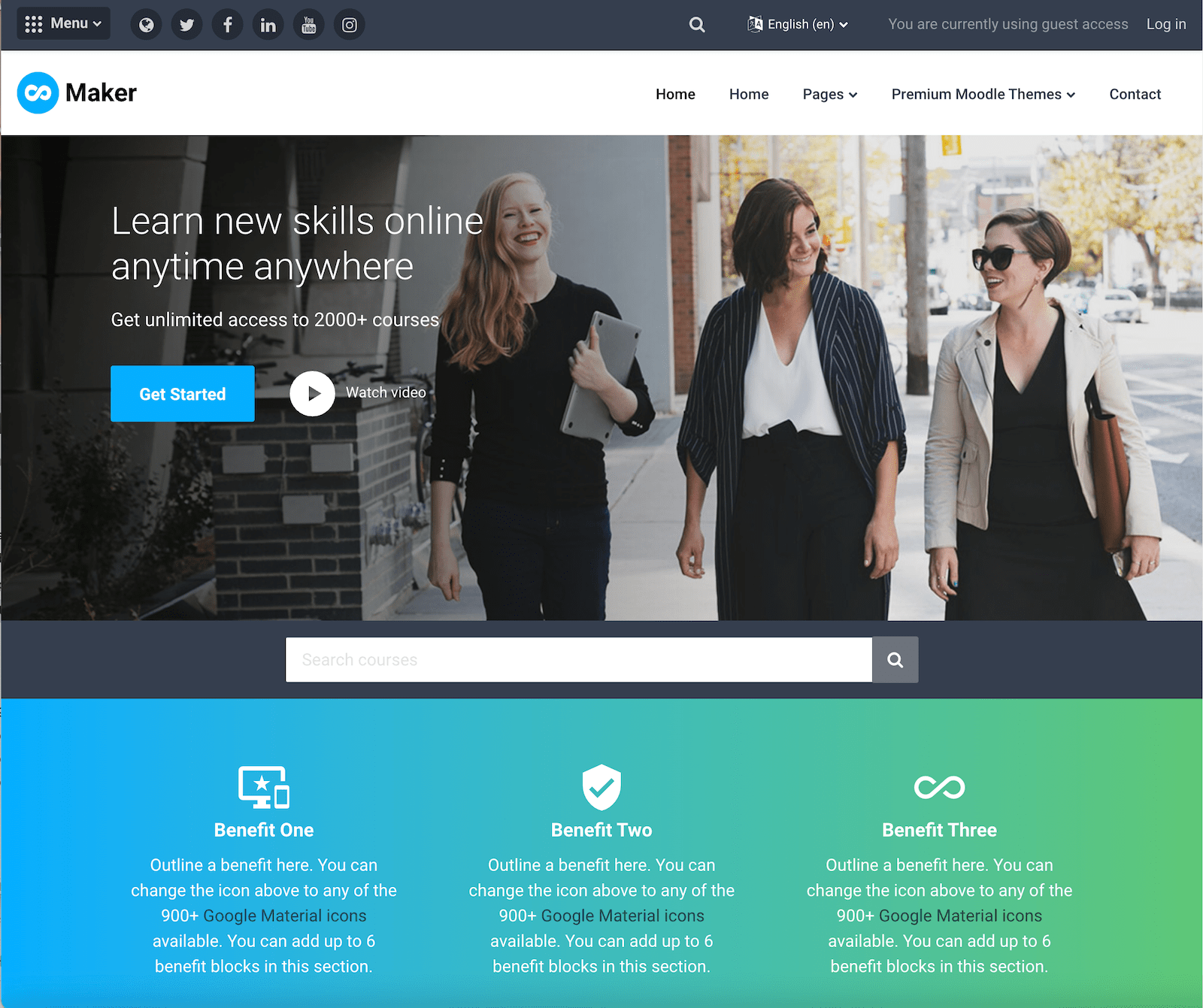
Maker is one of our established premium Moodle themes. It’s designed for organizations that want a professional Moodle website with a straightforward, familiar learning experience.
Built on Boost, Maker keeps Moodle’s core navigation and functionality while adding professionally designed layouts, branding options, and useful customization features.
A Practical Choice for Professional Moodle Sites
Maker provides a ready-made design that you can adapt to your organization’s branding without starting from a blank page.
Its layouts, visual components, and example content help you create a consistent website with less design work.
This makes Maker a good choice for schools, training providers, and organizations that want a polished Moodle site without investing in bespoke theme development.
Because Maker follows Moodle’s core design approach, it also helps keep the learning experience familiar to users.
Moodle Compatibility: Maker is available for Moodle 5.3 LTS and Moodle 4.5 LTS. Choose the correct theme version for your Moodle installation.
Best for: Schools, training providers, and organizations that want a straightforward, professionally designed Moodle site.
Which of Our Premium Moodle Themes Should You Choose?
All three themes are built on Moodle’s Boost theme, but each has a different design approach.
- Lumo: Best for a modern Moodle 5 platform with flexible homepage layouts, professional branding, and marketing-oriented content.
- Edutor: Best for universities and training organizations that want a structured, course-focused learning experience.
- Maker: Best for organizations looking for a professional Moodle site with a straightforward, familiar interface.
All three themes are available as a one-time purchase, with no mandatory subscription. Your license covers the Moodle version you purchase, and optional paid upgrades are available for newer Moodle versions. For more details, see our Theme License FAQ.
We also offer a 30-day money-back guarantee, so you can evaluate the theme privately on your own Moodle server using your existing courses, plugins, and site settings before rolling it out to learners. If the theme doesn’t meet your needs, you can request a full refund within 30 days. No questions asked. See our FAQ for full license and refund details.
5. Moove (Free Moodle Theme)
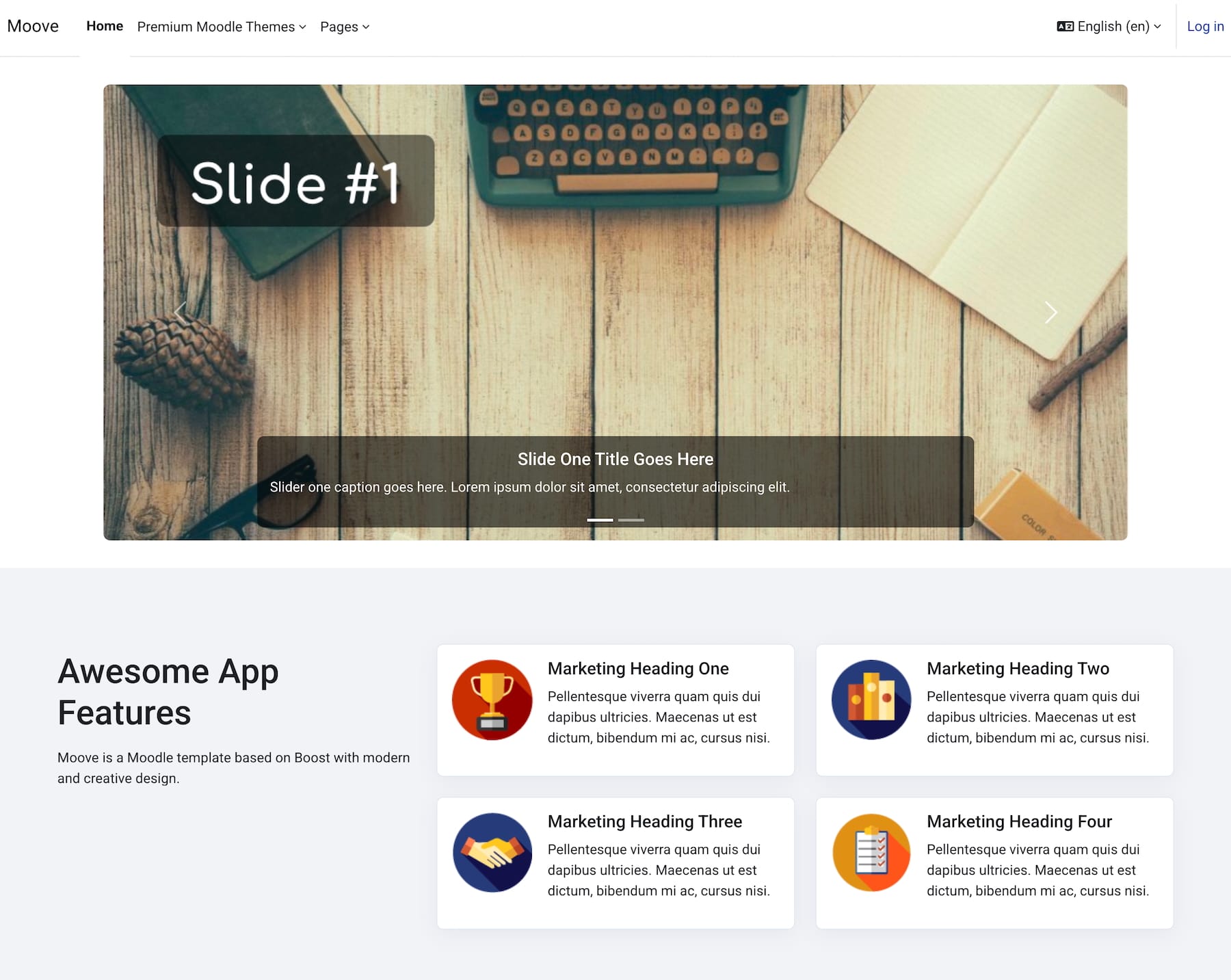
Moove is a popular free Moodle theme known for its modern design and user-friendly interface.
It’s based on Moodle’s Boost theme and offers a cleaner, more polished appearance than the default Moodle interface.
Moove includes branding and customization options that help administrators adjust the appearance of their learning platform.
Its simple, modern design makes it a good option for schools, universities, and training providers that want to improve their Moodle site’s appearance without purchasing a premium theme.
Like any third-party theme, Moove should be tested with your Moodle version, plugins, and existing course content before being used on a production site.
Moodle Compatibility: A Moodle 5.3 LTS-compatible release is available. Check the Moodle plugins directory for other supported versions.
Best for: Organizations looking for a modern, user-friendly free Moodle theme.
6. Boost Union (Free Moodle Theme)
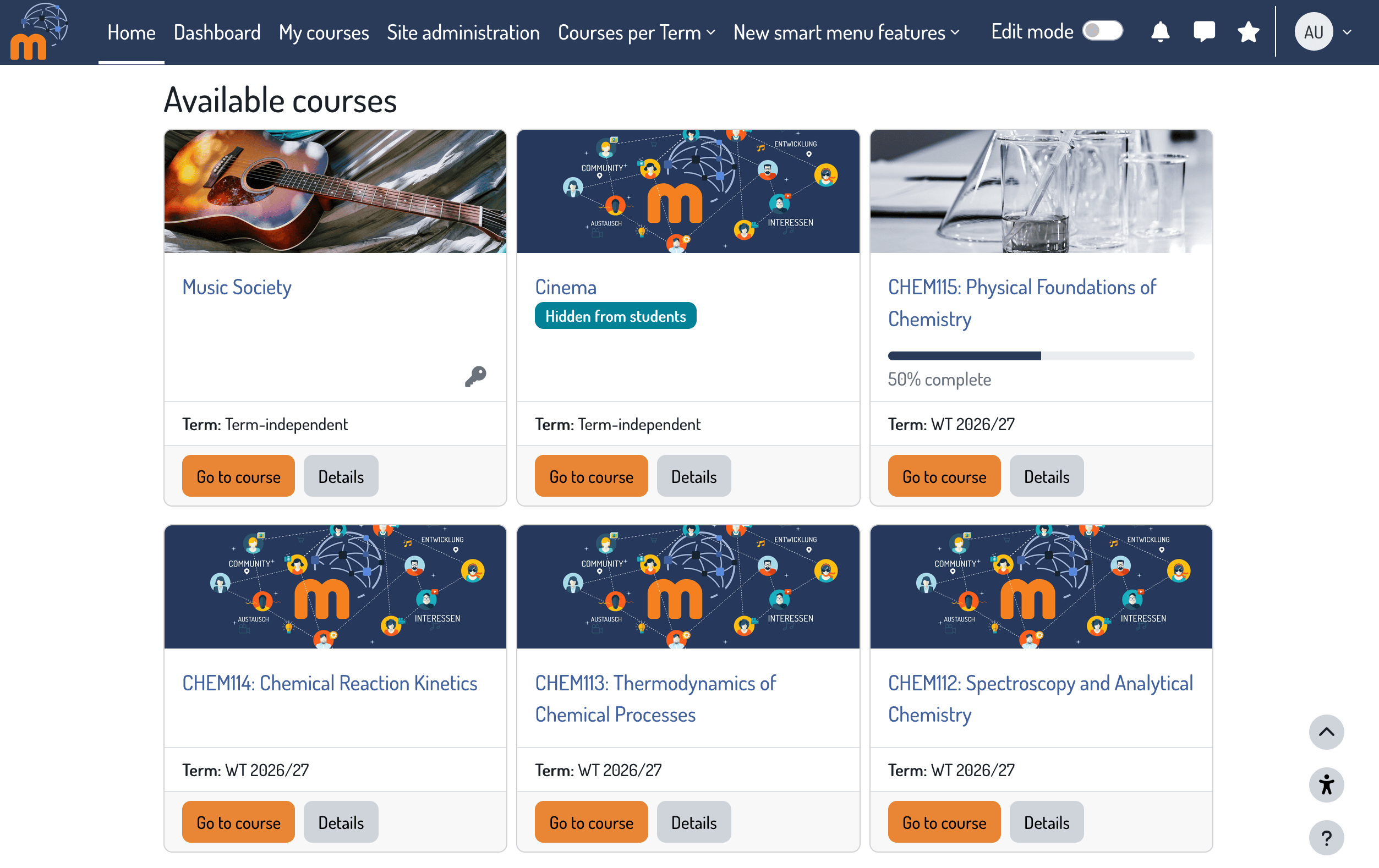
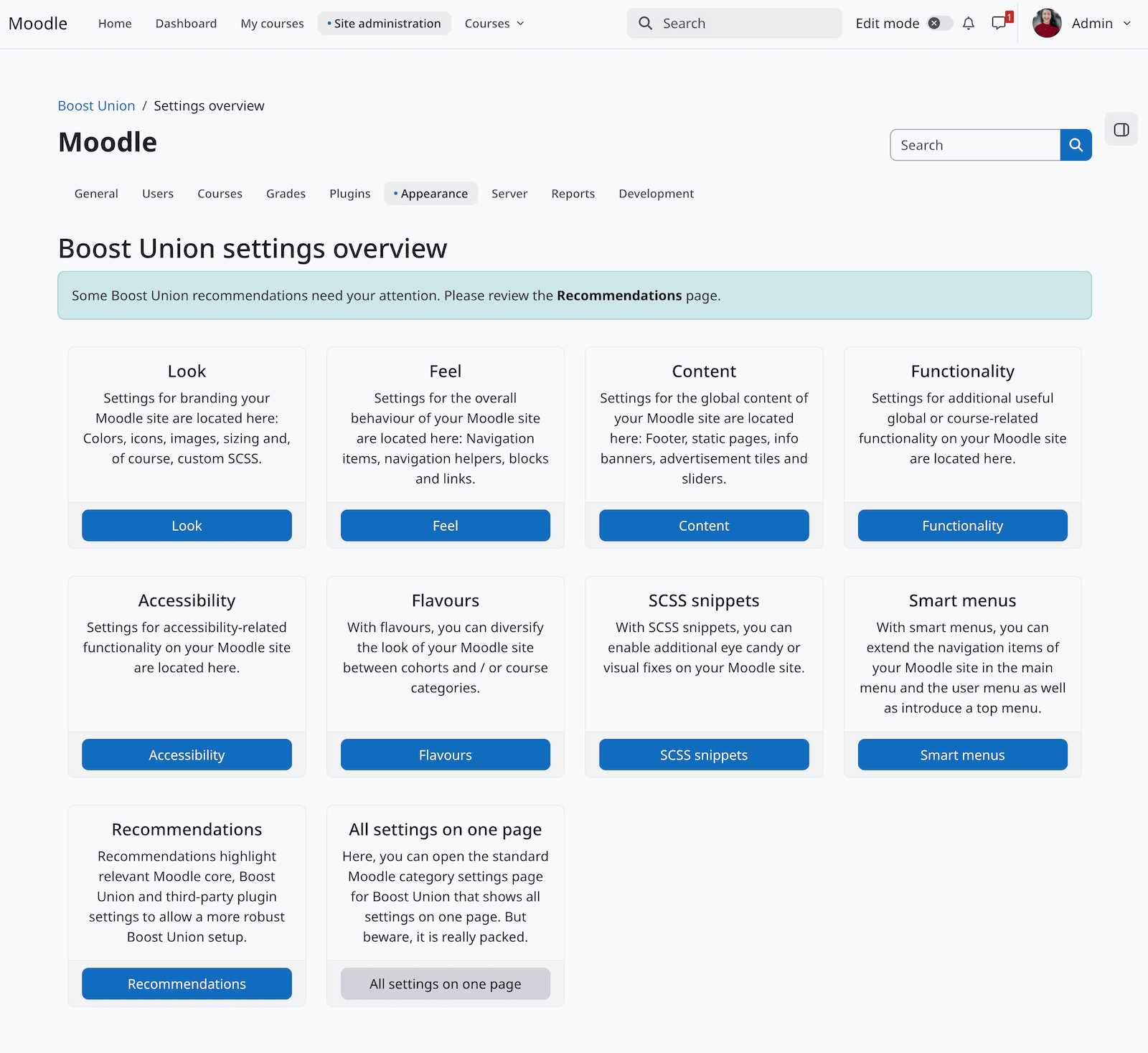
Boost Union’s settings overview provides extensive options for customizing your Moodle site’s appearance, navigation, and functionality.
Boost Union is a free, open-source Moodle theme developed by the Moodle an Hochschulen community and its contributors.
Unlike themes that come with a distinctive ready-made design, Boost Union looks very similar to Moodle’s default Boost theme. Its main strength is the extensive range of customization options available to site administrators.
You can customize your site’s branding, navigation, content, accessibility features, and more through its organized theme settings.
This makes Boost Union particularly useful for universities and organizations with experienced Moodle administrators who want greater control over their LMS interface.
However, creating a polished, branded Moodle website may require additional configuration and design work.
Moodle Compatibility: A Moodle 5.3 LTS-compatible release is available. Check the Moodle plugins directory for other supported versions.
Best for: Universities, educational institutions, and Moodle administrators who want extensive customization options and control over their LMS interface.
Moodle Theme Comparison: Free vs. Premium Options
Here’s a quick comparison of the six Moodle themes covered in this guide.
| Moodle Theme | Free / Premium | Moodle Compatibility | Best For |
|---|---|---|---|
| Boost | Free | Moodle 5.x and 4.5 LTS | A simple, familiar Moodle experience |
| Lumo | Premium | Moodle 5.x only | Modern, branded learning platforms |
| Edutor | Premium | Moodle 5.x and 4.5 LTS | Universities and structured learning platforms |
| Maker | Premium | Moodle 5.x and 4.5 LTS | Professional, straightforward LMS sites |
| Moove | Free | Moodle 5.x (varies by release) | A modern, user-friendly interface |
| Boost Union | Free | Moodle 5.x (varies by release) | Flexible branding and advanced configuration |
Note: Theme compatibility depends on the specific release. Always check that you’re downloading the correct version for your Moodle installation.
How to Choose the Right Moodle Theme
With so many Moodle themes available, how do you decide which one is right for your organization? Here are a few things worth considering:
- Moodle Compatibility: Make sure the theme supports your Moodle version and receives regular updates. This is particularly important for organizations running production learning platforms.
- User Experience (UX): Look for clear navigation, readable course pages, responsive layouts, and a consistent design that makes learning easier.
- Design and Customization: Consider whether you want extensive settings to build your own design or professionally designed layouts and ready-made content that you can customize.
- Maintenance and Upgrades: Check how closely the theme follows Moodle core and whether it’s actively maintained. A Boost-based theme can be a good starting point, but the extent of customization also matters. If you’re planning to upgrade to Moodle 5.x, see our Moodle 5 upgrade guide for important server and folder structure changes.
- Cost and Implementation Time: Don’t just compare theme prices. Consider the time and resources needed to design, configure, and maintain your site. A ready-made premium theme may be more cost-effective than bespoke development.
The best Moodle theme is one that meets your organization’s needs without adding unnecessary complexity or maintenance work.
Free vs. Premium Moodle Themes: Which Should You Choose?
Free Moodle themes have come a long way. Options like Moove and Boost Union offer modern interfaces, useful features, and plenty of customization options.
So, why pay for a premium Moodle theme?
The main difference isn’t necessarily the number of features. It’s how much time and effort you need to spend creating the website you want.
Free themes can be an excellent choice if you’re happy with their existing design or have the skills to customize them. For example, Boost Union offers extensive settings for administrators who want greater control over their Moodle site.
Premium themes can save time by providing much of the design work upfront. Our themes include professionally designed layouts, carefully considered UX/UI, ready-made content sections, and suggested copy that you can adapt to your organization.
This is particularly useful for universities, training providers, and businesses that want a professional, branded Moodle site without hiring a designer or commissioning a bespoke theme.
Ultimately, consider the total cost, not just the theme price. A free theme may cost nothing to download, but the time spent designing and configuring your site also has value.
Choose the option that best fits your budget, technical resources, and long-term needs.
Which Moodle Theme Is Right for Your Site?
There’s no single Moodle theme that’s right for everyone.
If you want to keep things simple and stay close to Moodle’s default interface, Boost is a sensible starting point.
If you’re looking for a modern free theme, Moove is worth exploring.
For organizations that want extensive customization options and have experienced Moodle administrators, Boost Union offers plenty of flexibility.
If you prefer a professionally designed Moodle site with much of the UX/UI work already done, our premium themes provide another option.
Lumo is a strong choice for modern Moodle 5 learning platforms that need professional branding and marketing-friendly layouts.
Edutor is particularly suited to universities and training organizations looking for a structured, course-focused learning experience.
Maker is a practical option for organizations that want a professional, straightforward Moodle site.
Whichever theme you choose, make sure it supports your Moodle version and meets your organization’s needs.
If you’re looking for a professional, branded Moodle website without the cost and complexity of bespoke theme development, our premium Moodle themes offer a practical alternative. With ready-made designs, carefully considered UX/UI, and a Boost-based approach that stays close to Moodle core, you can save time on setup and reduce unnecessary maintenance work.
We also offer a 30-day money-back guarantee, so you can evaluate our themes privately on your own Moodle server using your existing courses, plugins, and site configurations. This allows you to check compatibility and suitability before rolling out the theme to your learners.
If the theme doesn’t meet your needs, simply request a full refund within 30 days. No questions asked.