
Moodle 5.3 LTS was released on October 5, 2026, bringing improvements to course navigation, content editing, and the overall user experience.
We’ve recently finished updating our Moodle themes for 5.3, which gave us a chance to take a closer look at the latest changes to Boost, Moodle’s default theme.
Moodle 5.3 builds on the UI/UX improvements introduced throughout Moodle 5.x, with a cleaner interface, better course navigation, and more flexible content editing tools. For organizations upgrading from Moodle 4.5 LTS, some of these changes will be particularly noticeable.
In this post, we’ll focus on the UI/UX and theme-related changes, with screenshots showing what’s new and how these updates affect Moodle users.
Page Index
- A Cleaner, More Consistent Interface
- Previous and Next Buttons Make Course Navigation Easier
- Small but Useful Course Page Improvements
- TinyMCE Gets Some Handy Editing Features
- Boost Finally Gets Dark Mode (Experimental)
- Classic Theme Has Been Removed
- Planning to Upgrade to Moodle 5.3?
- Looking for a Moodle 5.3 Compatible Theme?
1. A Cleaner, More Consistent Interface
Moodle has been gradually refining the Boost theme throughout the Moodle 5.x releases, and Moodle 5.3 continues that work.
Compared to earlier Moodle 5.x versions, the latest changes are mostly refinements to spacing, buttons, and page layouts. However, for organizations upgrading from Moodle 4.5 LTS, the overall difference in the interface will be much more noticeable.
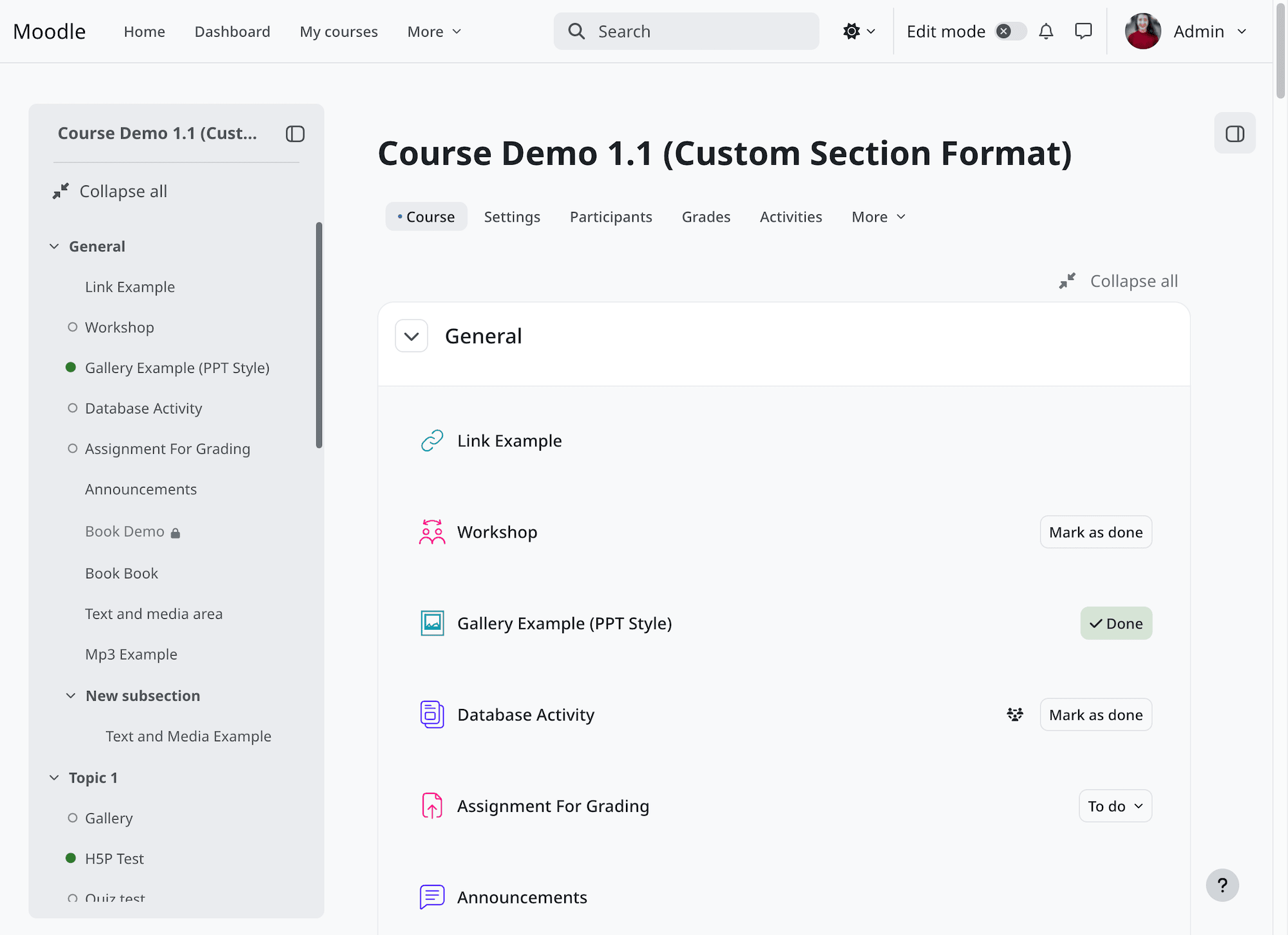
These improvements also benefit Boost-based themes, including our premium Moodle themes, which can take advantage of Moodle’s ongoing UI updates while maintaining their own designs.
It’s good to see Moodle continuing to improve its interface and make the platform easier to use for teachers and learners.
2. Previous and Next Buttons Make Course Navigation Easier
One of our favorite changes in Moodle 5.3 is the new activity navigation.
Learners can now move between course activities using Previous and Next buttons in a sticky footer at the bottom of activity pages.
Previously, learners often had to return to the course homepage or use the course index to find the next activity. The new navigation makes it much easier to work through a course, particularly when activities are designed to be completed in order.
The footer also includes the Mark as done button for activities using manual completion. Learners can mark an activity as complete and move on without leaving the page.
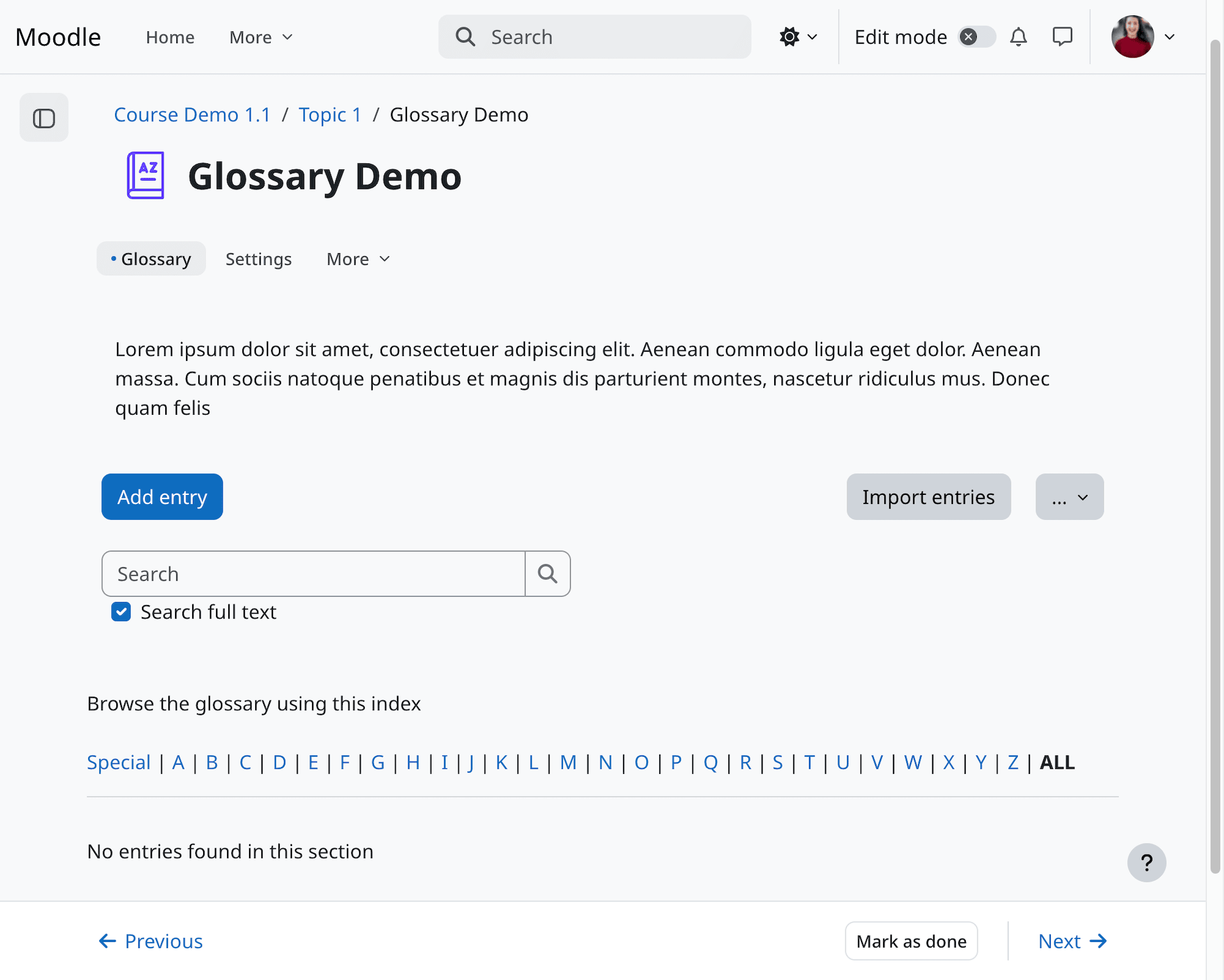
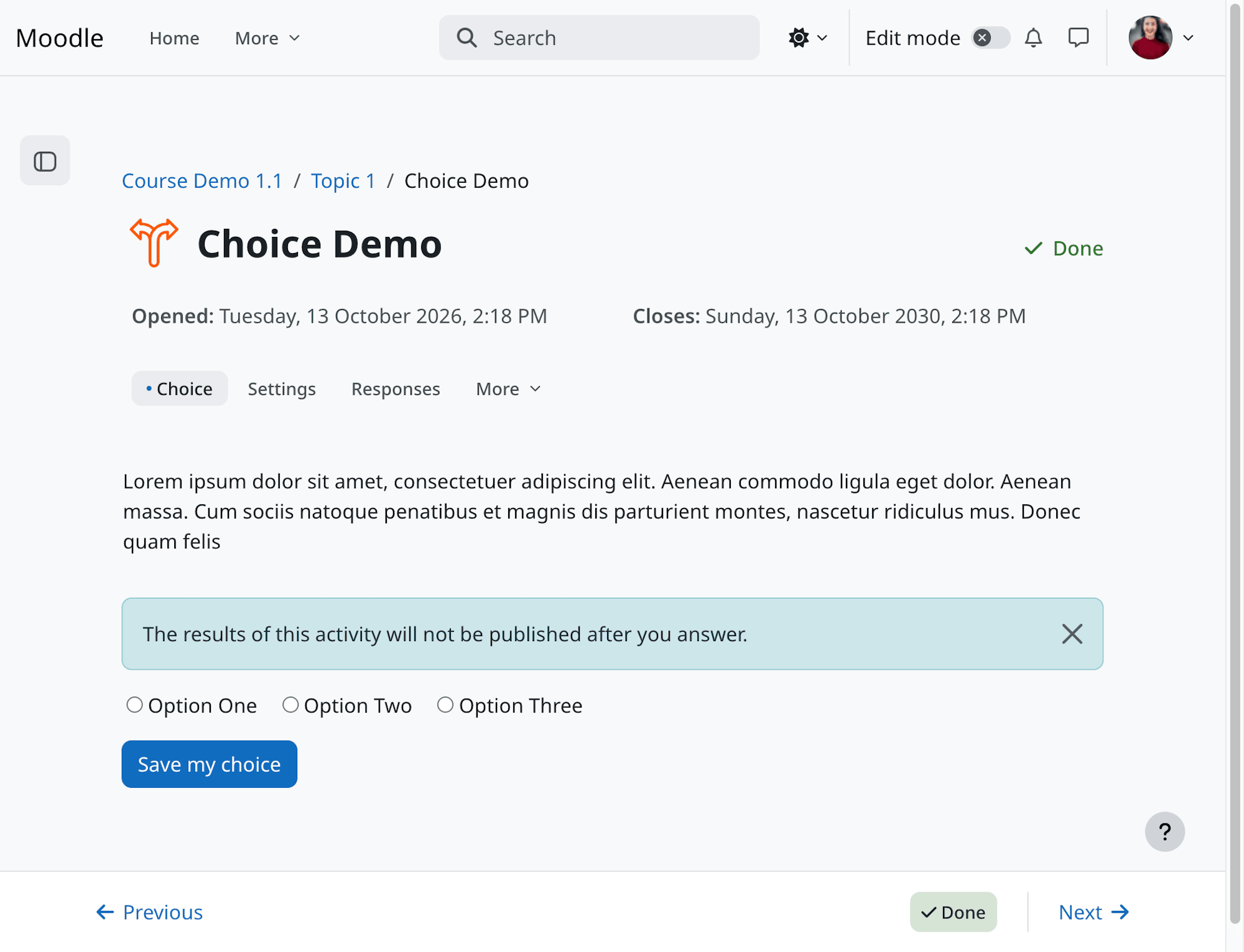
It’s a small change, but one that makes a real difference when working through a course with lots of activities.
A Handy Improvement to Forum Navigation
Moodle 5.3 also introduces a useful shortcut for forum discussions.
When viewing an individual discussion, learners can use the new Go to all discussions link to return to the forum’s discussion list.
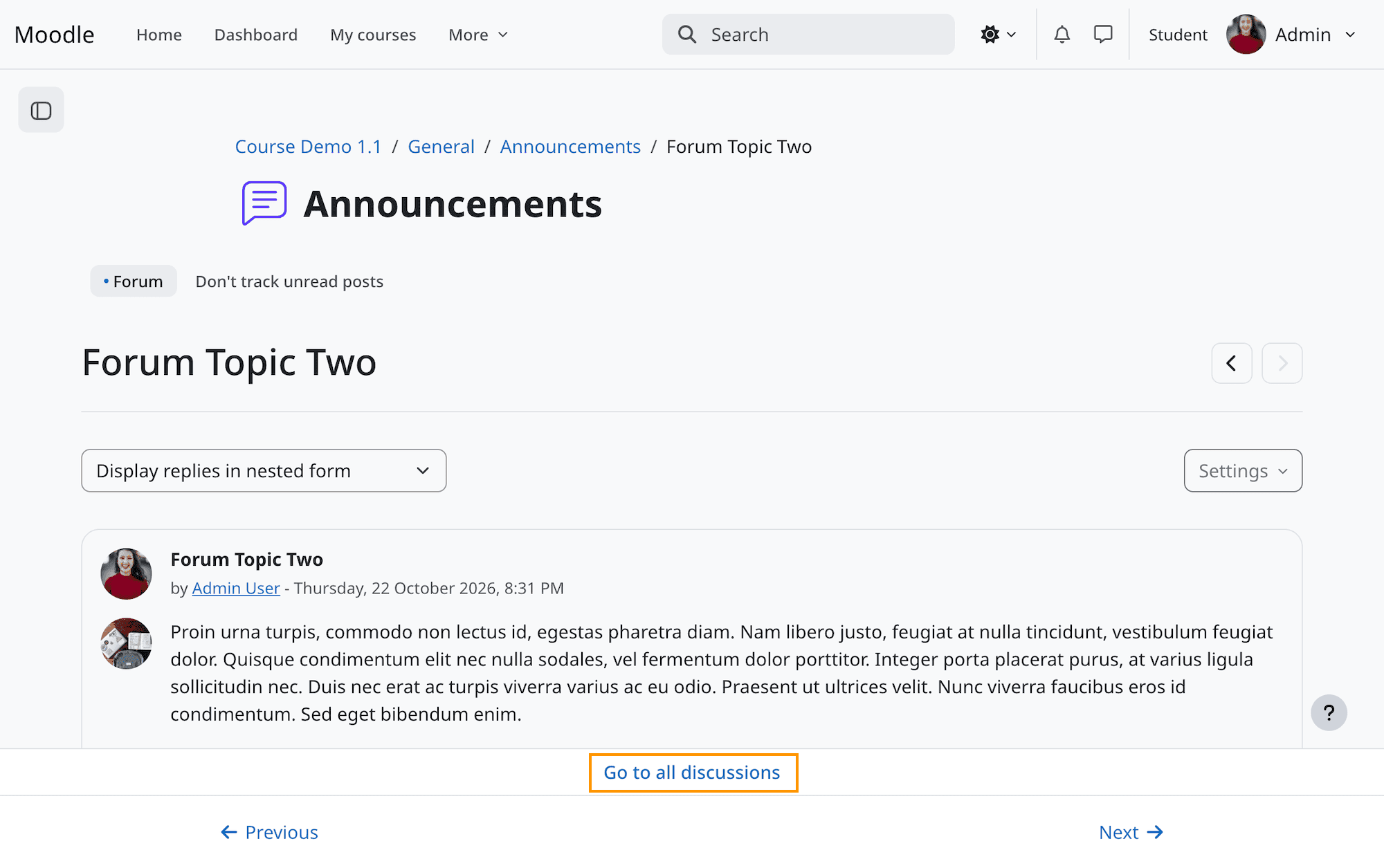
This saves a few clicks, especially in forums with lots of discussions.
Our Moodle 5.3 themes are based on Boost and include these navigation improvements too.
3. Small but Useful Course Page Improvements
Moodle 5.3 also makes a couple of changes to how users navigate courses with multiple sections.
Expand All / Collapse All Is Easier to Find
Before Moodle 5.3, the Expand all and Collapse all controls were positioned within the general course section area.
In Moodle 5.3, they’ve been moved to a more prominent location, making them easier to find.
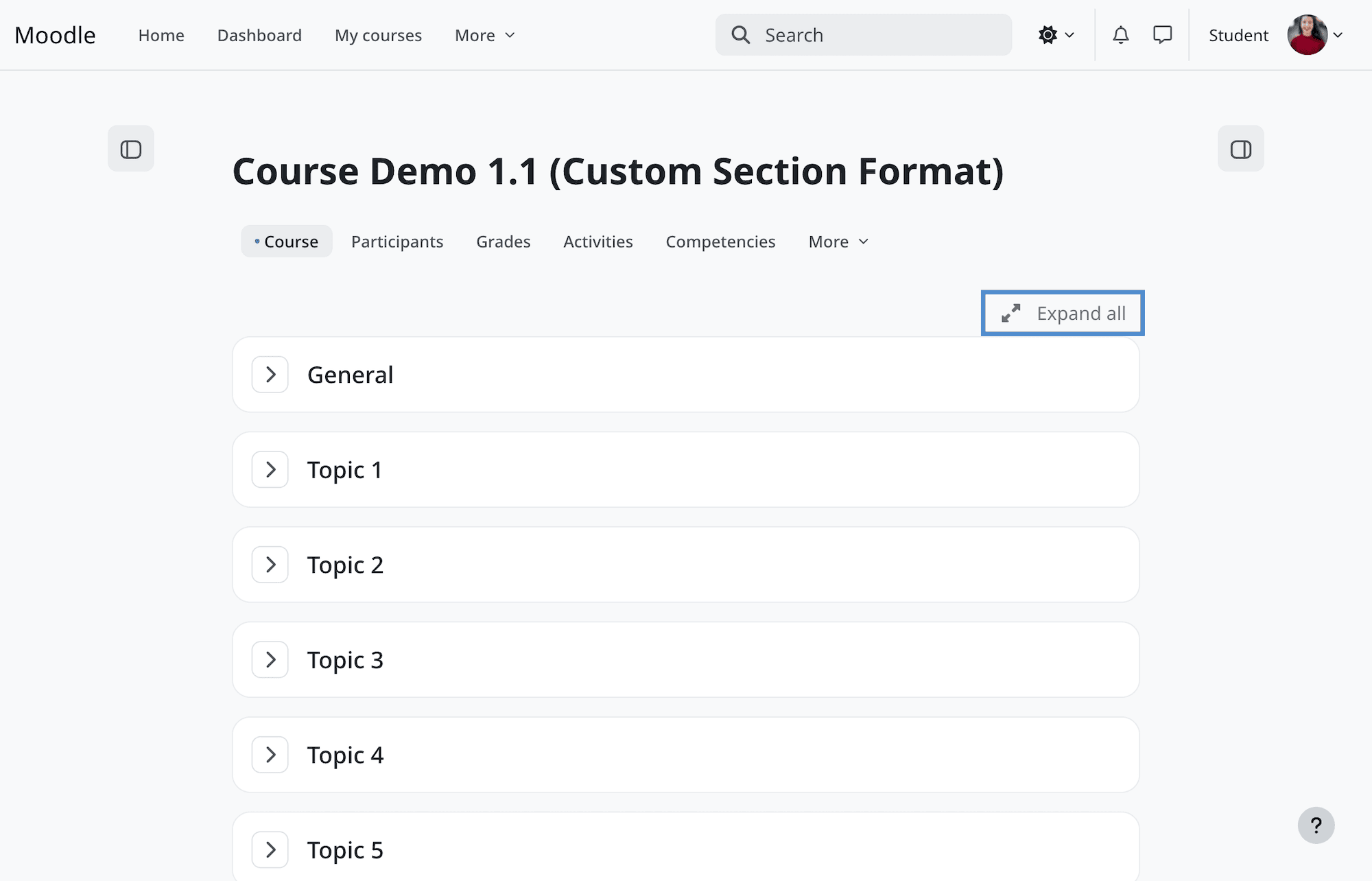
This is particularly helpful for longer courses, where collapsing sections makes it easier to see the overall course structure.
Better Controls in the Course Index
The course index drawer on the left now has its own Expand all / Collapse all controls.
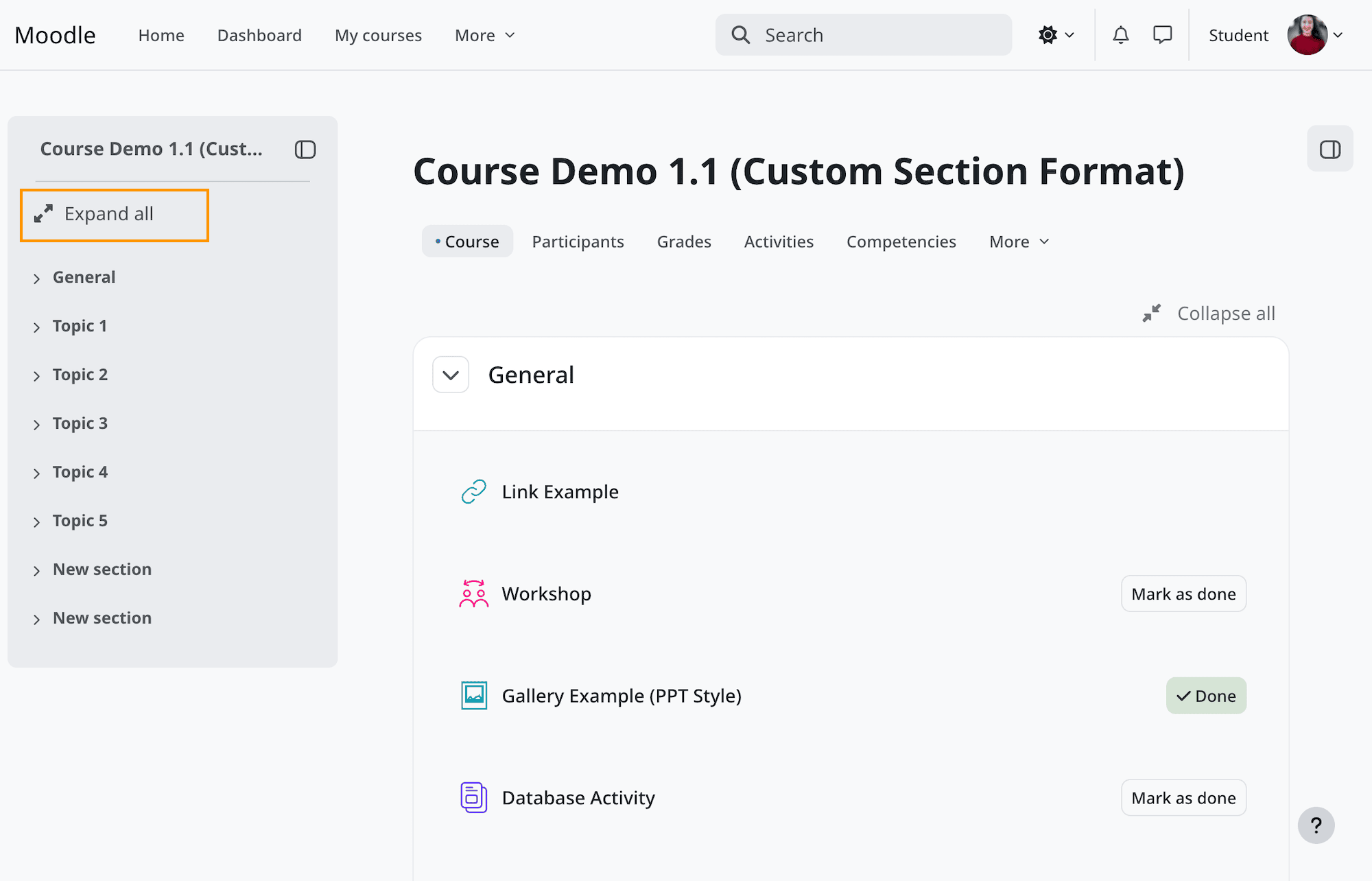
If you’re working with a course containing dozens of sections, you can now collapse the course index to get a clearer overview and expand individual sections when needed.
Both changes are fairly minor, but they make navigating longer courses more manageable.
4. TinyMCE Gets Some Handy Editing Features
Moodle 5.3 brings a couple of useful additions to TinyMCE, Moodle’s default text editor.
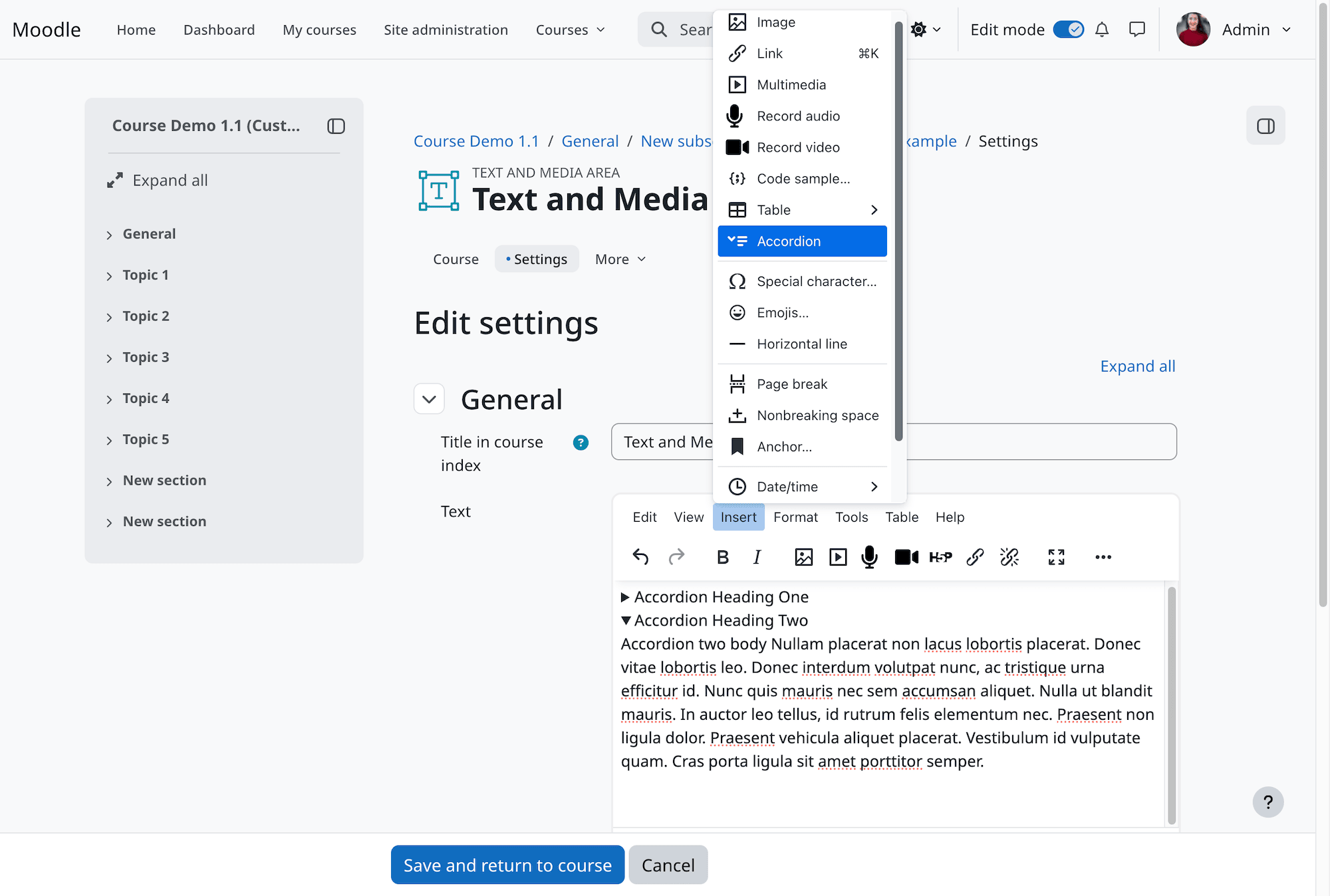
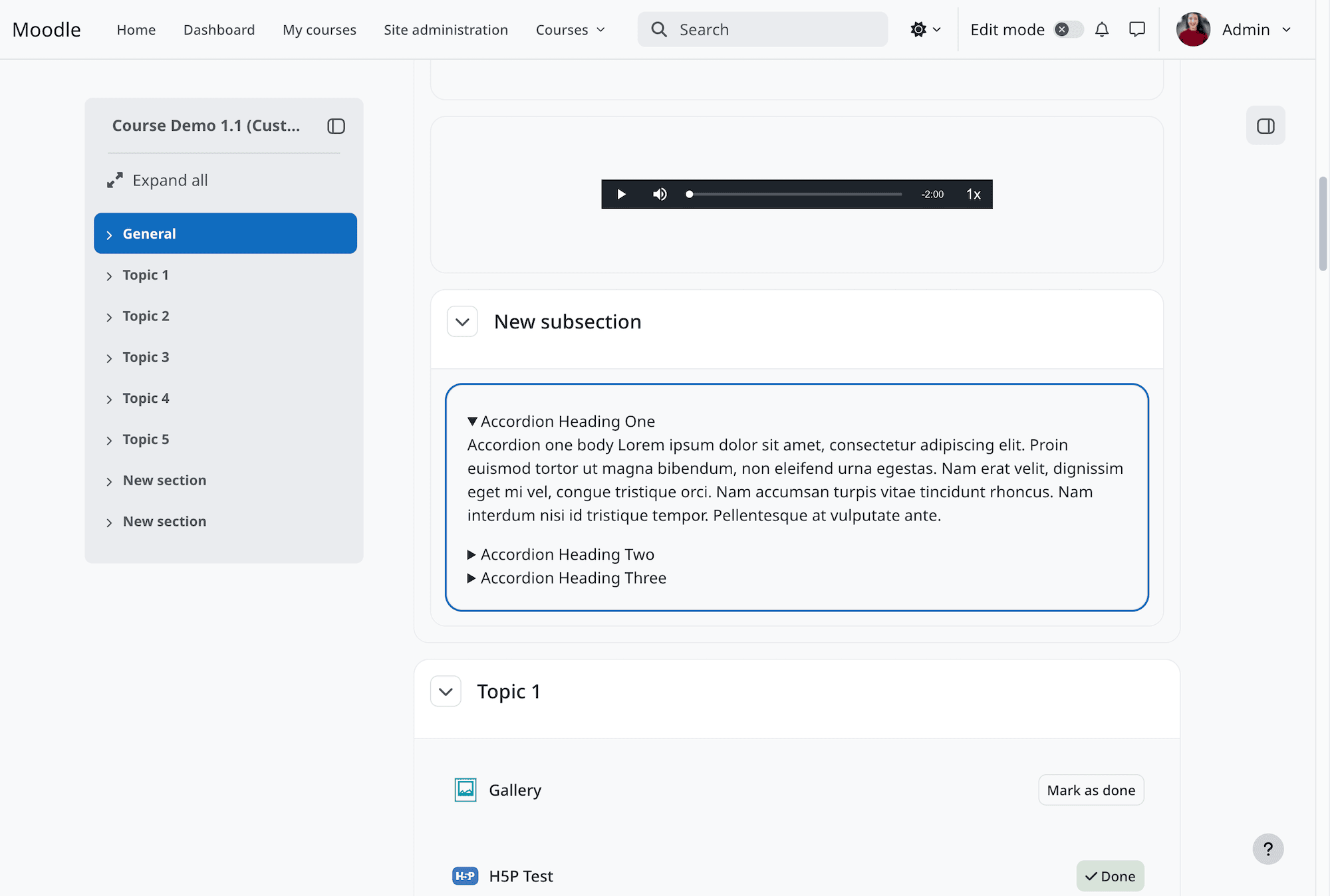
Create Accordions Without Writing HTML
You can now insert accordions directly through TinyMCE.
Accordions are useful for organizing content into expandable sections, such as FAQs, instructions, or additional reading materials.
Previously, creating something similar often required custom HTML or a third-party plugin. Now teachers can add accordions directly through the editor without needing to write any code.
More List Styling Options
TinyMCE also offers more flexibility when creating numbered and bulleted lists.
You can choose different numbering styles, including letters and Roman numerals, along with alternative bullet styles.
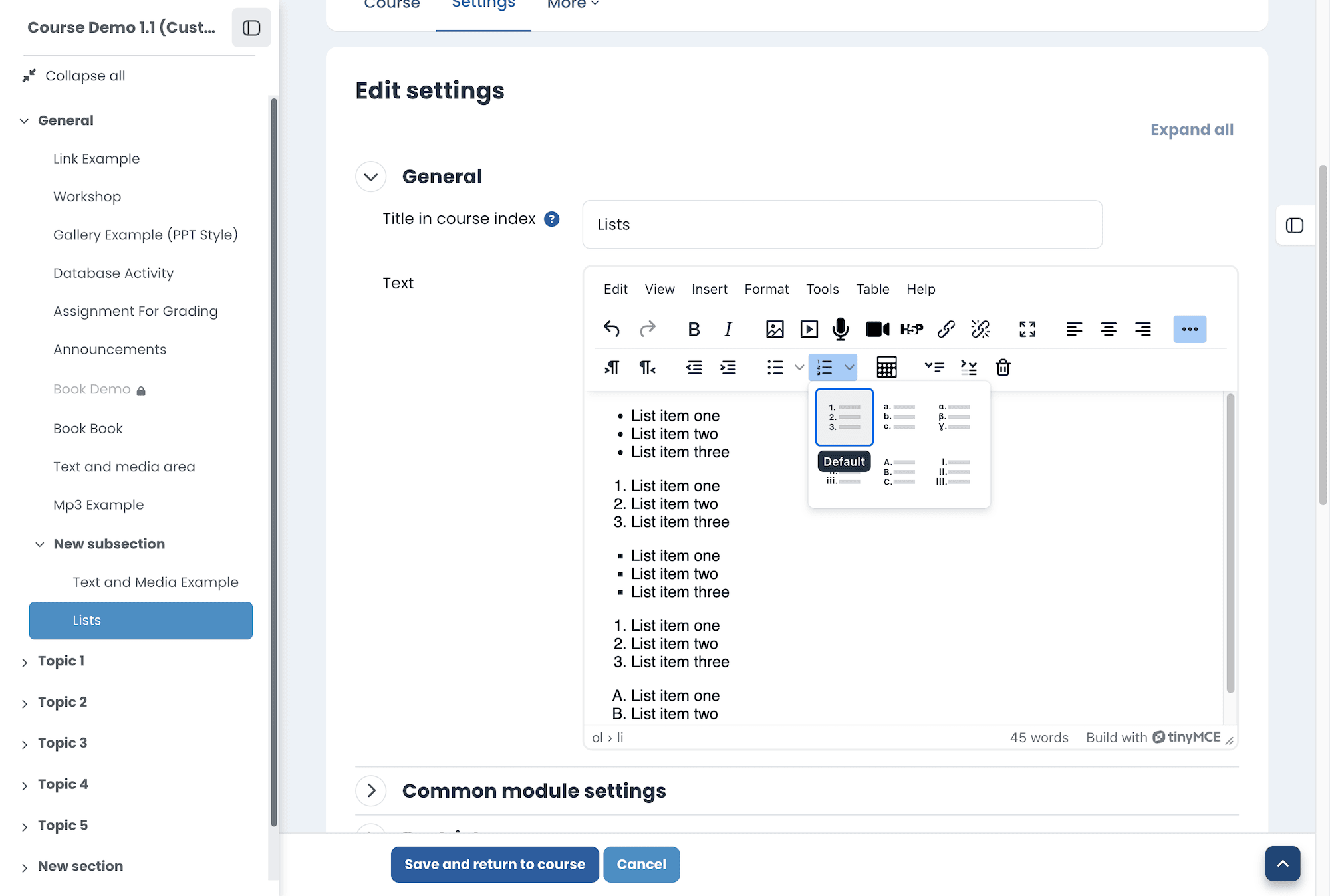
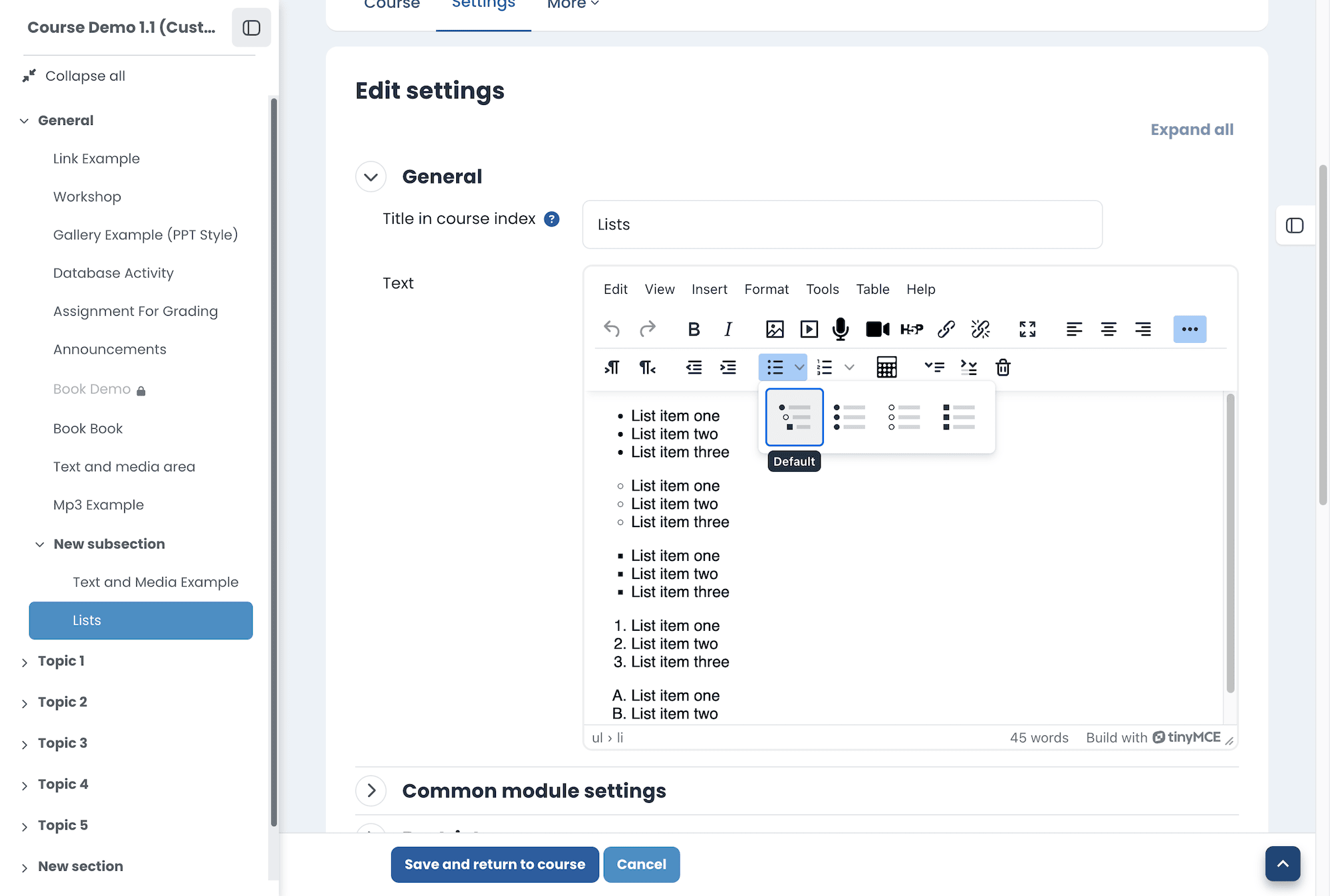
These are welcome additions for anyone creating course materials, particularly teachers who prefer working directly in Moodle rather than editing HTML.
Both features are available in Moodle’s standard TinyMCE editor without a premium subscription.
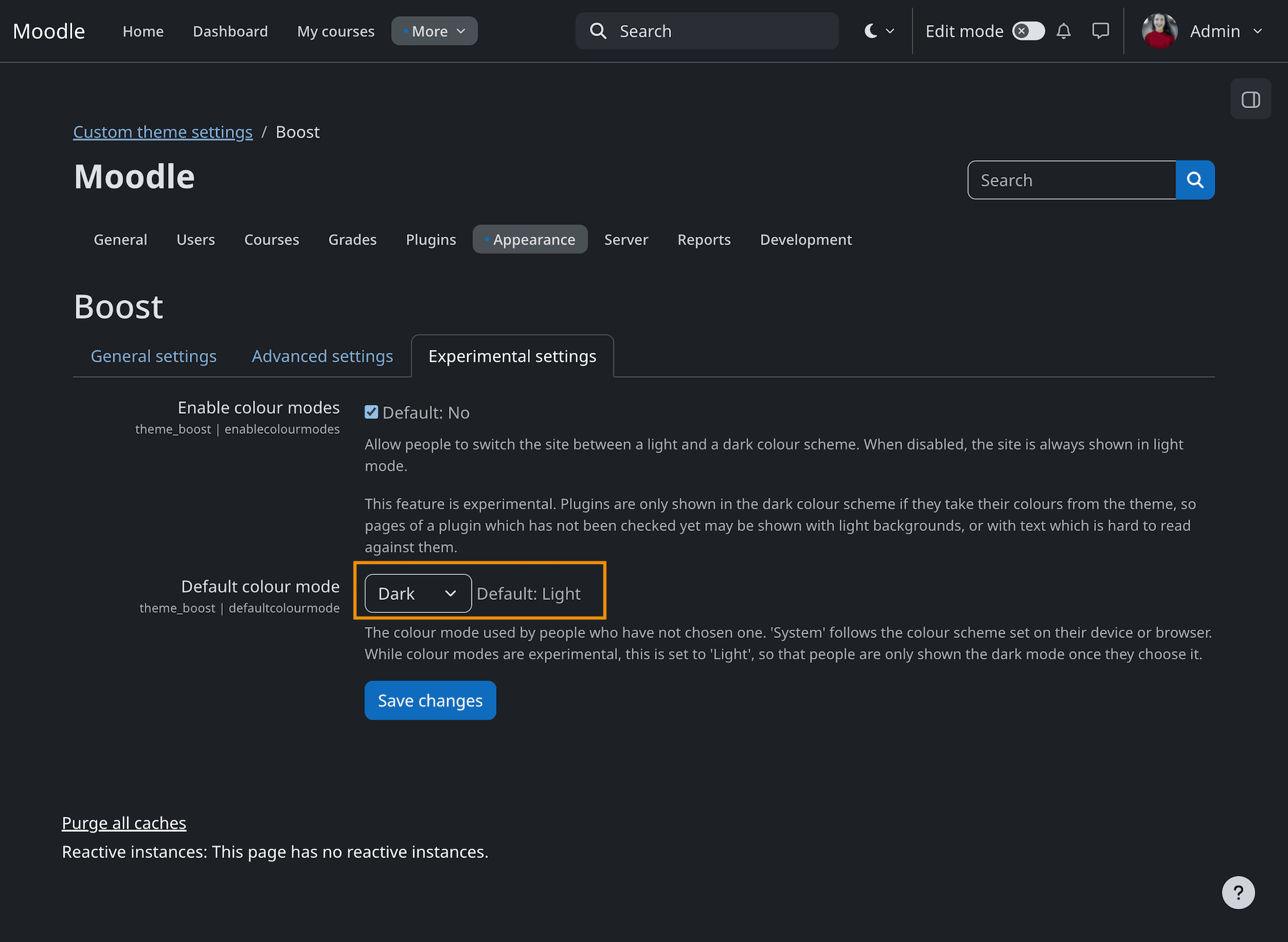
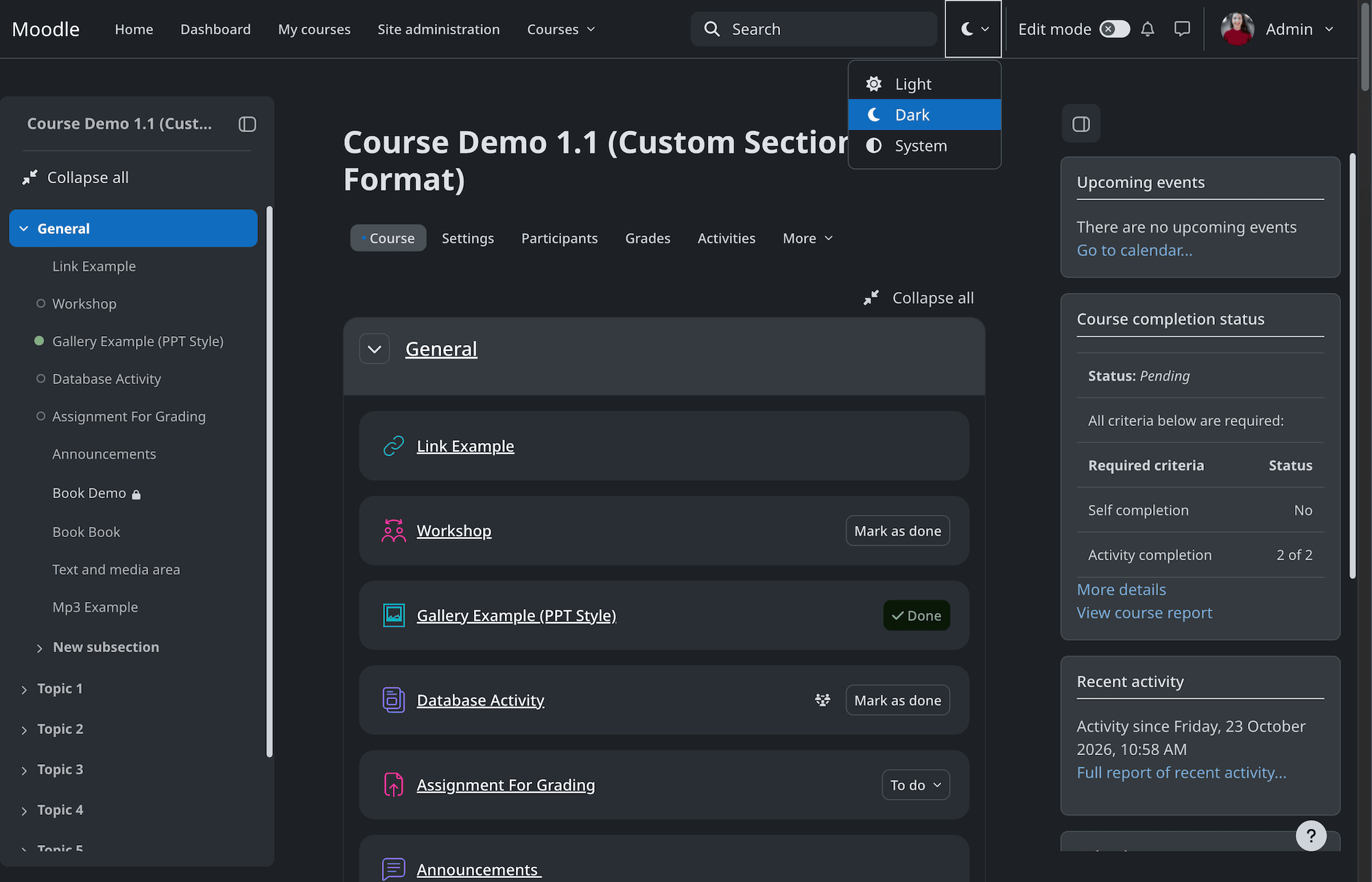
5. Boost Finally Gets Dark Mode (Experimental)
Moodle 5.3 introduces dark mode in Boost, although the feature is still experimental.
Once enabled, users can choose between Light, Dark, and System modes. The System option follows the appearance setting on the user’s device.
Administrators can enable dark mode under Site administration > Appearance > Themes > Boost > Experimental settings.
Is It Worth Enabling?
For now, we’d be cautious about enabling dark mode on a live Moodle site.
Dark mode affects more than just background and text colors. Third-party plugins, custom course content, and themes need to support it properly. Otherwise, some elements may become difficult to read or display incorrectly.
We also think Boost’s dark mode needs a little more refinement from a design perspective.
Our Moodle 5.3 themes will continue to use light mode for now. We’ll revisit dark mode support once Moodle’s implementation is more mature and no longer experimental.
6. Classic Theme Has Been Removed
Another change worth mentioning is that Moodle 5.3 no longer includes the Classic theme.
Boost is now the only theme bundled with Moodle core. Sites using Classic will switch to Boost when upgrading to Moodle 5.3.
What Does This Mean for Third-Party Themes?
If you’re using a third-party theme, make sure it officially supports Moodle 5.3 before upgrading. Even Boost-based themes may need updates to work properly with a new Moodle release.
This is one reason we recommend choosing a Boost-based theme. It provides a solid foundation for keeping up with Moodle’s ongoing UI improvements, although compatibility updates are still needed between Moodle releases.
If you’re considering a new theme, take a look at our Best Moodle 5 Themes article.
7. Planning to Upgrade to Moodle 5.3?
Moodle 5.3 is a Long-Term Support (LTS) release, making it a good choice for organizations planning their next Moodle upgrade.
If you’re still using Moodle 4.5 LTS and planning to move to Moodle 5, we’d recommend upgrading to Moodle 5.3 LTS rather than an earlier Moodle 5.x version.
Before upgrading, check that your server meets the Moodle 5.3 system requirements and that your existing themes and plugins are compatible.
If you’re upgrading from Moodle 4.5 or earlier, you’ll also need to be aware of the new public folder structure introduced in Moodle 5.1. We’ve explained this in our Moodle 5 upgrade guide.
We also recommend testing the upgrade on a staging site before making changes to your live Moodle installation.
8. Looking for a Moodle 5.3 Compatible Theme?
If you’re upgrading to Moodle 5.3 and want to give your site a fresh look, we’ve updated our premium Moodle themes to support the new release.
All three themes are based on Boost and include the new Moodle 5.3 navigation improvements.
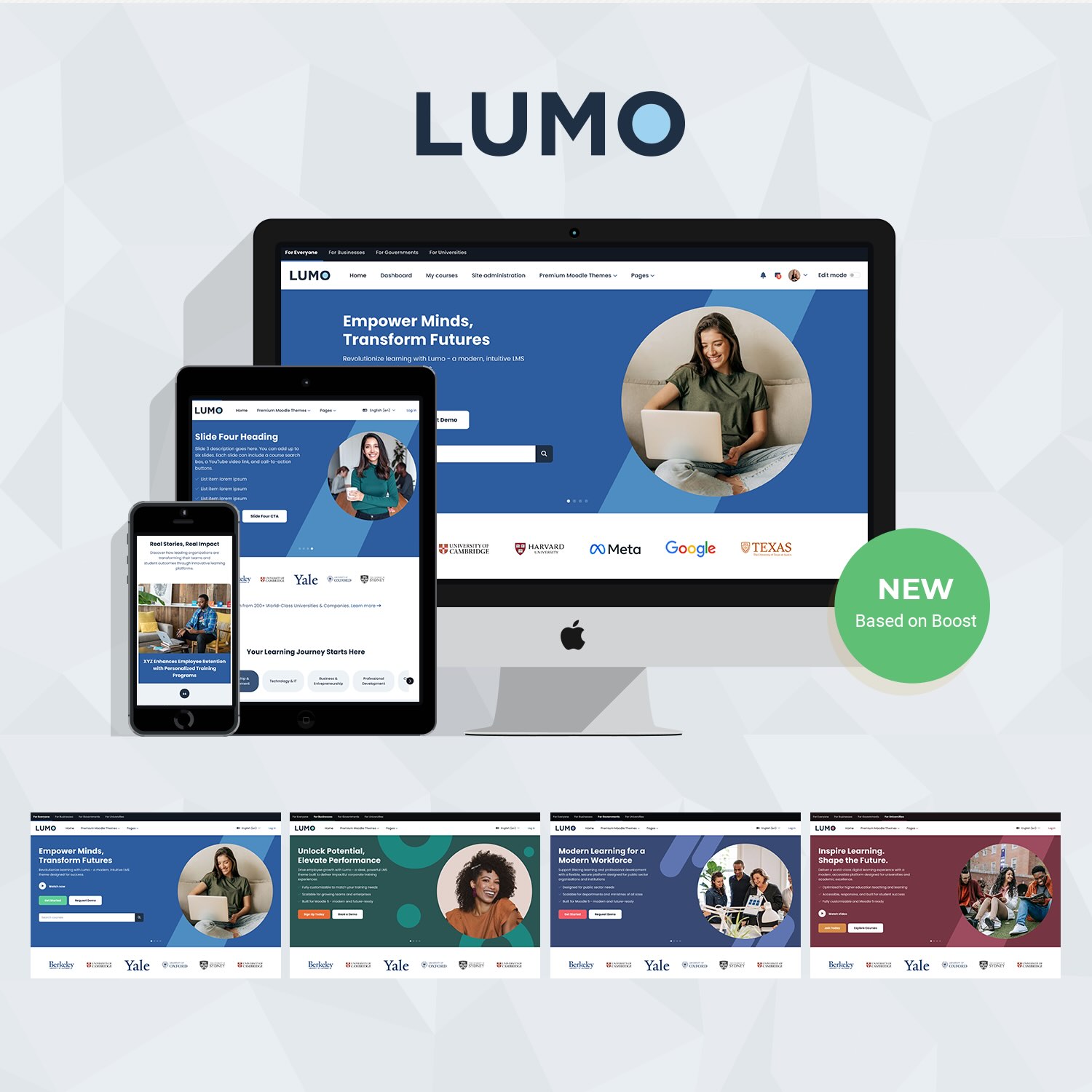
Lumo
Lumo is our newest Moodle 5 theme, featuring a modern design and flexible layouts for universities, corporate training, and professional learning platforms. It includes customizable homepage sections, multiple hero layouts, and ready-made templates for course landing pages, catalogs, blogs, and lead generation.
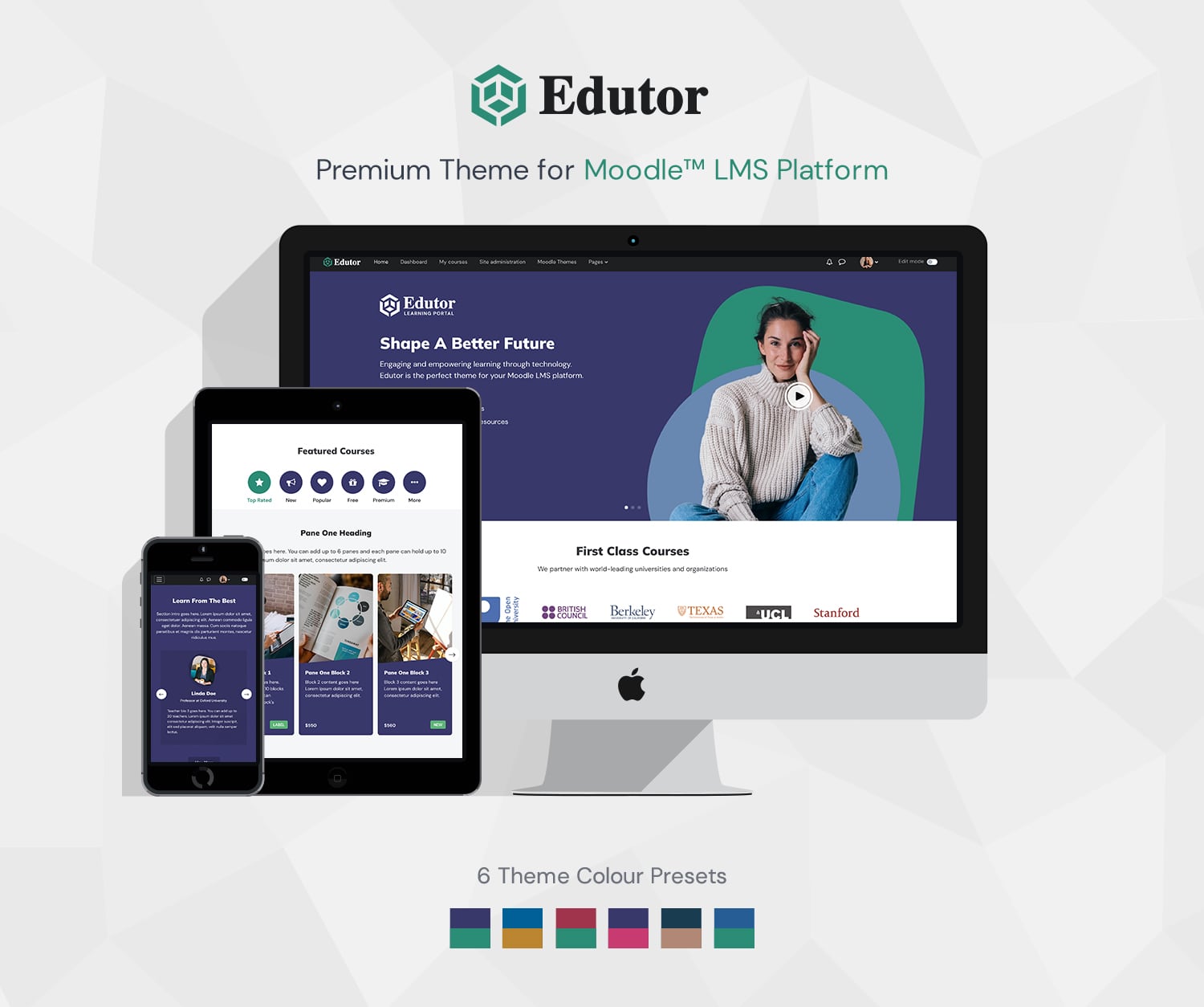
Edutor
Edutor is designed for universities, training providers, and organizations that need a clear, structured learning environment. It offers customizable course layouts, six color schemes, and ready-made templates for course landing pages, catalogs, and blogs. A good choice for content-heavy Moodle sites where course organization and ease of navigation are priorities.
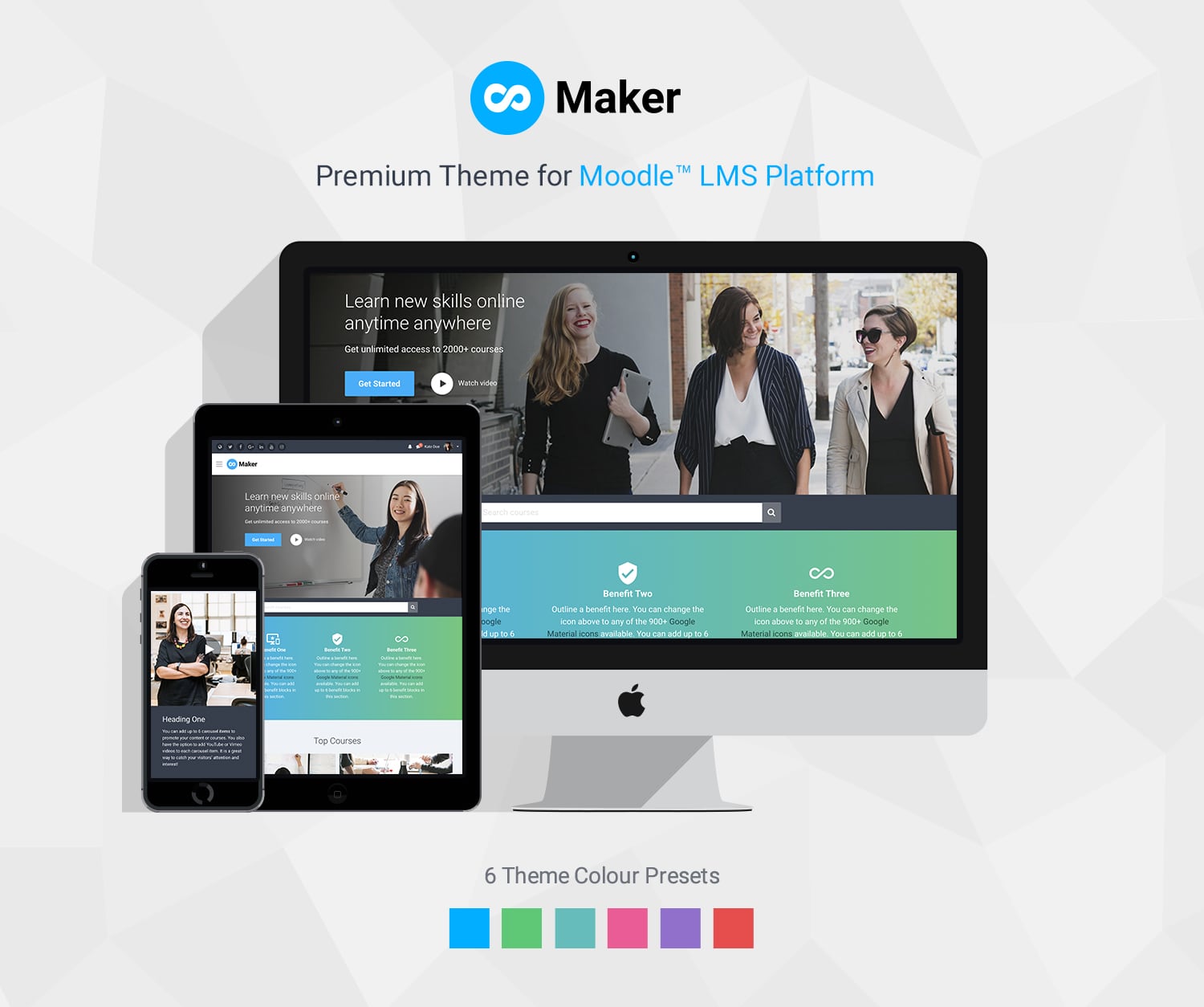
Maker
Maker is a practical Moodle theme for schools, colleges, course creators, and organizations looking for a clean, easy-to-manage learning platform. It includes customizable homepage sections, course display options, and ready-made templates for course landing pages, and catalogs. Ideal for Moodle sites that need a professional design without unnecessary complexity.
You can explore all our premium Moodle themes and try the live demos before choosing one for your Moodle site.
Final Thoughts
Moodle 5.3 brings some welcome UI/UX improvements, particularly to course navigation and content editing. The new Previous and Next buttons are our favorite addition, making it easier for learners to move through course activities.
It’s also good to see Moodle continuing to refine Boost, providing a stronger foundation for third-party themes.
We’ve focused on the UI/UX and theme-related changes here. For a more comprehensive overview of Moodle 5.3, check out these resources: