
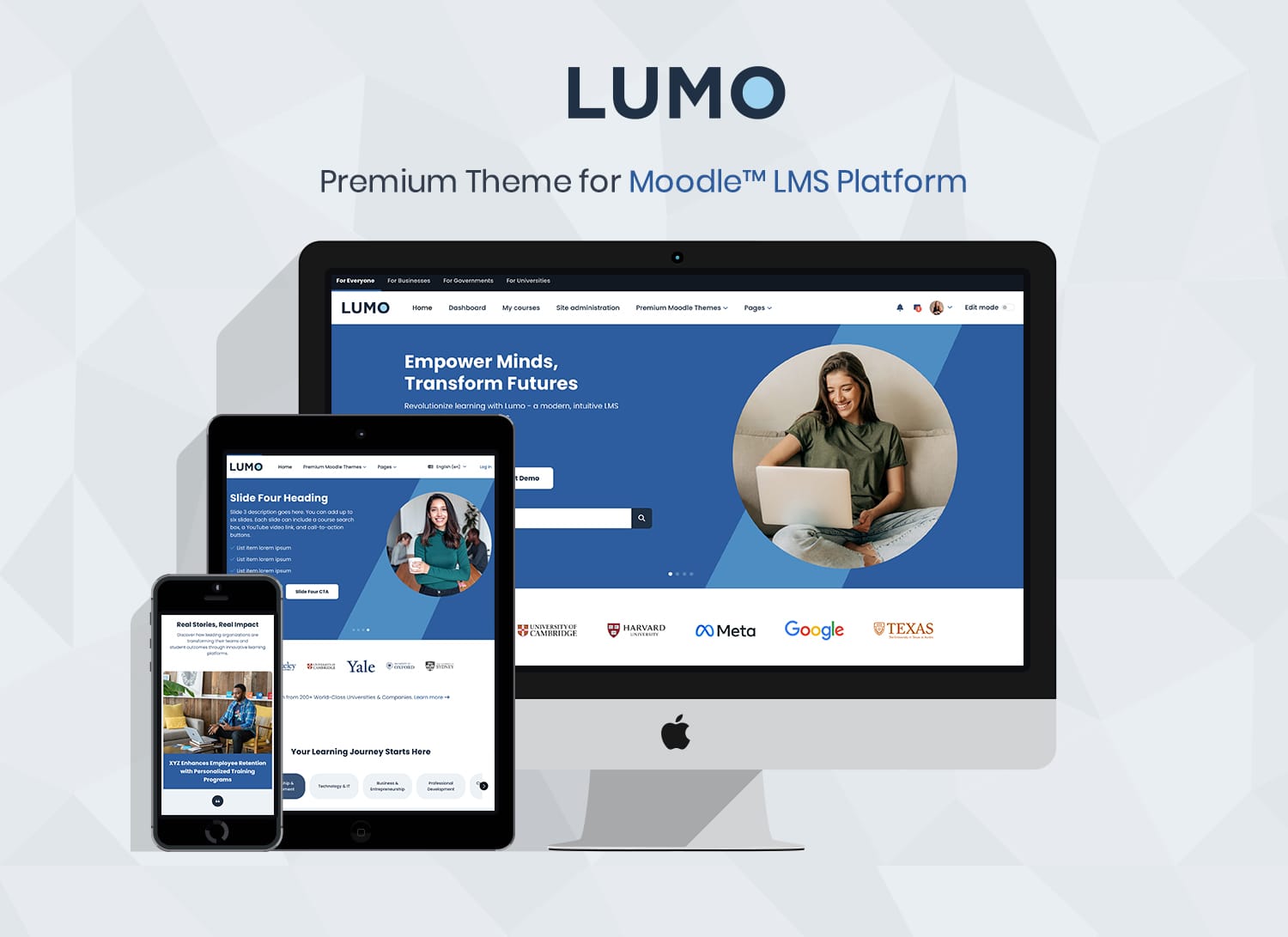
Four Color Schemes




Lumo Moodle™ Theme Overview
Flexible layouts for course sites, landing pages, and scalable LMS platforms
Lumo is a flexible Moodle 5 theme designed for universities, corporate training, and professional LMS sites.
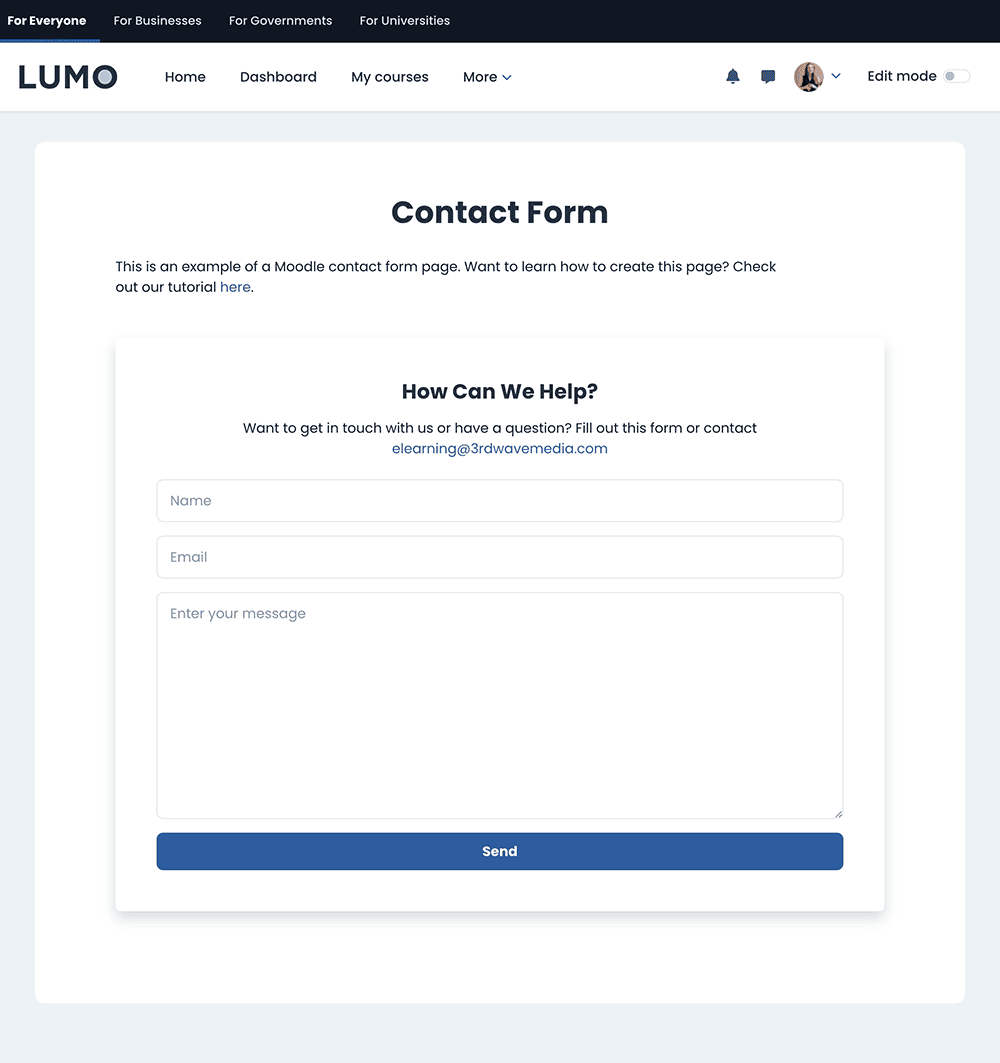
Includes pre-built templates for course landing pages, catalogs, blogs, lead generation, and contact pages, so you can launch professional LMS and marketing pages faster without custom development.
Built on the Moodle Boost theme (Bootstrap 5), it stays aligned with core, avoiding heavy customization that often breaks during upgrades.
Trusted by universities and corporate teams running production Moodle sites.
Modern LMS interface influenced by leading platforms such as Coursera and Udemy, bringing a familiar, professional user experience to Moodle.
- Built on the Moodle Boost theme (no risky core hacks)
- Compatible with Moodle 5.3, 5.2, 5.1 and 5.0
- Modern UI with flexible layouts for universities, corporate training, and LMS platforms
- Flexible front page layouts with pre-built sections for LMS and course websites
- Suitable for LMS platforms, course websites, and marketing-driven Moodle sites
- Easier to maintain and scale long-term
A flexible Moodle theme that combines modern design with upgrade-safe architecture, making it a reliable choice for universities, corporate training, agencies, and long-term LMS projects.
Explore how Lumo can be adapted for different LMS use cases and homepage styles.
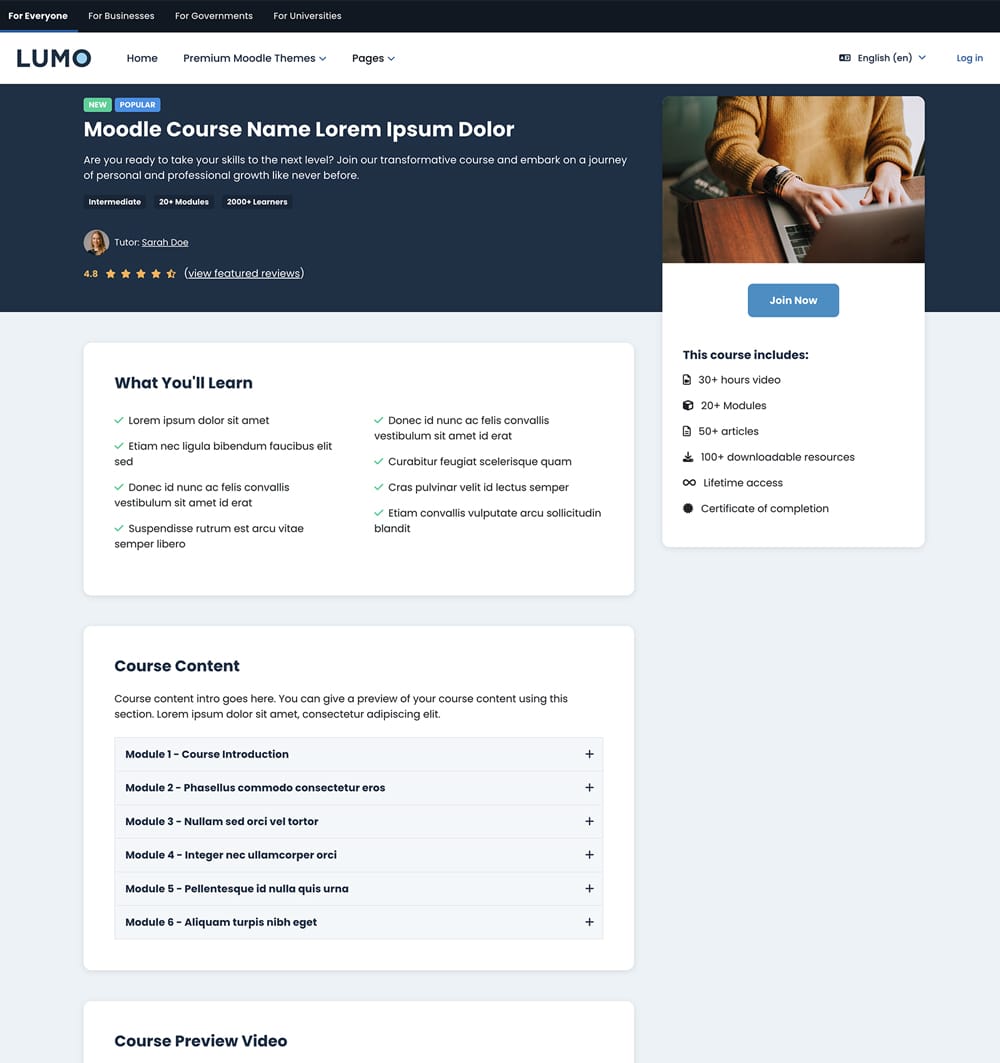
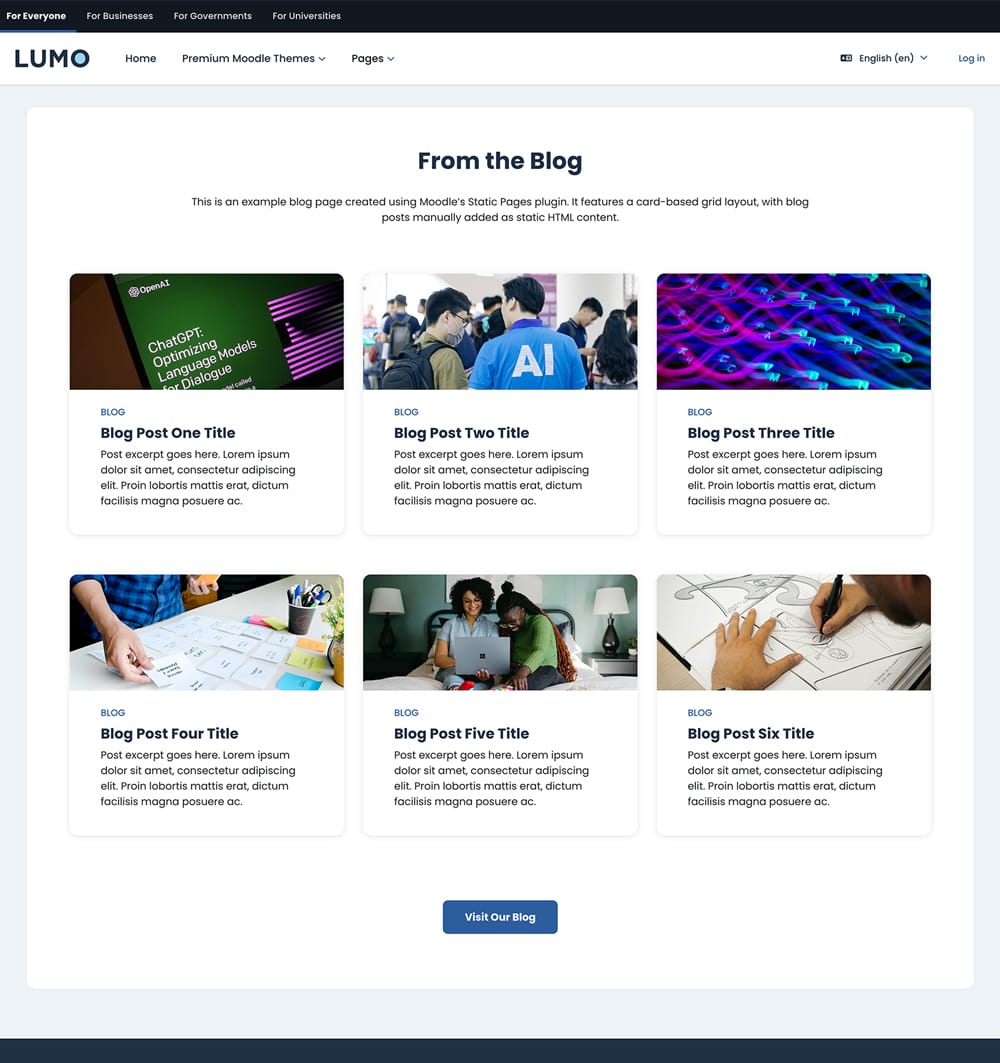
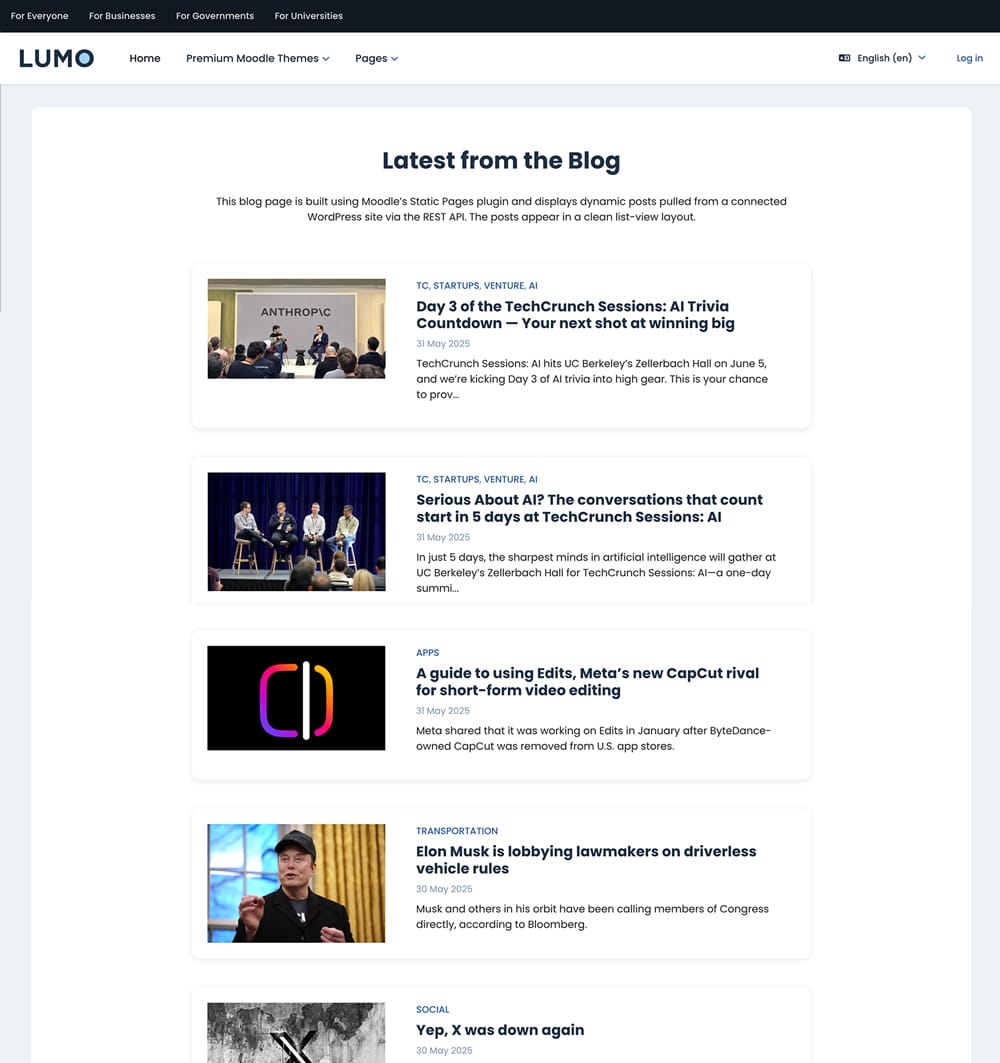
Theme Page Templates
Pre-built templates to quickly create course landing pages, catalogs, blogs, lead generation, and contact pages.


✨ New Feature: Hero Layout Showcase
(Moodle 5.3, 5.2 & 5.1)
Choose from two new homepage hero styles designed to give your Moodle site a modern, polished look.
Full-Width Background Image Hero

A bold, immersive hero layout featuring a full-width background image and flexible overlay styling.
Creative Side Image Hero

A visually engaging hero layout that pairs your text with a transparent PNG or illustration for extra visual impact.
✨ Key Features for Modern Moodle 5 Sites
- Built on the Moodle Boost theme for better compatibility and safer upgrades
- Compatible with Moodle 5.3, 5.2, 5.1 and 5.0
- Modern design without breaking Moodle’s core structure
- Built with Bootstrap 5 components for Moodle course design
- Includes four color schemes and custom branding options
- NEW Homepage hero section styles – full-width background or side-image layouts
- Flexible homepage layout – reorder sections and choose from multiple layout options
- Pre-built course landing page templates (including Udemy-style layouts)
- Course catalog page templates for structured LMS content
- Built-in lead generation and contact page templates
- Built-in blog section with optional WordPress integration via REST API
- Two login page layouts to match your branding
- Fully responsive Moodle theme for desktop, tablet, and mobile
- Easy-to-use customization options with no coding required
Theme Licenses
For Moodle 5.3.x (LTS)
Single Application
License (For Moodle 5.3)
License
Multiple Applications
License (For Moodle 5.3)
License
$2899
(Excl.Tax)
- for unlimited domains/subdomains
License Details
For Moodle 5.2.x
Single Application
License (For Moodle 5.2)
License
Multiple Applications
License (For Moodle 5.2)
License
$2899
(Excl.Tax)
- for unlimited domains/subdomains
License Details
Need this theme for Moodle 5.1 or Moodle 5.0?
You can contact us to request a purchase link
100% Money-Back Guarantee
If it’s not right for your project, contact us within 30 days for a full refund, no questions asked.
Description
Theme Summary
- Theme Version: v4.0 (Moodle 5.3) | v3.0 (Moodle 5.2)
- Last updated: 2026-10-05
- Compatibility: Moodle 5.3 & 5.2
- Theme Parent: Moodle Boost Theme
Theme Features
- Clean, modern design with intuitive UX
- Course landing page design template (Udemy-style)
- Course landing page design template (standard)
- Course catalog page design template
- Blog page design template (Manual | WordPress)
- Four color schemes
- Custom brand colors
- Custom site logo
- Custom menu
- User menu
- Custom Google Fonts
- Login page layout options: single-column or two-column format
- Course list layout options: Default, Cards, or Masonry
- Course image: use default or upload a custom image
- Header alert: site-wide or home page only
- Home hero section (add up to 6 slides with video and course search options)
- Home logos section (add up to 12 logos)
- Home featured section (add up to 10 tabs/panes)
- Home promo carousel (add up to 6 items with video options)
- Home categories section (add up to 20 items)
- Home CTA & Highlights section: add up to 4 data boxes and 6 benefit items
- Home pricing section (add up to 4 plans)
- Home FAQ section (add up to 10 Q&A)
- Home teachers section (add up to 20 teachers)
- Home testimonials section (add up to 12 items)
- Home lead section
- Home blog section – manually add up to 6 posts or automatically display posts via WordPress integration
- Reorder home page sections with ease using theme settings
- Footer branding & copyright
- Footer content blocks (for footer menu links)
- Footer widget area
- Footer social media links (custom links available)
- Page “back-to-top” link
- Custom SCSS/CSS
- Google analytics
- Supports popular Moodle course format plugins: Tiles Format, Grid Format, Collapsed Topics, Onetopic Format, Pop up activities
- Supports multi-language content
- Supports Moodle social logins (Facebook/Google/Linkedin/Microsoft)
- Supports Bootstrap 5 components
- Supports Moodle Static Pages Plugin
- Supports Moodle Custom Certificate Plugin
- Supports Bootstrap icons
- Supports Google Material icons
- Supports FontAwesome icons
- Compatible Browsers: Latest Chrome, Latest Firefox, Latest Safari, Latest Edge
Theme Support
If you would like to report theme bugs and issues, please email us at elearning@3rdwavemedia.com.
FAQ
Theme FAQ
No, our theme licenses are NOT subscription-based. They’re perpetual to the specific Moodle theme version.
For example, if you bought a theme license for Moodle 5.3, your license is valid for Moodle version 5.3 forever. You can use the theme on a Moodle 5.3 site as long as you like. You will also get free theme updates (incl. bug fixes and improvements) and support for Moodle 5.3.
If you’d like to upgrade your Moodle site from version 5.3 to a higher version in the future (eg. Moodle 5.4) you will have the option to upgrade your current theme license. A small license upgrade fee will apply so you don’t need to pay for the full license price for a higher version again.
Upgrading is completely optional, and you can choose when to upgrade. Pay for the version you need now, then upgrade later when you choose. Most customers upgrade their Moodle sites and themes every 1–3 years.
Once installed you can go to the theme settings page to configure the theme: Site administration > Appearance > Themes > lumo
You probably need to purge the Moodle cache. If purging the cache doesn’t work please try the steps list in this tutorial.
You need to replace the whole theme folder with the new one to ensure you don’t miss any changes. Also remember to purge the Moodle cache to see all the changes. Learn more
No, you won’t. All of your theme configurations are safely stored in your database so you won’t lose anything.
Please email us at elearning@3rdwavemedia.com with your Moodle version/build and theme version so we can investigate and fix the bug/issue for you asap.
Installation
Theme Installation
- Download the theme zip file
- Extract the /lumo/ folder and the files.
- Upload the /lumo/ folder to your hosting server’s Moodle theme directory:
Your Moodle installation > public > theme > lumo - Log into your Moodle site as an admin, and navigate to the themes page:
Settings > Site administration > Appearance > Themes - Click “Select theme” below the Lumo theme preview to activate it.
Changelog
Changelog
Moodle v5.3 ONLY
2026-10-05: v4.0
- Initial Release
Moodle v5.2 ONLY
2026-04-20: v3.0
- Initial Release
Moodle v5.1 ONLY
2026-04-20: v2.7
- Improvements and bug fixes
2026-04-13: v2.6
- Improvements and bug fixes
2026-03-16: v2.5
- Improvements and bug fixes
2026-01-12: v2.4
- Improvements and bug fixes
2025-11-28: v2.3
- Improvements and bug fixes
2025-11-24: v2.2
- New: homepage hero full-width background image option
- Improvements and bug fixes
2025-10-22: v2.1
- Improvements and bug fixes
2025-10-06: v2.0
- Initial Release
Moodle v5.0 ONLY
2026-03-16: v1.7
- Improvements and bug fixes
2025-08-25: v1.6
- Improvements and bug fixes
2025-08-01: v1.5
- Improvements and bug fixes
- Added lead form design
2025-07-10: v1.4
- Improvements and bug fixes
2025-07-10: v1.3
- New: homepage pricing table section
- Improvements and bug fixes
2025-05-28: v1.2
- Improvements and bug fixes
- Added course catalog page design
- Added blog page design
2025-05-05: v1.1
- New: homepage blog section
- Styling improvements
2025-04-14: v1.0
- Initial Release
Credits
Theme Credits
- Moodle Boost Theme (Theme parents)
- Bootstrap
- Google Material Icons
- FontAwesome
- Google Fonts
- Demo Images – All images are shown for demonstration purposes only