
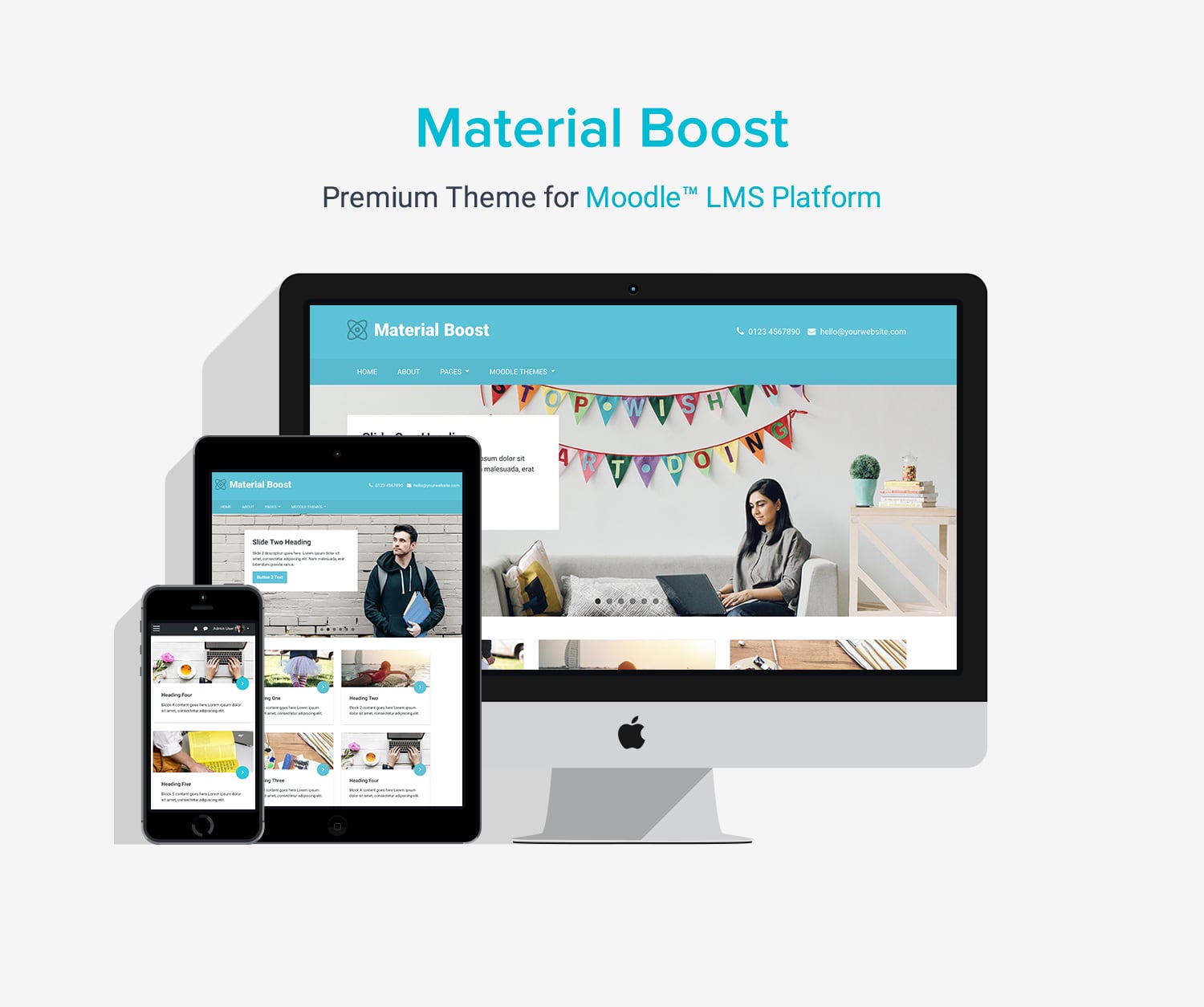
Material Boost Moodle™ Theme Overview
Classic LMS theme with a clean, card-based visual layout
Material Boost is a classic Moodle LMS theme designed for organizations that want a more visual and modern-looking interface while keeping a simple and familiar structure. It is well suited for platforms that want to present content clearly using structured layouts without adding complexity.
The homepage uses a card-based layout with clearly defined sections, making it easy to highlight courses, categories, and key information in a visually organized way. This approach works well for sites that prefer a more dynamic presentation compared to traditional text-heavy layouts.
Built on Moodle’s core Boost theme, Material Boost stays aligned with Moodle’s default UI. This helps reduce upgrade risk and keeps your site consistent with standard Moodle workflows, making it easier to manage and maintain over time.
Theme Licenses
For Moodle 5.3.x (LTS)
Single Application
License (For Moodle 5.3)
License
Multiple Applications
License (For Moodle 5.3)
License
$1299
(Excl.Tax)
- for unlimited domains/subdomains
License Details
For Moodle 5.2.x
Single Application
License (For Moodle 5.2)
License
Multiple Applications
License (For Moodle 5.2)
License
$1299
(Excl.Tax)
- for unlimited domains/subdomains
License Details
For Moodle 4.5.x (LTS)
Single Application
License (For Moodle 4.5)
License
Multiple Applications
License (For Moodle 4.5)
License
$1299
(Excl.Tax)
- for unlimited domains/subdomains
License Details
Want to buy this theme for other versions of Moodle?
You can contact us to request a purchase link
100% Money-Back Guarantee
If it’s not right for your project, contact us within 30 days for a full refund, no questions asked.
Description
Theme Summary
- Theme Version: v16.0 (Moodle 5.3) | v15.0 (Moodle 5.2) | v12.0 (Moodle 4.5)
- Compatibility: Moodle 5.3, 5.2 & 4.5
- Last updated: 2026-10-09
- Theme Parents: Moodle Boost Theme
Theme Features
- Based on Moodle’s core theme Boost
- Responsive design
- 6 colour presets (switch via theme settings)
- Custom theme primary colour
- Custom logo
- Custom menus
- User menu
- Boost navigation
- Frontpage alert
- Frontpage slideshow (add up to 6 slides)
- Frontpage promo blocks (add up to 12 blocks)
- Frontpage featured blocks (add up to 12 blocks)
- Frontpage testimonials section (add up to 6 items)
- Frontpage CTA section
- Header email and phone area
- Footer widget areas
- Footer content blocks (3 blocks) (example code)
- Footer social media links
- Page “back-to-top” link
- Custom SCSS/CSS
- Custom icons for course activities and files
- Supports Moodle Static Pages Plugin
- Supports Moodle social logins (Facebook/Google/Linkedin/Microsoft)
- Supports popular Moodle course format plugins
- Supports Moodle Level Up! Plugin
- Google analytics
- Supports FontAwesome icons
- Supports Google Material icons
- Compatible Browsers: Latest Chrome, Latest Firefox, Latest Safari, Latest Edge
Theme Support
If you would like to report theme bugs and issues, please email us at elearning@3rdwavemedia.com.FAQ
Theme FAQ
No, our theme licenses are NOT subscription-based. They’re perpetual to the specific Moodle theme version.
For example, if you bought a theme license for Moodle 5.3, your license is valid for Moodle version 5.2 forever. You can use the theme on a Moodle 5.3 site as long as you like. You will also get free theme updates (incl. bug fixes and improvements) and support for Moodle 5.2.
If you’d like to upgrade your Moodle site from version 5.3 to a higher version in the future (eg. Moodle 5.4) you will have the option to upgrade your current theme license. A small license upgrade fee will apply so you don’t need to pay for the full license price for a higher version again.
Upgrading is completely optional, and you can choose when to upgrade. Pay for the version you need now, then upgrade later when you choose. Most customers upgrade their Moodle sites and themes every 1–3 years.
Site administration > Appearance > Themes > Material Boost
Installation
Theme Installation
- Download the theme zip file
- Extract the /gourmet_boost/ folder and the files.
- Upload the /gourmet_boost/ folder to your hosting server’s Moodle theme directory:
Your Moodle installation > public > theme > gourmet_boost - Log into your Moodle site as an admin, and navigate to the theme selector:
Settings > Site administration > Appearance > Themes > Theme selector - Click “use theme” next to the Gourmet Boost theme to activate
Changelog
Changelog
Moodle v5.3 ONLY
2026-10-09: v16.0
- Initial release
Moodle v5.2 ONLY
2026-04-20: v15.0
- Improvements and bug fixes
Moodle v5.1 ONLY
2025-10-22: v14.1
- Improvements and bug fixes
2025-10-06: v14.0
- Initial release
Moodle v5.0 ONLY
2025-08-01: v13.1
- Improvements and bug fixes
- Added lead form design
2025-06-25: v13.0
- Initial release
Moodle v4.5 ONLY
2024-10-07: v12.0
- Initial release