

If you’re running Moodle 4, you may be wondering whether moving to Moodle 5 is worth the effort. An upgrade takes planning, especially if your site has customizations and third-party plugins. So what will your learners, teachers, and administrators actually gain?
Moodle 5.x brings improvements to the learning platform, while Moodle 5.3 LTS offers a long-term support release for organizations planning ahead. It’s also a good time to review your website’s design, navigation, and branding. You don’t have to redesign everything, but an upgrade can be a useful opportunity to improve what isn’t working.
In this post, we’ll look at the benefits of Moodle 5.x, what to consider before changing your theme, and the different ways to create a professional Moodle website without unnecessary development work.
1. What Are the Benefits of Upgrading to Moodle 5.x?
The reasons to upgrade go beyond a new look. Moodle 5.x includes improvements that can make everyday tasks easier for teachers, learners, and site administrators.
- Improved learning workflows: Moodle 5.3 LTS introduces better course navigation, including previous and next activity links, and improvements to assignment marking. These changes can make it easier for learners and teachers to work through courses. See the Moodle 5.3 LTS release notes.
- Accessibility and usability improvements: Moodle continues to improve accessibility and make its interface easier to use. However, you should still check your own courses, content, and theme for accessibility. Learn more about accessibility in Moodle.
- AI capabilities: Moodle supports AI tools that can help with tasks such as generating content and summarizing course materials. These features need to be configured by your site administrator and may require an external AI service. Learn more about Moodle AI providers.
- Bootstrap 5: Moodle 5 uses Bootstrap 5, giving theme developers a modern foundation for responsive layouts and interface design. This is particularly relevant if you’re planning to update your Moodle site’s appearance.
- Long-term support: If your organization prefers stability over frequent upgrades, choosing a Moodle Long-Term Support (LTS) release can be a good option. LTS versions receive security updates for longer, giving you more time to plan future upgrades. See Moodle’s official release information for the latest versions and support timelines.
For screenshots and a closer look at the changes that affect site design and day-to-day use, read our Moodle 5.3 UI, UX, and theme improvements guide.
2. Use the Upgrade to Improve the Learner Experience
Even if your courses work well, the wider Moodle website may need attention. For universities, training providers, and corporate learning teams, the homepage and course pages help learners find information and decide what to do next.
Before choosing a new design, look at your current site and ask:
- Can learners find their courses easily? Clear navigation and useful links can reduce confusion.
- Does the homepage explain what your organization offers? New visitors should quickly understand where to go.
- Are course descriptions easy to read? Good course landing pages can help learners understand the content, requirements, and next steps.
- Does the site work well on mobile? Check navigation, buttons, images, and course pages on smaller screens.
- Is the branding consistent? Your Moodle site should feel like part of your organization, not a separate website.
These improvements don’t all come automatically with Moodle 5. Some depend on your theme, content, and site settings. The important thing is to identify what needs improving before spending time or money on a redesign.
3. Is Your Current Moodle Theme Still the Right Choice?
You don’t necessarily need a new theme when upgrading. If your current theme supports your target Moodle version, works well for learners, and is actively maintained, keeping it may be the simplest option.
However, a theme that hasn’t been updated for Moodle 5 can cause layout problems or require additional work. Moodle 5’s move to Bootstrap 5 also means older custom styling may need to be reviewed.
Five Questions to Ask Before Choosing a Moodle 5 Theme
- Does it support the exact Moodle version you’re installing? Check the theme release, not just the general product name.
- Can your team update the homepage and branding easily? Look for settings and ready-made layouts that reduce routine development work.
- Does it work with your courses and plugins? Test important learning activities, navigation, and third-party plugins on a staging site.
- What maintenance will it need? Consider future Moodle upgrades, custom CSS, and how much work your team can manage.
- Can you evaluate it on your own site? Your real courses and configuration are a better test than screenshots alone.
If you’re still comparing options, our Best Moodle Themes for Moodle 5 guide covers free and premium themes to help you choose based on your needs and budget.
4. Do You Need a Bespoke Moodle Theme?
There are three common approaches to designing a Moodle website. The best choice depends on your requirements, budget, and available technical support.
- Moodle’s standard Boost theme: A sensible choice if you need a straightforward learning site and are happy with the built-in design options.
- A ready-made premium theme: Useful if you want a more polished, branded website with pre-designed layouts and customization settings, without starting from scratch.
- A bespoke theme: May be the right choice for organizations with highly specific design, accessibility, integration, or workflow requirements that an existing theme cannot meet.
For many universities, training providers, and businesses, a professionally designed, ready-to-customize Moodle theme can offer a practical middle ground. You get a prepared design and useful page layouts, while keeping control of your own content and branding. This can reduce setup time and cost compared with commissioning a custom theme.
It isn’t a shortcut around testing or maintenance. Whatever approach you choose, check compatibility with your Moodle version and plan for future updates.
5. Ready-Made Moodle Themes for Your Next Learning Website
Our premium Moodle themes are based on Moodle’s Boost theme and designed for organizations that want a professional learning website without the cost and complexity of bespoke theme development. They include ready-made designs and settings you can adapt to your brand.
Lumo: Clean, Modern Design for Moodle 5
Lumo has a minimal design with plenty of white space. It’s a good fit for universities, training providers, and corporate learning portals that want a clean, welcoming website.
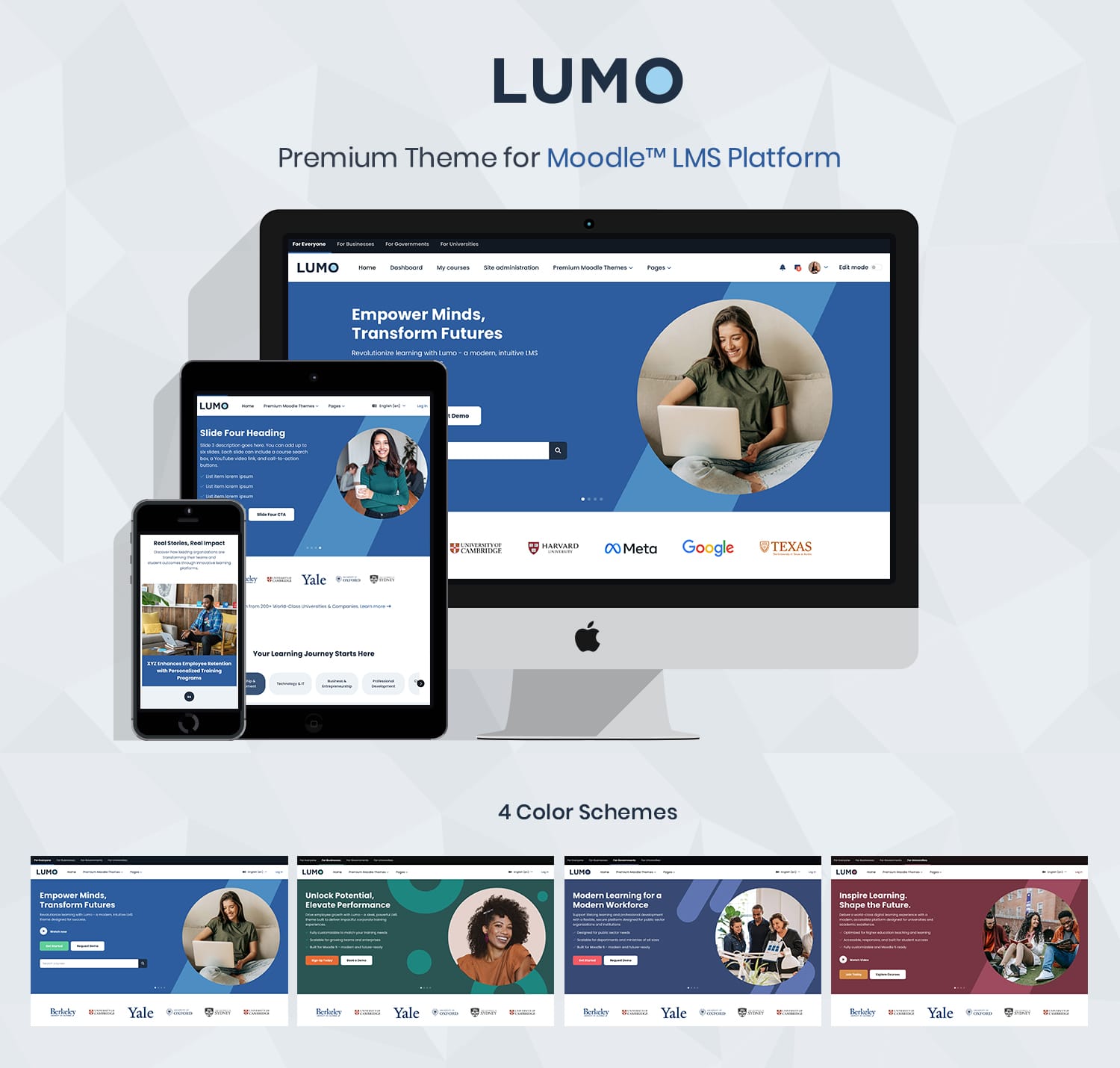
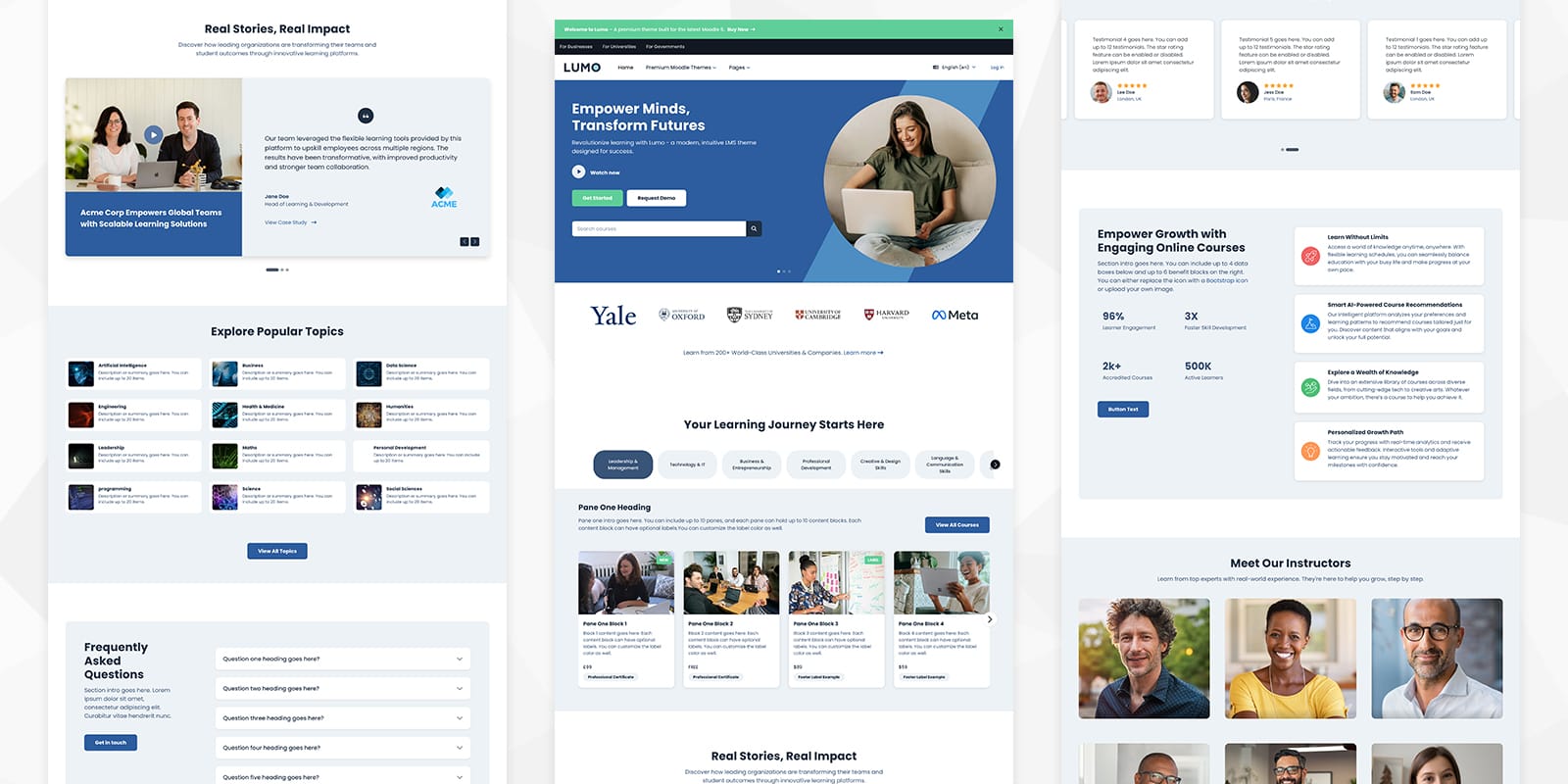
Lumo includes configurable homepage sections, a pricing table section, and optional WordPress blog integration. It also supports styled pages such as course catalogs and course landing pages using the Static Pages plugin.
Edutor and Maker: More Design Options
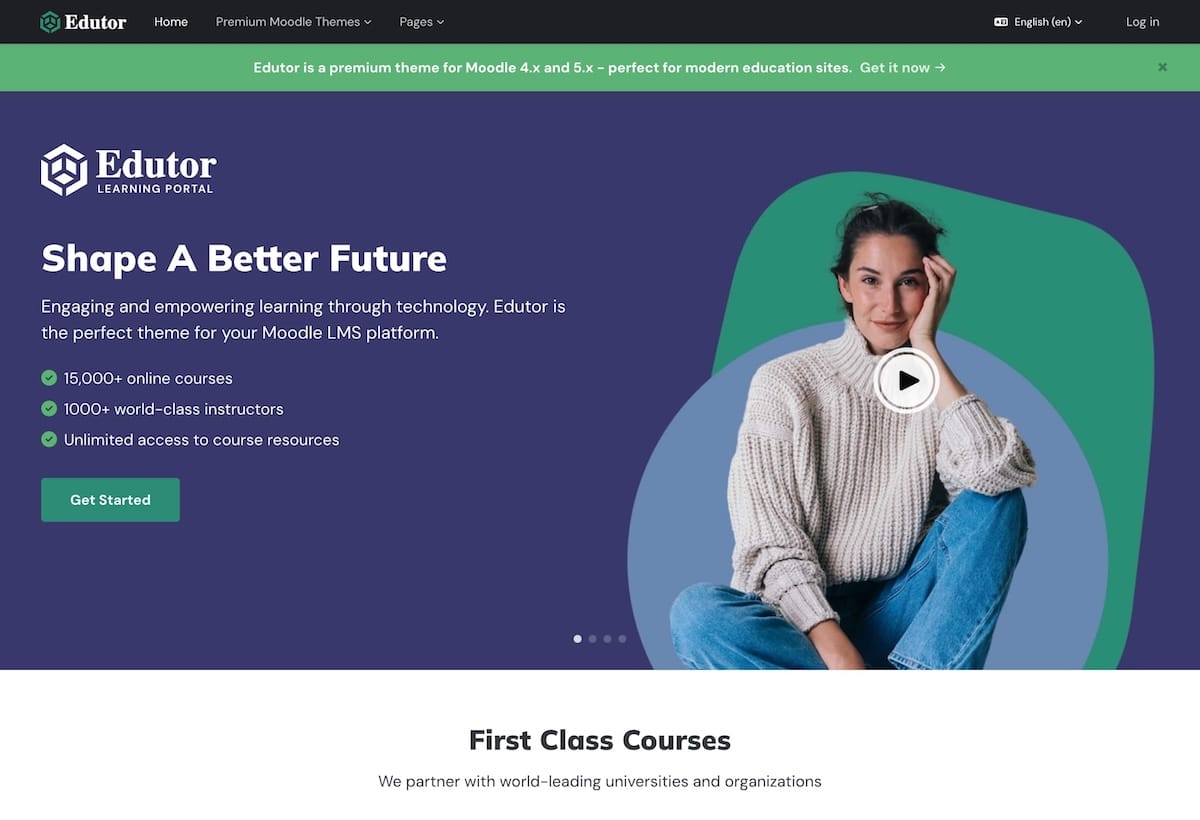
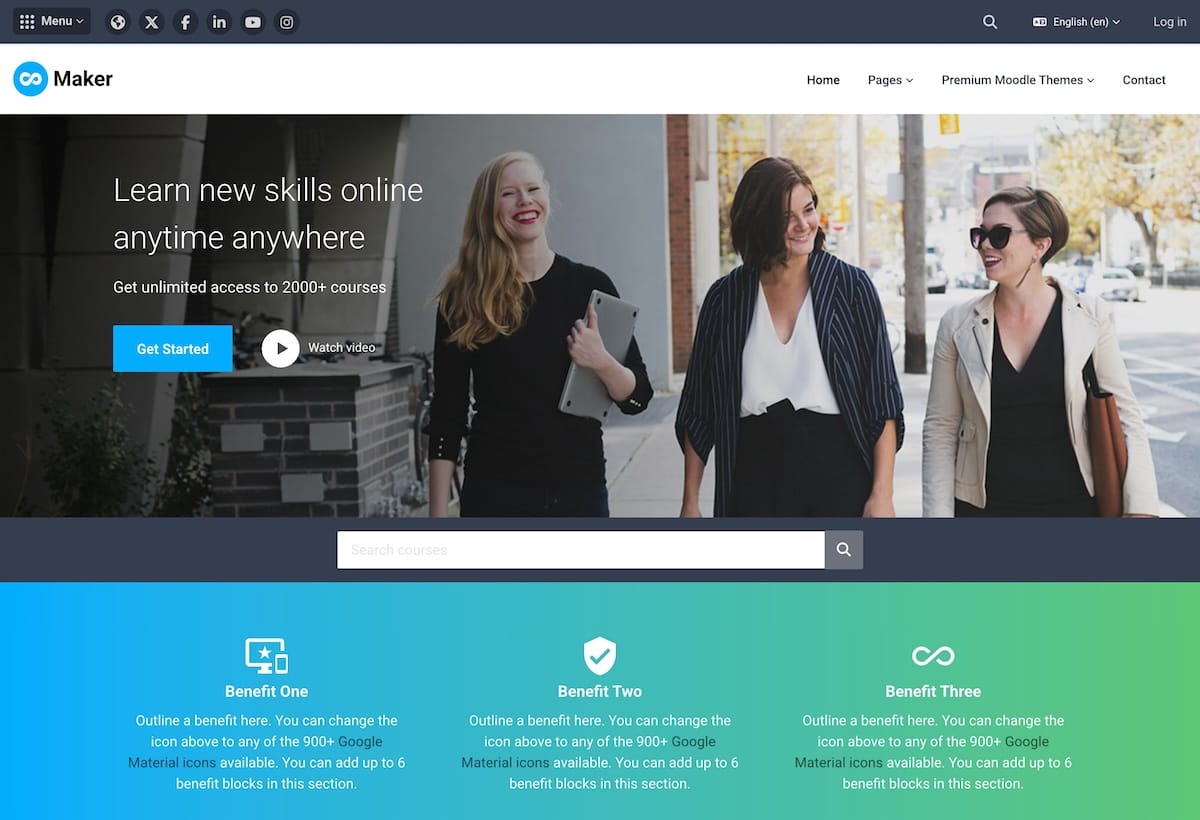
Edutor and Maker offer different design styles for education and training websites. Both provide ready-made layouts and support content pages using the Static Pages plugin.
Edutor
Maker
Edutor and Maker have separate theme packages for supported Moodle 4.x and Moodle 5.x releases. If you’re upgrading, make sure you choose the package for your target Moodle version.
Our themes are sold as a one-time purchase, with optional paid upgrades for newer Moodle versions and no mandatory subscription. We also offer a 30-day money-back guarantee, so you can evaluate a theme privately on your own Moodle installation with your courses, plugins, and settings. See our license and refund FAQs for details.
6. Plan Your Upgrade Around Your Real Needs
Before upgrading, decide what you want to improve. You might need only the latest Moodle features and security updates. Or you might also want clearer navigation, a better homepage, and a more consistent design. Those are separate decisions, and you don’t have to make them all at once.
Test your Moodle upgrade, theme, and essential plugins on a staging site before making changes to your live platform. For the technical steps, including the new /public/ folder structure, Router, and Composer, see our Moodle 5.x Upgrade Guide.
Final Thoughts
Moodle 5.x gives organizations a reason to review both their learning platform and the experience they offer learners. Moodle 5.3 LTS is an option for teams planning around long-term support, but the right upgrade path depends on your current setup and requirements.
You don’t need to rebuild your Moodle website simply because you’re upgrading. Start with what your learners and administrators need, keep what already works, and improve the areas that matter most. If a new design is part of that plan, explore our ready-made Moodle themes as one cost-effective alternative to bespoke development.