
Are you looking to create professional, branded certificates for your Moodle site?
Whether you’re running an online learning platform for a university, a training organization, or a business, you can use the free Custom Certificate plugin to generate personalized PDF certificates directly in Moodle.
From simple course completion certificates to professional development certificates, you can customize the design, content, and award requirements to suit your organization’s needs.
Personalized PDF certificates can be automatically emailed to learners, and each certificate can include a unique verification code. For many educational institutions, training providers, and businesses, these features may be all they need without having to invest in a separate paid certificate platform.
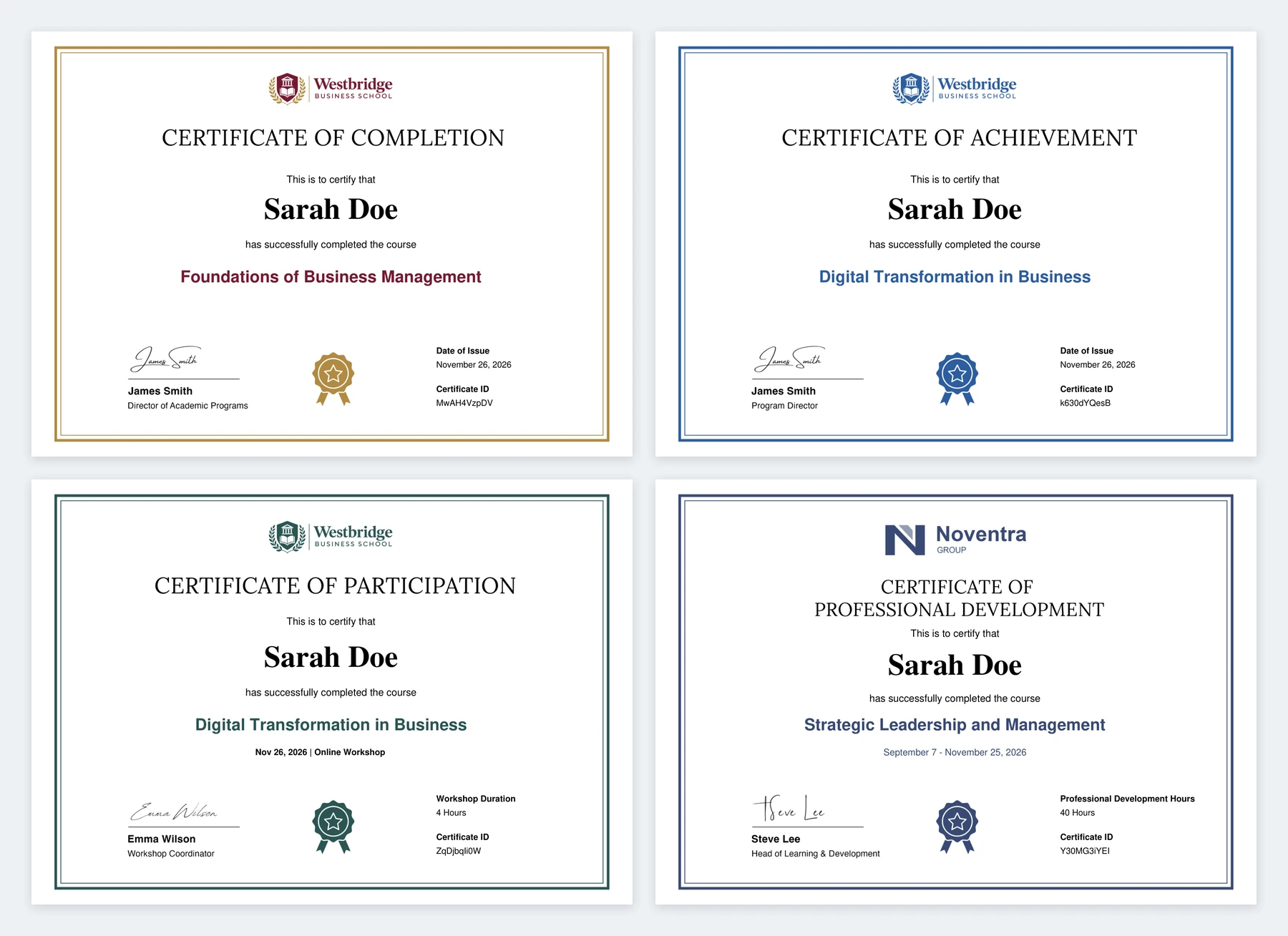
In this post, we’ve put together a collection of Moodle certificate examples to give you some ideas for your own learning platform. You can try the examples on our live Moodle demo site and download our free Moodle certificate templates and background images to create your own branded designs.
Page Index
- Try our live Moodle certificate demos
- Moodle certificate examples
- What information can you include in a Moodle certificate?
- Download free editable Moodle certificate templates
- Reuse certificate designs across Moodle courses
- Can Moodle certificates be verified?
- Can Moodle automatically email certificates to learners?
- How to create your own certificates in Moodle
- Create a professional, branded Moodle site
Try Our Live Moodle Certificate Demos
We’ve created a dedicated demo course called Moodle Certificate Examples to showcase different types of certificates commonly used by educational institutions, training providers, and corporate learning teams.
Each example demonstrates different certificate elements and customization options. Log in as a demo learner to explore the examples and generate your own personalized PDF certificates.
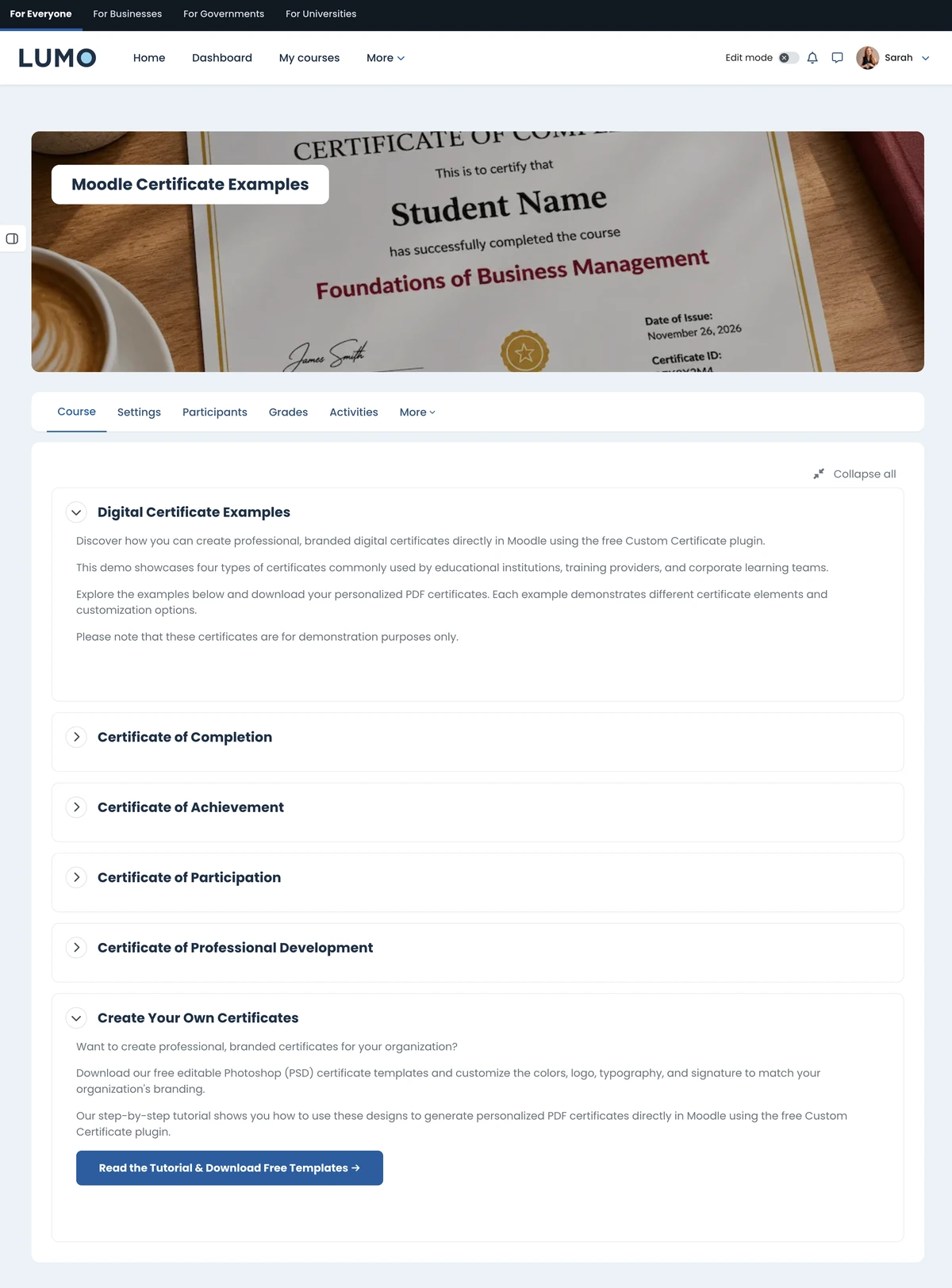
Explore Live Certificate Examples (Lumo Theme) →
Demo Login Details:
Student Login
Username: studentPassword: demo
Non-editing Teacher Login
Username: teacherPassword: demo
Moodle Certificate Examples
Different learning programs have different certification requirements. The examples below show how you can use the same Moodle plugin to create certificates for a range of educational and professional learning activities.
1. Certificate of Completion
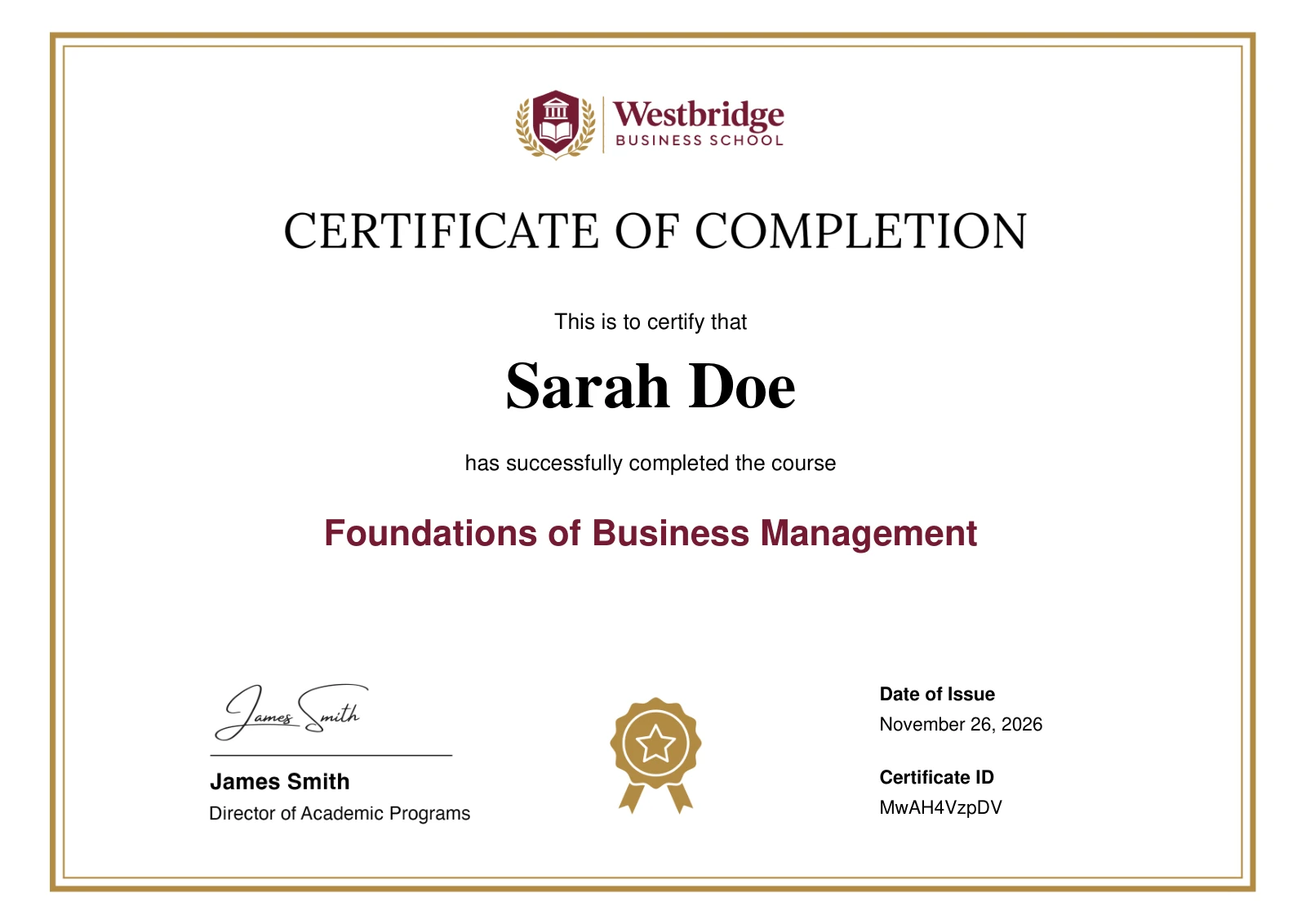
A Certificate of Completion is one of the most common types of certificates used in online learning. It can be used to recognize learners who have successfully completed a course or training program.
Example Use Cases:
- University and college short courses
- Online training courses
- Employee onboarding programs
- Customer and product training
- Continuing education courses
In our example, we’ve used a traditional branded academic design as the certificate background. The school logo, certificate heading, signature, gold seal, and decorative borders are all part of the background image. (View certificate background)
The learner’s name, issue date, and unique certificate ID are dynamically generated by Moodle. The remaining text, including the course title in this example, is added directly in Moodle using the Custom Certificate plugin. (View certificate elements)
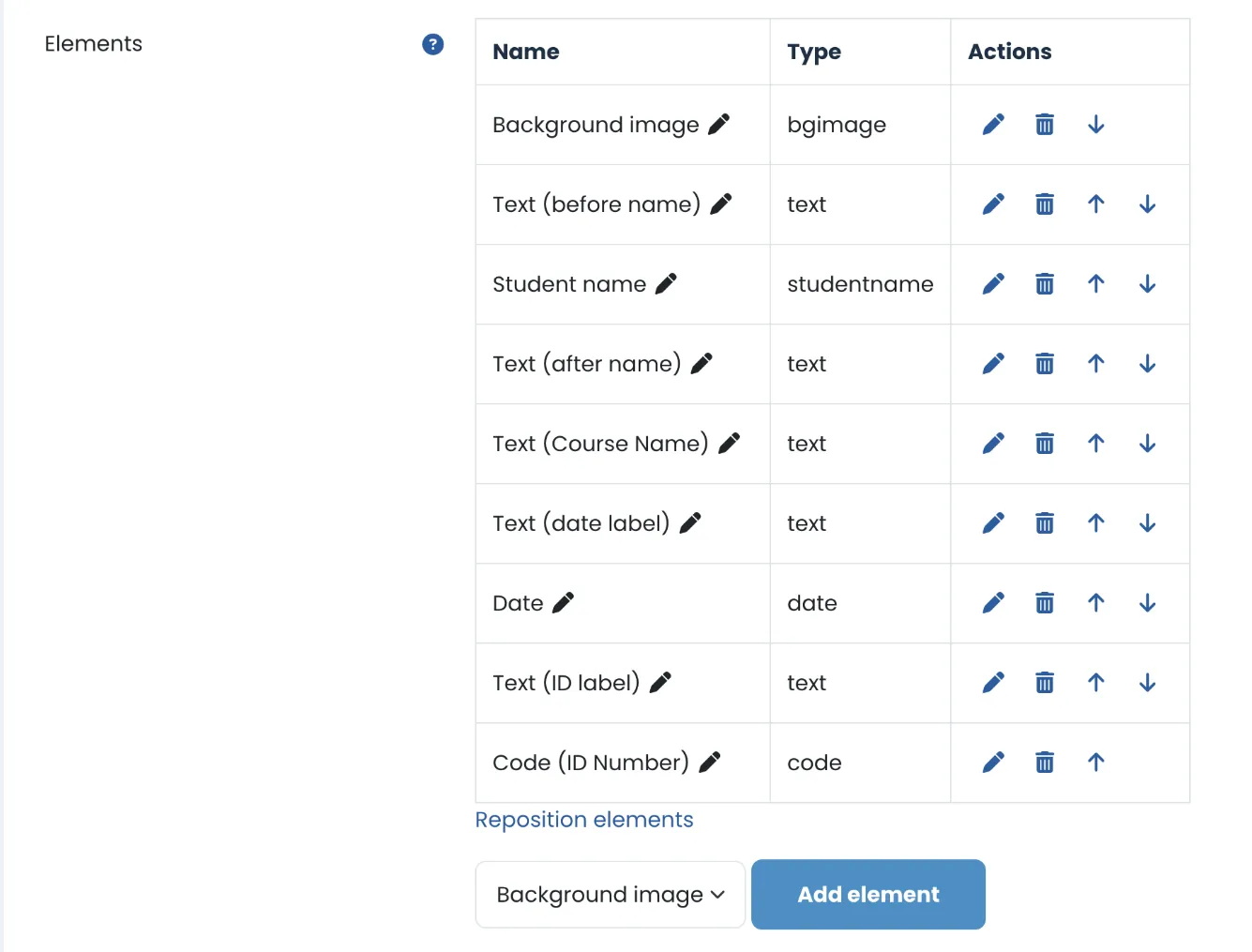
You can customize the layout by dragging and repositioning individual certificate elements directly in Moodle. (View certificate layout editor)
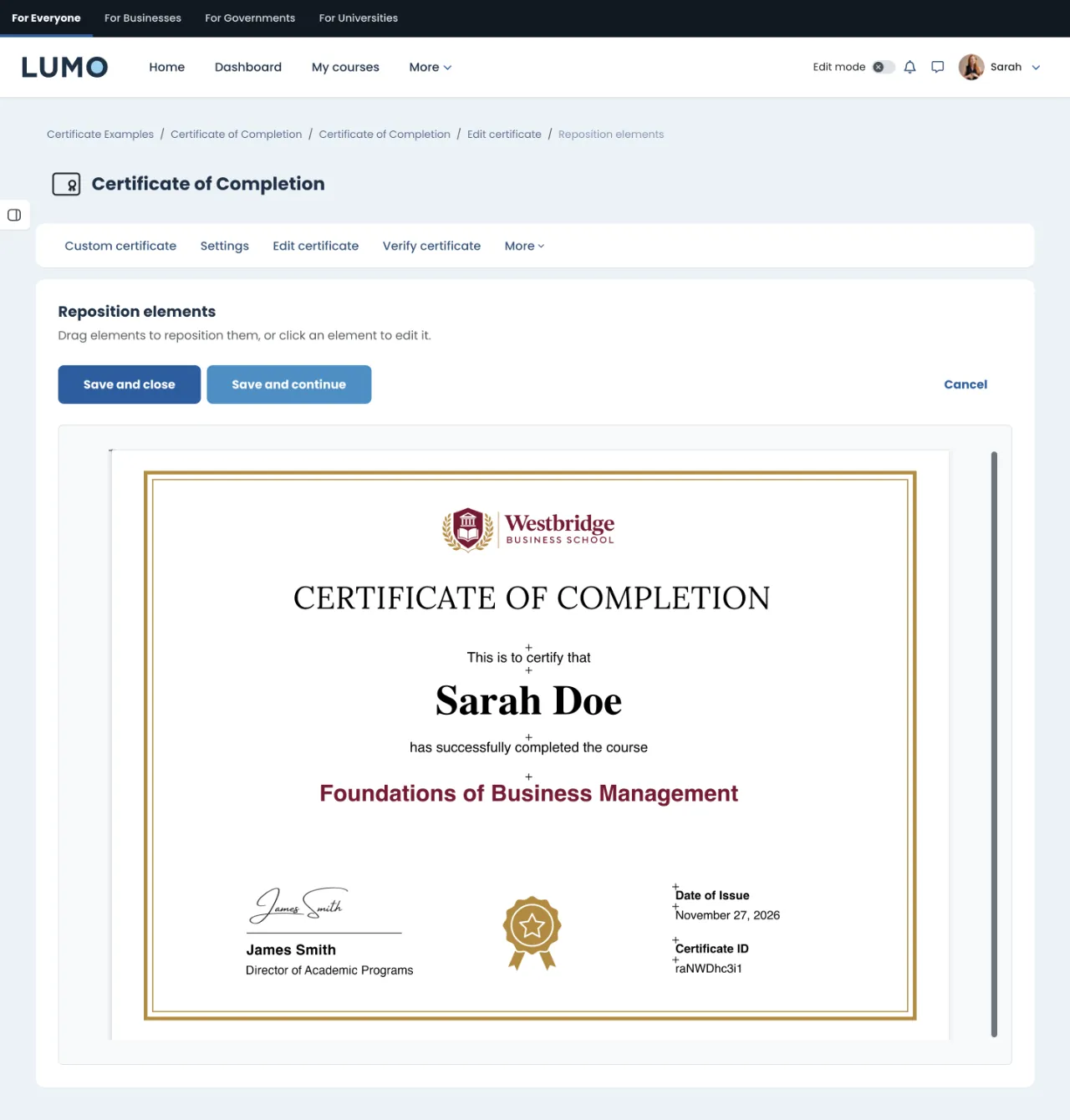
You can use Moodle’s activity completion and restrict access features to make the certificate available only after the learner has completed all the required course activities.
2. Certificate of Achievement
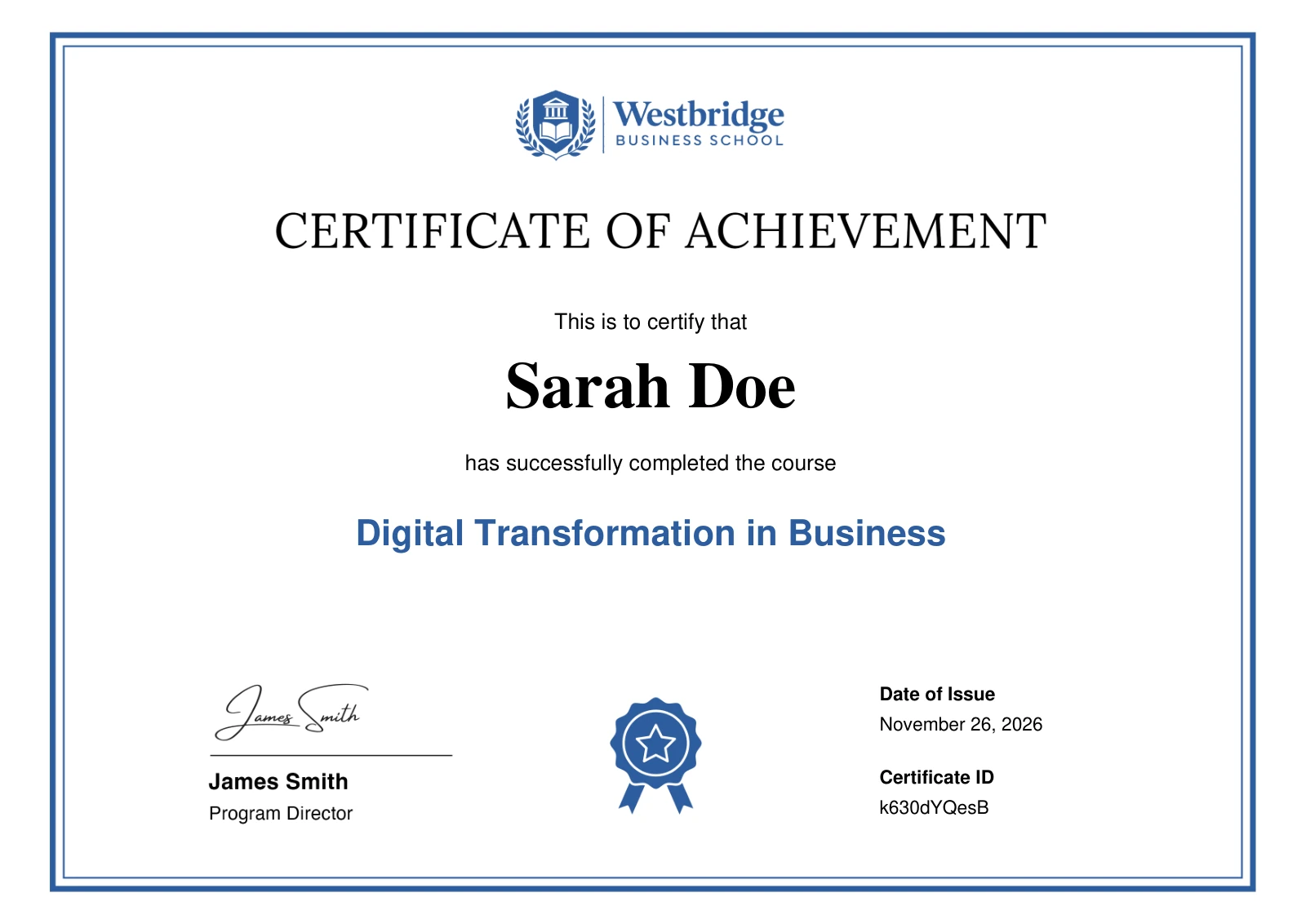
A Certificate of Achievement is useful when you want to recognize learners who have met specific academic or assessment requirements, rather than simply completed a course.
Example Use Cases:
- Assessment-based courses
- Academic achievement programs
- Professional skills assessments
- Technical training courses
You can use Moodle’s grade-based access restrictions to make the certificate available only to learners who achieve a required grade in a course or assessment.
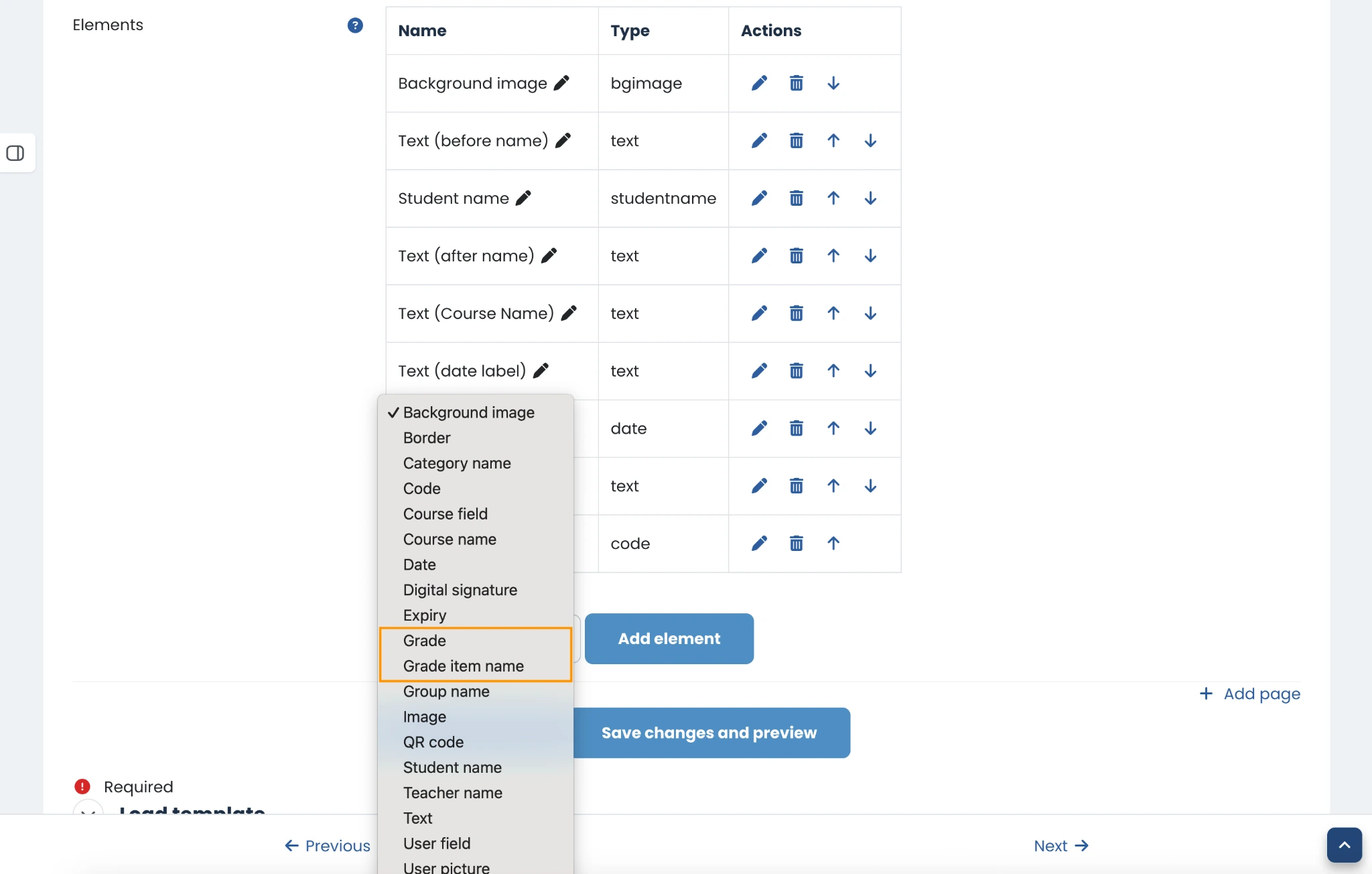
If you’d like to display the learner’s final course grade or individual assessment grade on the certificate, you can use the Grade element available in the Custom Certificate plugin. Including grades on the certificate is optional. (View screenshot)
3. Certificate of Participation
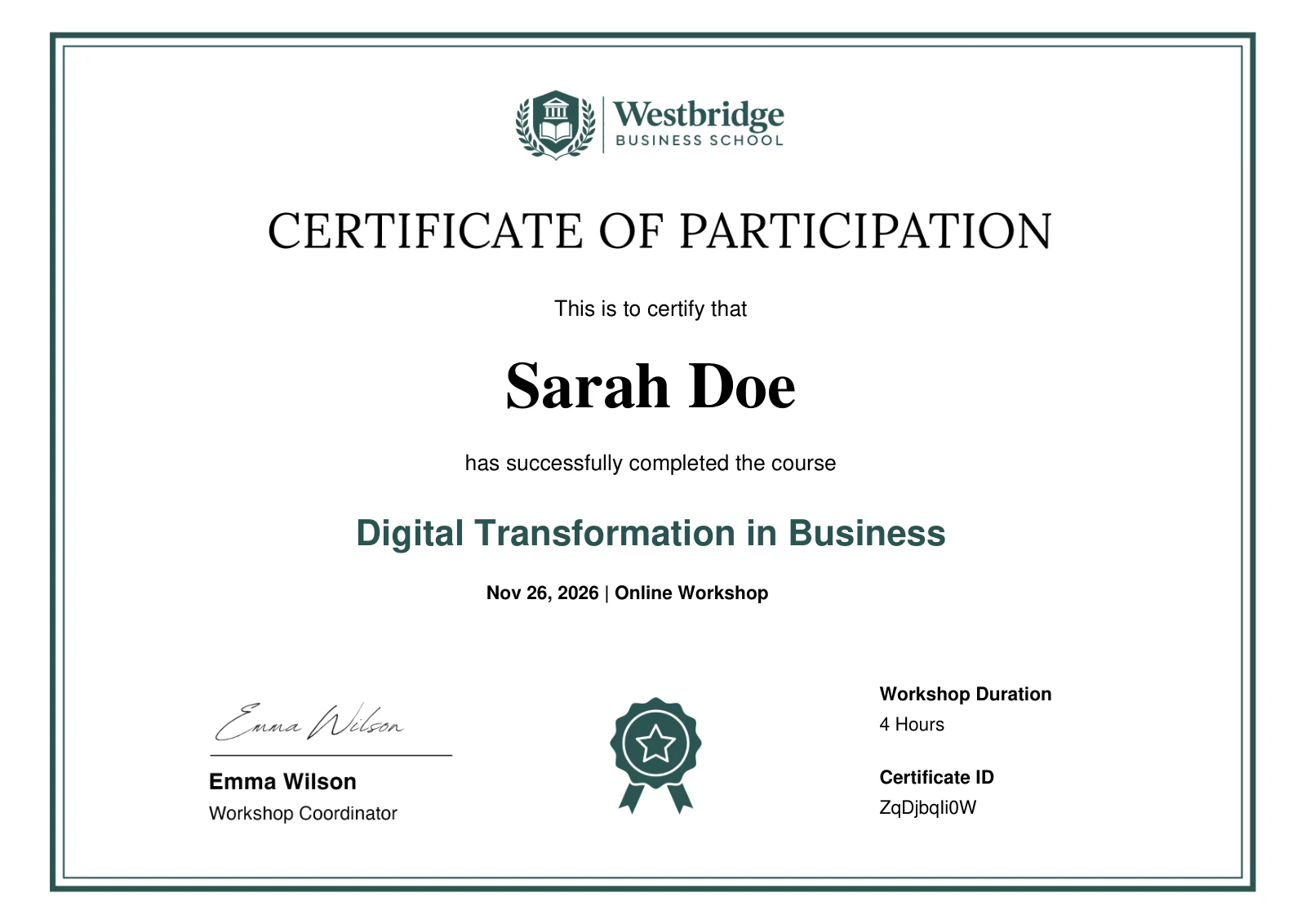
Not every learning activity requires a formal assessment. A Certificate of Participation can be used to recognize learners who have taken part in an educational or professional learning event.
Example Use Cases:
- Workshops and webinars
- Seminars and conferences
- Instructor-led training sessions
- Professional learning events
In addition to the learner’s name and a unique certificate ID, our example includes the workshop date, delivery format, and duration. The certificate ID is automatically generated using the Code element in the Custom Certificate plugin. (View screenshot)
You can add the workshop details as fixed text when designing your certificate in Moodle. This is particularly useful for training providers running workshops or events with a set duration.
Depending on how your organization records participation, you can set up certificate access restrictions based on the completion of a designated Moodle activity. For example, an instructor could manually mark an activity as complete after confirming a learner’s attendance.
4. Certificate of Professional Development
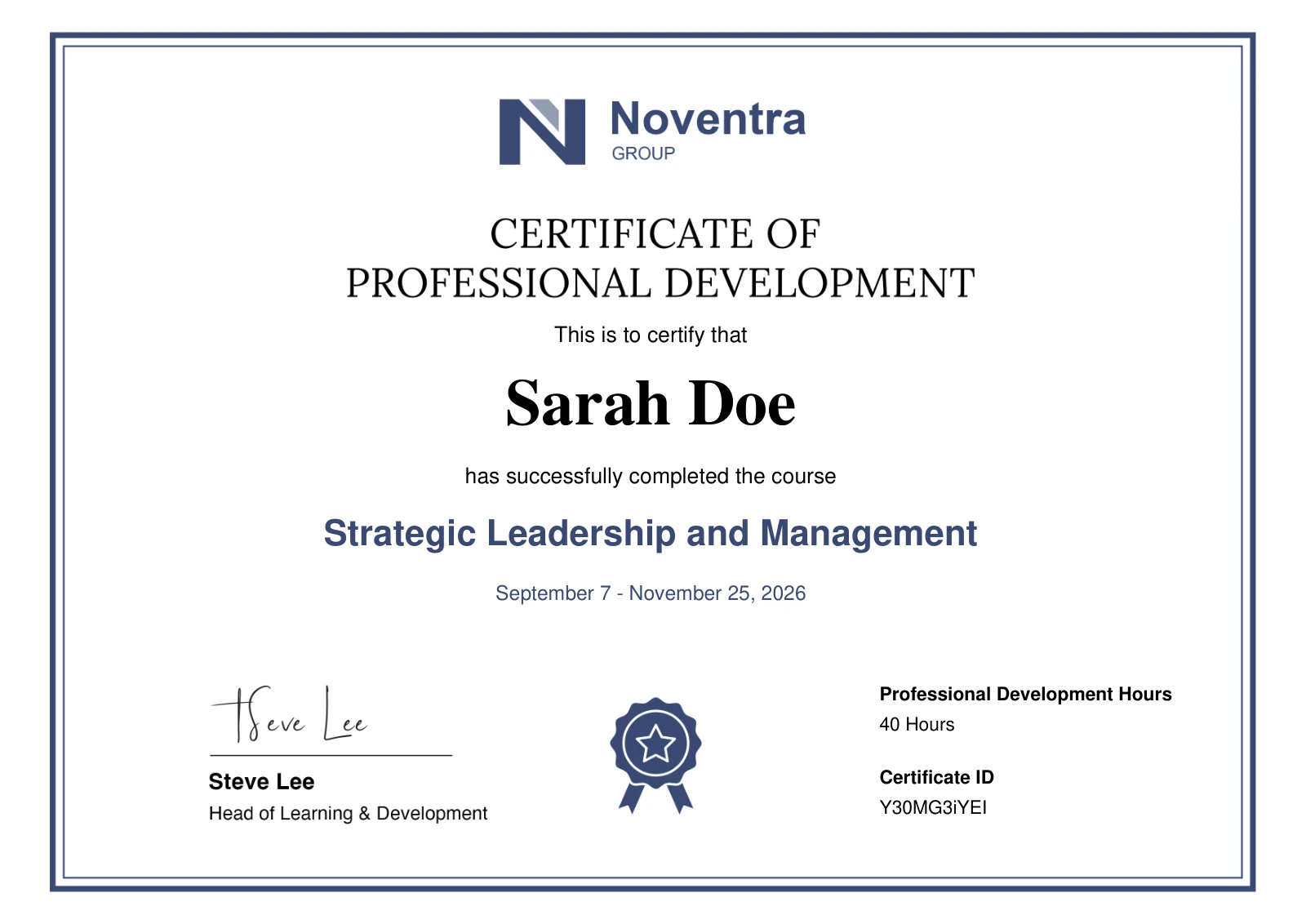
For businesses and professional training organizations, certificates can help employees and learners keep a record of their professional development activities.
Example Use Cases:
- Corporate learning and development programs
- Leadership and management training
- Employee upskilling programs
- Continuing Professional Development (CPD)
- Professional association training programs
In this example, we’ve used a corporate logo instead of an academic logo to show how the same certificate layout can be adapted for a business.
We’ve also included the training program dates and the number of professional development hours.
You can customize this information to suit your training program. For example, if your organization delivers a 40-hour leadership training program, you can include the number of training hours directly on the certificate.
What Information Can You Include in a Moodle Certificate?
One of the advantages of using the Custom Certificate plugin is that you have control over both the design and the information displayed on your certificates.
The plugin allows you to create individual certificate elements using text and images directly in Moodle. However, if your organization has specific branding and design requirements, you can also upload a professionally designed background image containing fixed design elements.
For all the certificate examples featured in this post, we’ve used a hybrid approach:
- Certificate background: Contains fixed design elements such as the organization’s logo, certificate heading, authorized signature, decorative seal, and borders.
- Moodle certificate elements: Contain additional fixed text and dynamic information such as the learner’s name, course name, issue date, and unique certificate ID.
Certificate Background Image
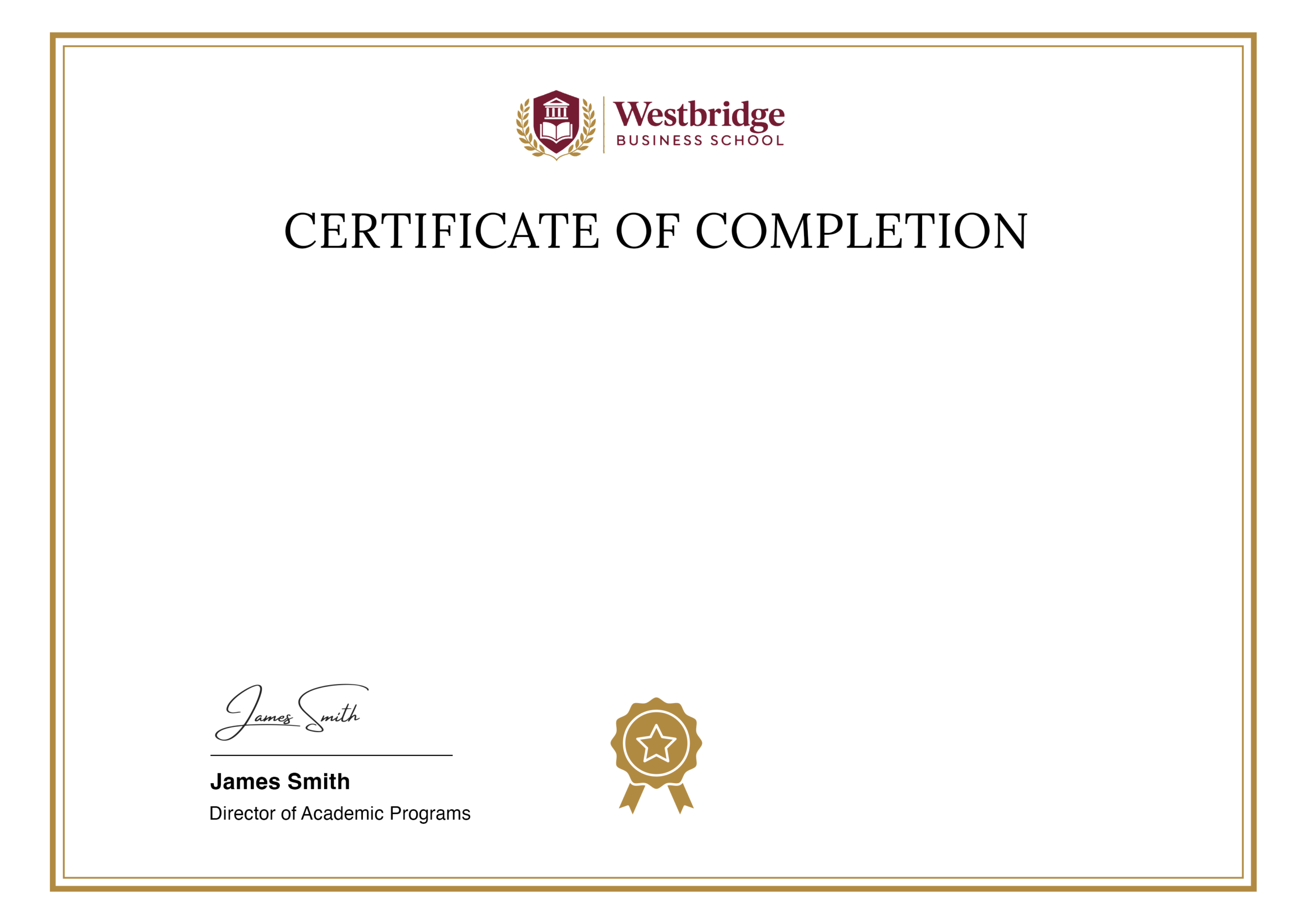
This approach gives universities, training providers, and corporate learning teams greater control over their certificate designs. You can create a professional design that follows your organization’s brand guidelines without having to recreate every visual element individually in Moodle.
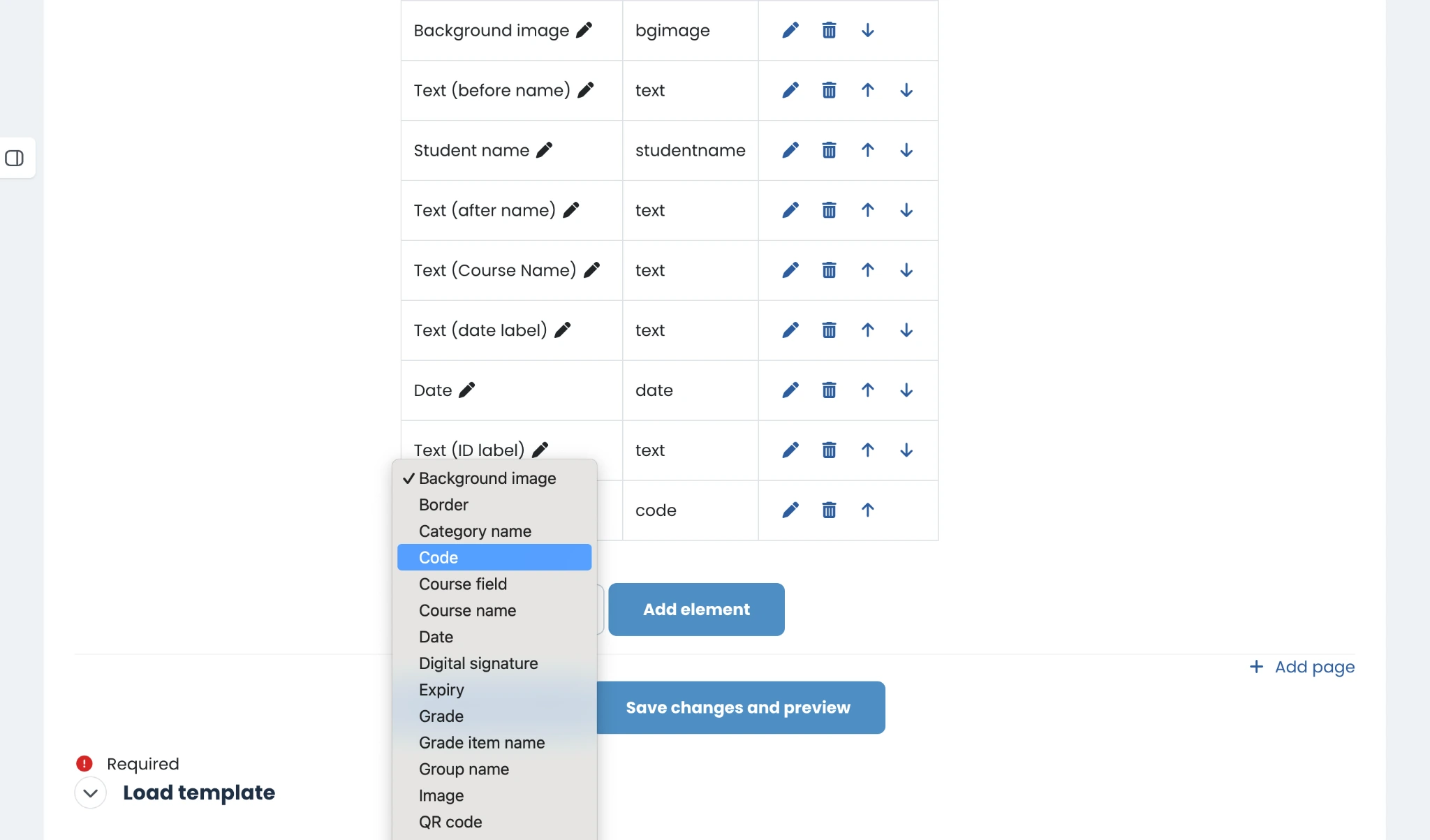
The screenshot below shows how our Certificate of Completion example is configured in Moodle. You can add, edit, and reposition individual certificate elements, set custom certificate dimensions, and load previously saved certificate templates.
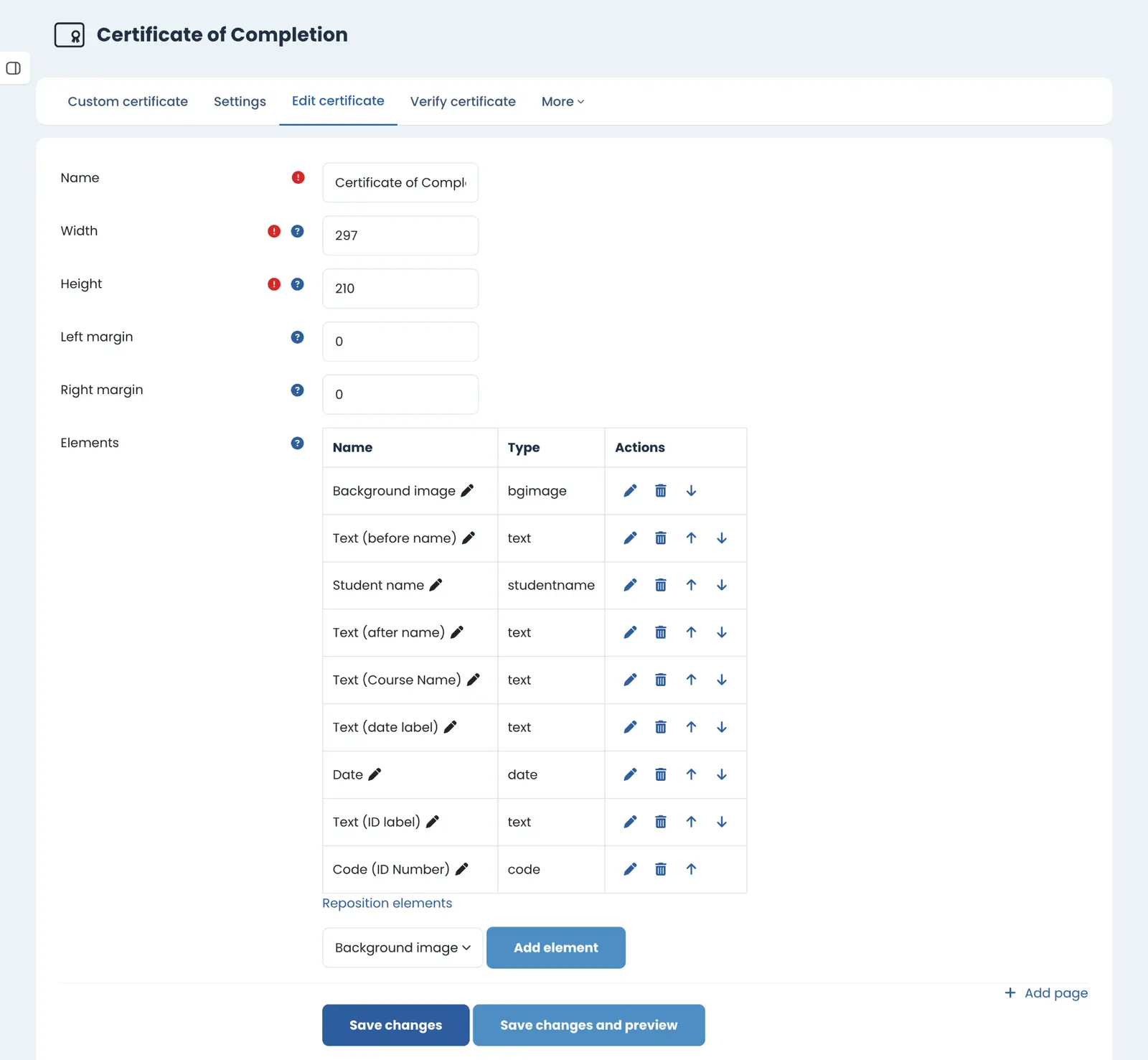
Below are some examples of fixed and dynamic certificate content and the corresponding elements available in the Custom Certificate plugin:
| Certificate Information | Content Type | Custom Certificate Element |
|---|---|---|
| Organization logo | Fixed | Background image or Image |
| Certificate heading | Fixed | Background image or Text |
| Authorized signature | Fixed | Background image or Image |
| Signer’s name and job title | Fixed | Background image or Text |
| Certificate seal | Fixed | Background image or Image |
| Learner’s name | Dynamic | Student name |
| Course name | Fixed or dynamic | Text or Course name |
| Date of issue | Dynamic | Date |
| Unique certificate ID | Dynamic | Code |
| Course or assessment grade | Dynamic | Grade |
| Workshop or program dates | Fixed or dynamic | Text or Date |
| Professional development hours | Fixed | Text |
By combining a branded certificate background with dynamic Moodle elements, you can reuse the same certificate design across multiple courses while automatically personalizing each certificate for individual learners.
Note: For our demo course, we’ve used fixed course titles so we can showcase different certificate examples within a single Moodle course. On your own Moodle site, you can use the dynamic Course name element to display the actual course name automatically.
Download Free Editable Moodle Certificate Templates
Like the certificate designs used in our examples? Download our free certificate design pack and customize the designs to match your organization’s branding.
What’s included:
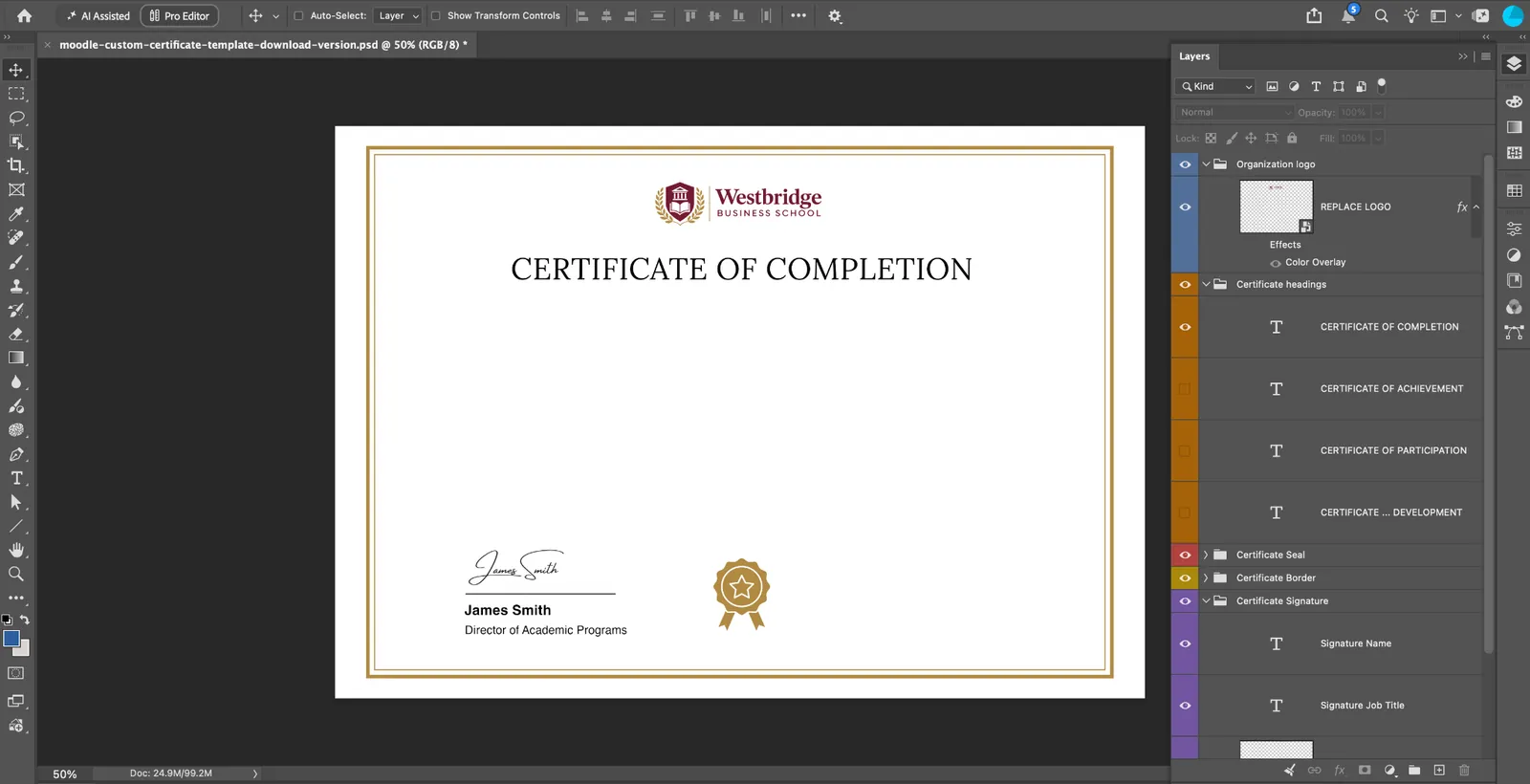
- 1 editable Photoshop (PSD) template with four certificate heading options.
- 4 branded certificate backgrounds (PNG) used in our live demo examples.
- 5 unbranded certificate backgrounds (PNG) in gold, blue, burgundy, teal, and indigo.
All designs are in A4 landscape format (297 x 210 mm).
Option 1: Customize Your Certificate Design in Photoshop
The layered Photoshop template gives you full control over the design, including branding, typography, colors, signatures, borders, and seals. Simply customize your design and export it as a PNG background for use in Moodle.
Option 2: Customize Your Certificates Directly in Moodle
No Photoshop required! Use any of the five unbranded backgrounds and add your own logo, certificate heading, signature, and personalized information using the Custom Certificate plugin.
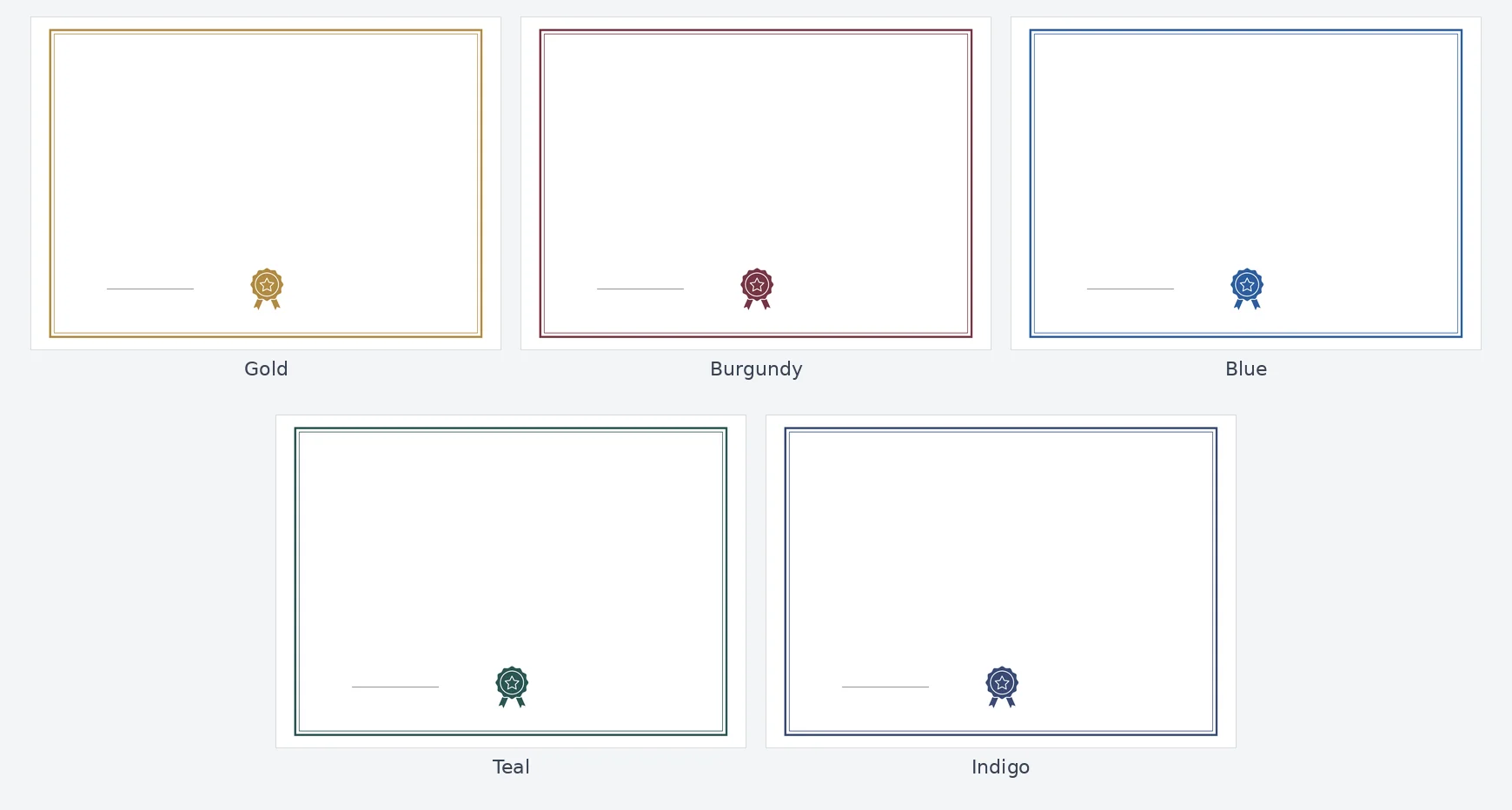
These text-free backgrounds are suitable for any type of certificate in any language.
Free Moodle Certificate Templates Download:
Free Download (7 downloads)Free for personal, educational, and commercial use, including client projects. See the included README file for usage terms.
Note: These are certificate design resources, not Moodle plugin templates that can be imported directly. Follow our step-by-step Moodle certificate tutorial to get started.
Can You Reuse Certificate Designs Across Moodle Courses?
Yes. If your organization runs multiple courses, you don’t need to design a new certificate from scratch every time.
The Custom Certificate plugin allows site administrators to create and manage reusable certificate templates centrally. Course creators can then load these templates when setting up certificates in their own courses, rather than designing each certificate from scratch.
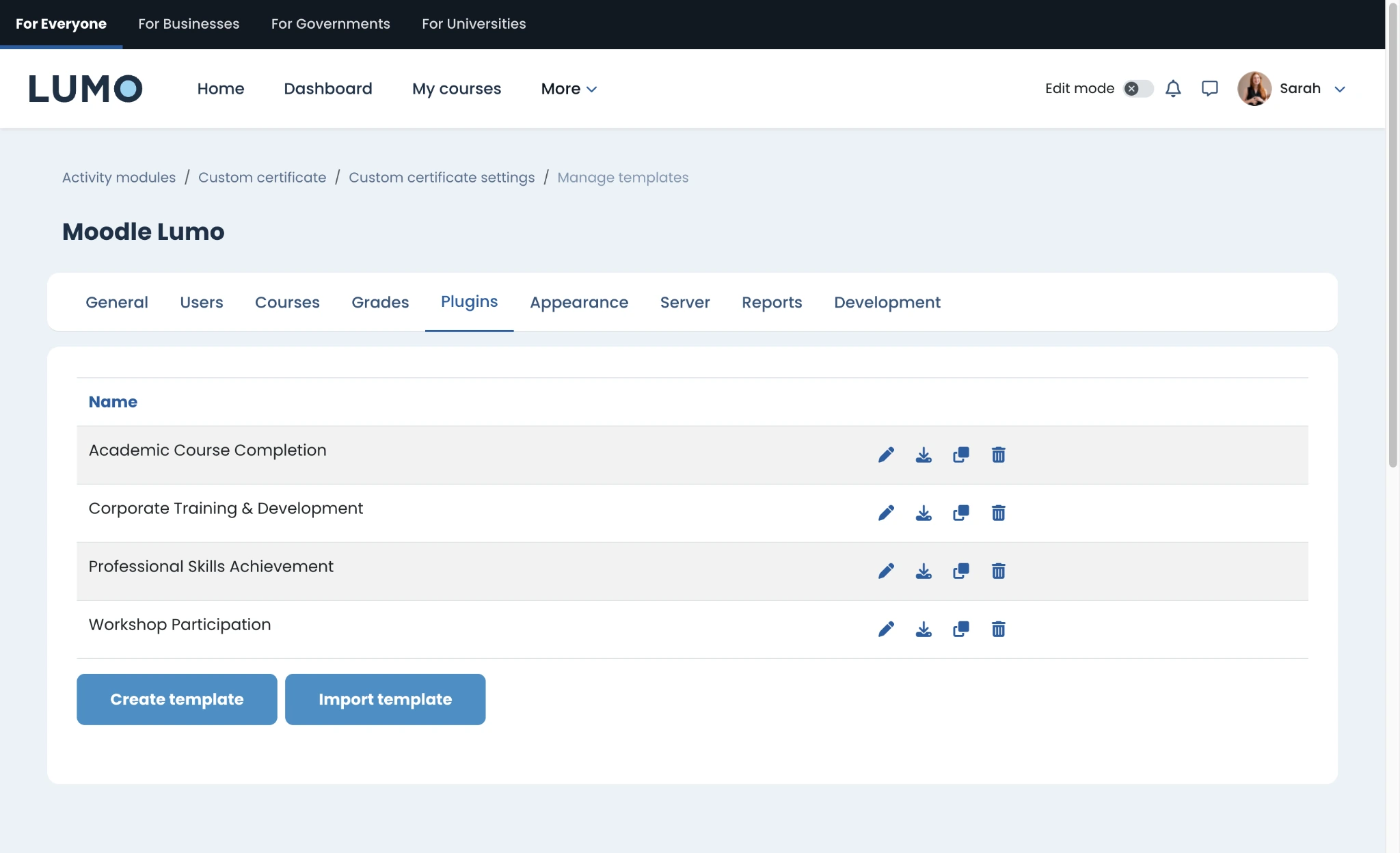
As shown above, you can create separate certificate templates for different departments, training programs, or types of learning activities. The plugin also supports importing and exporting certificate templates.
For example, a university could create a standard Certificate of Completion template using its official logo, brand colors, and authorized signature. Course creators could then reuse the template across different courses, with Moodle automatically displaying the relevant learner and course information.
Similarly, a corporate learning team could create a standard training certificate for use across different departments.
This can save course creators time and help maintain consistent branding across your learning platform.
Can Moodle Certificates Be Verified?
Yes. The Custom Certificate plugin generates a unique code for each issued certificate. You can display this code on your certificate using the Code element, as shown in our examples.
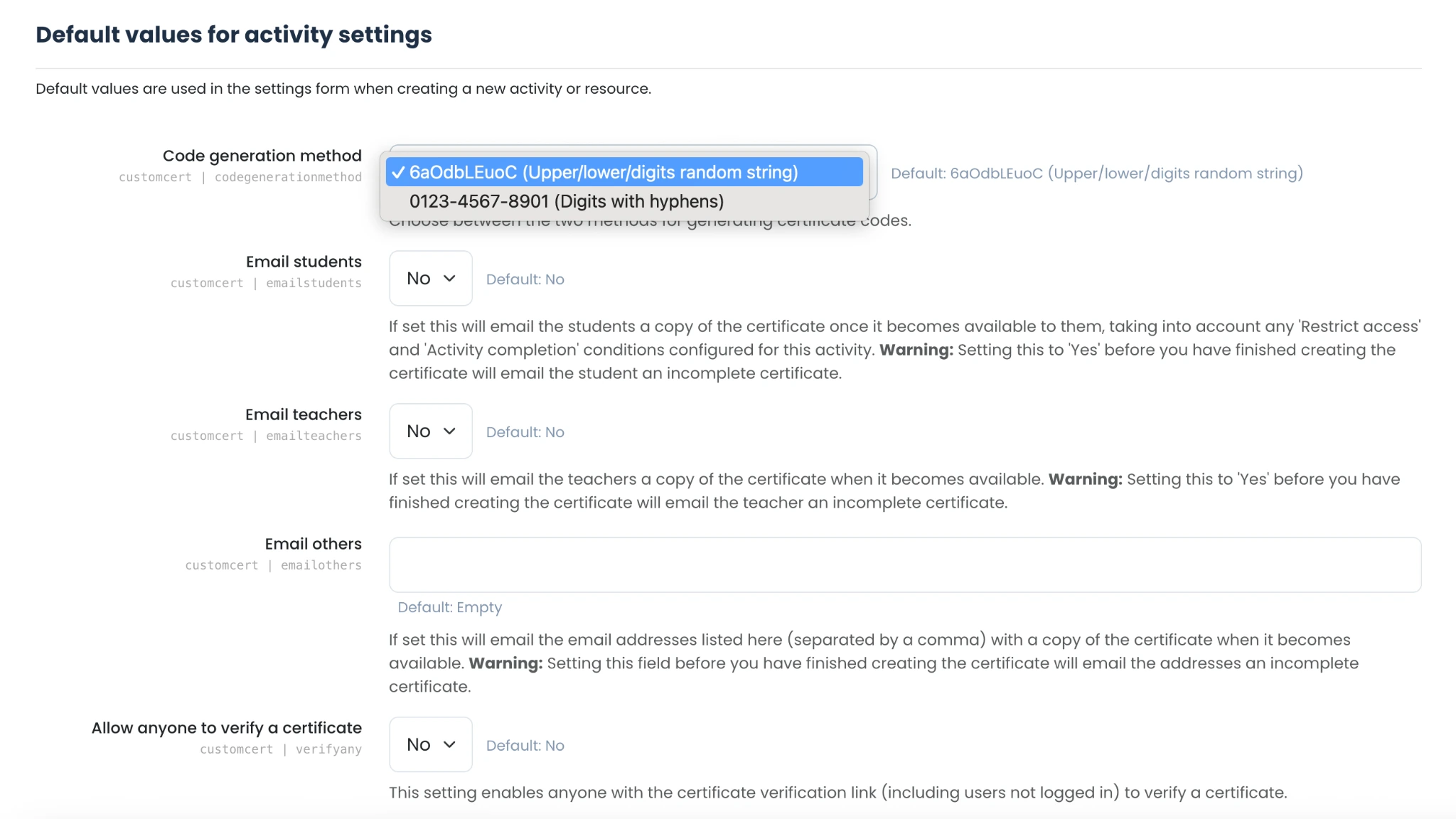
The plugin provides two code generation methods:
- Alphanumeric code: A random combination of uppercase letters, lowercase letters, and numbers (e.g. 6aOdbLEuoC).
- Numeric code: A 12-digit code separated by hyphens (e.g. 0123-4567-8901).
Site administrators can configure the default code generation method in the Custom Certificate plugin settings.
The plugin also provides certificate verification functionality, allowing certificates to be checked against the records stored in your Moodle site.
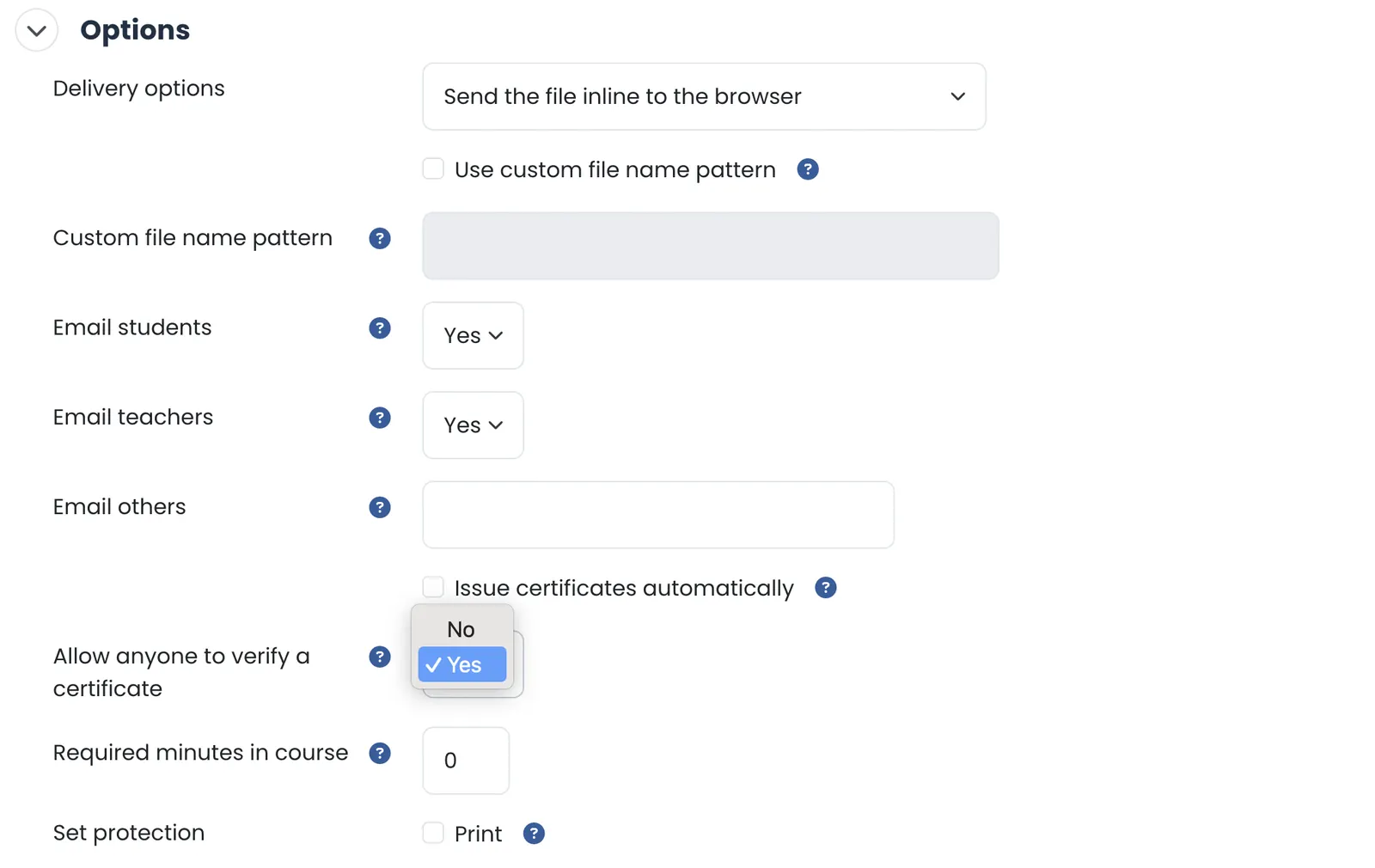
By enabling the Allow anyone to verify a certificate setting in the certificate activity, you can allow external visitors to verify a certificate without logging in to Moodle.
If site-wide certificate verification is enabled in the plugin settings, you can access the verification page using the following URL pattern:
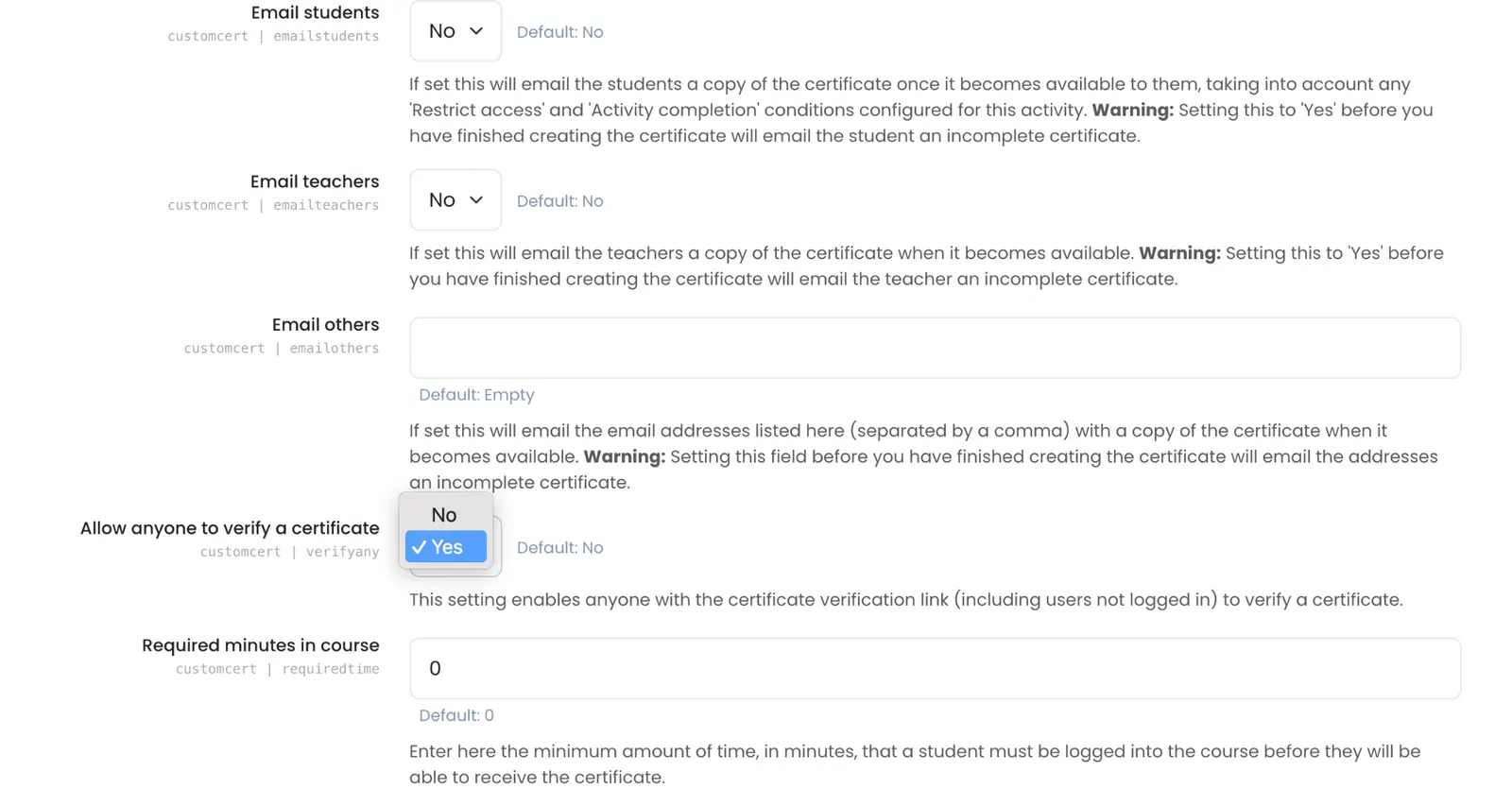
https://yourwebsite.com/mod/customcert/verify_certificate.php
This is particularly useful for universities and training providers whose learners need to share their certificates with employers or other organizations. You can even add a “Verify a Certificate” link to your Moodle site’s main navigation or footer.
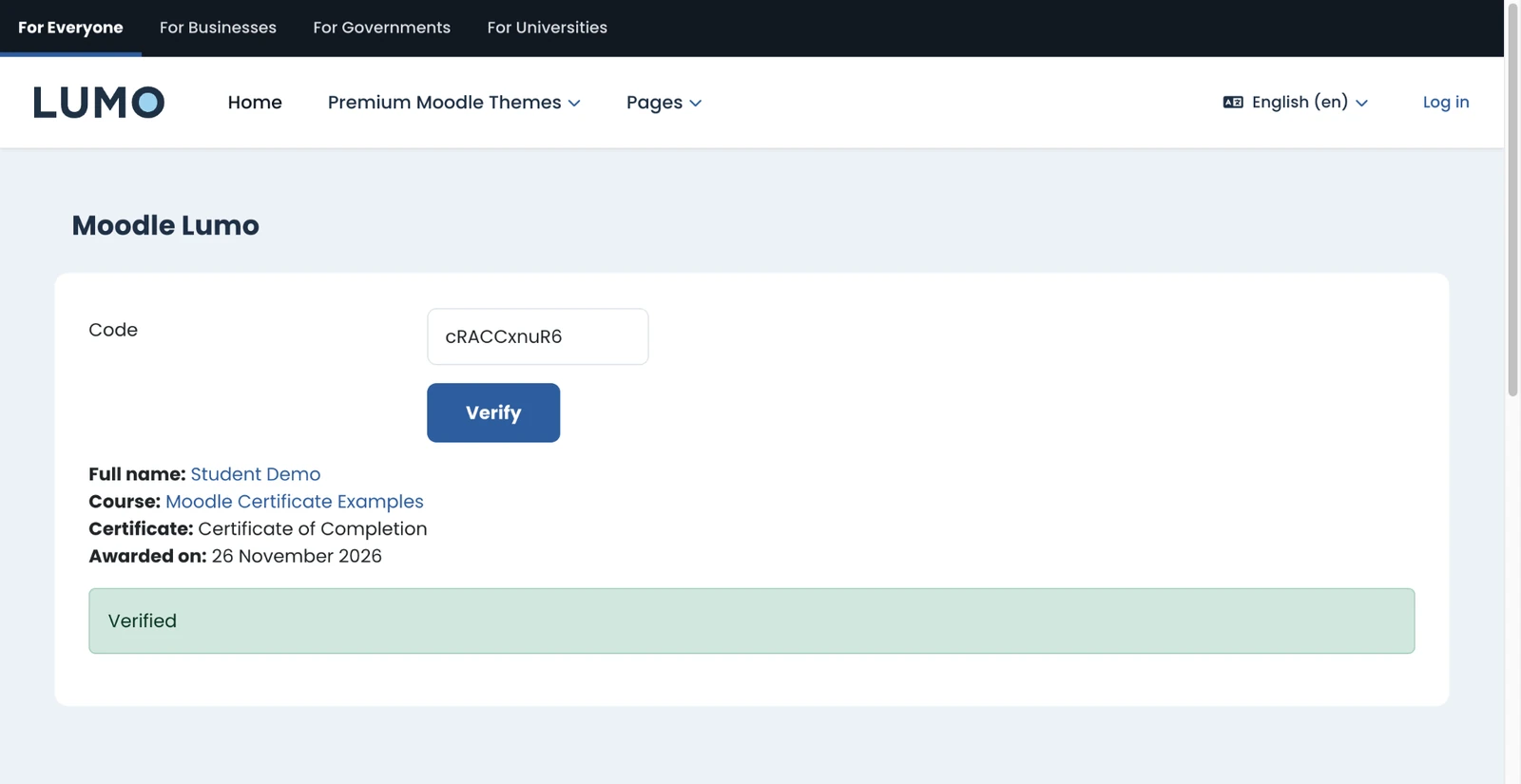
The screenshot below shows a successfully verified certificate on our Lumo demo site. Visitors can check the learner’s name, course name, certificate name, and award date by entering the unique certificate code.
Try our live certificate verification demo →
Use the following example certificate code: cRACCxnuR6
Note: Certificate previews use placeholder codes that cannot be verified. To test certificate verification, use the code from an actual certificate issued to a learner, rather than a certificate preview generated in the editing interface.
Can Moodle Automatically Email Certificates to Learners?
Yes. The Custom Certificate plugin includes an option to automatically email certificates to learners when they meet the requirements for receiving them.
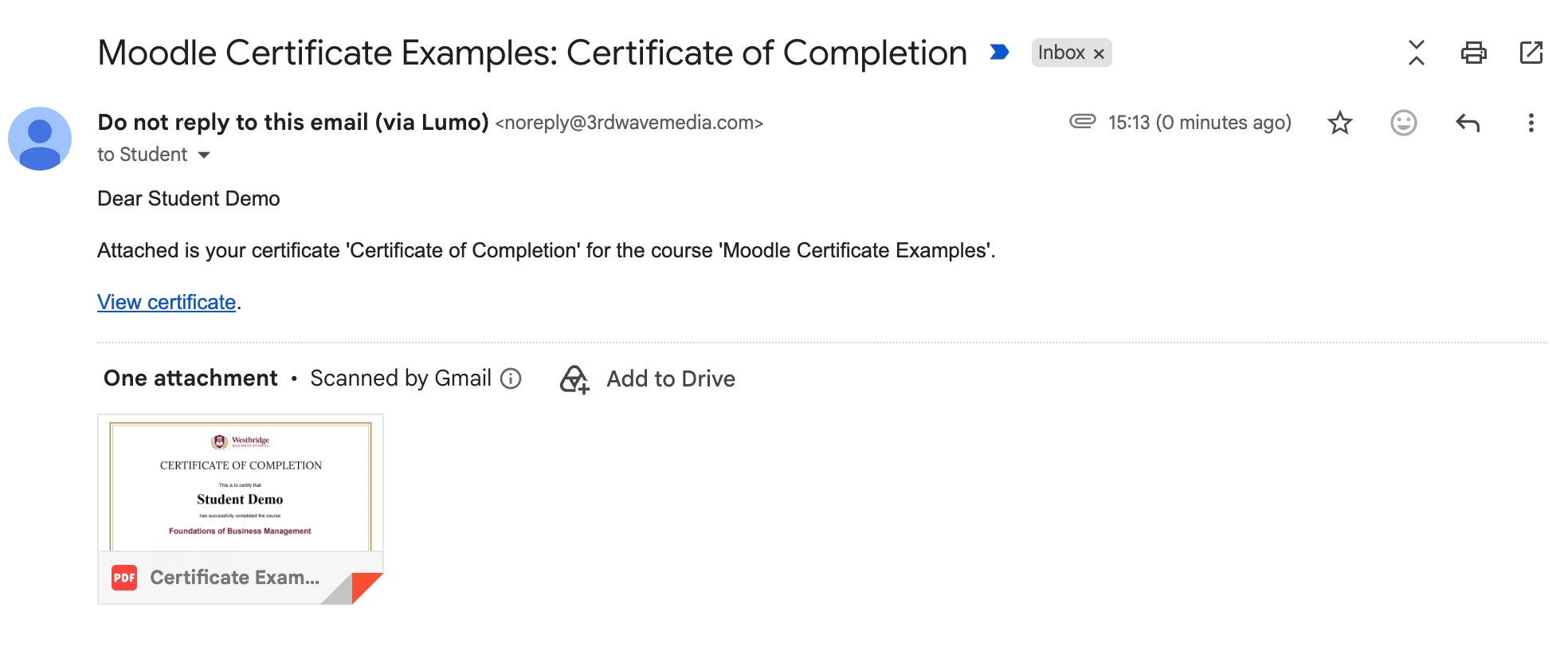
The certificate is sent as a personalized PDF attachment, so learners can keep a copy without having to return to the Moodle site to download it.
This is particularly useful for training providers and organizations running multiple courses, as it reduces the need to manually generate and distribute certificates.
Below is an example of a certificate email generated by our Moodle demo site:
You can enable or disable automatic email delivery in the individual certificate activity settings. You can also choose to email a copy of the certificate to teachers or other designated email addresses, such as your HR or training department.
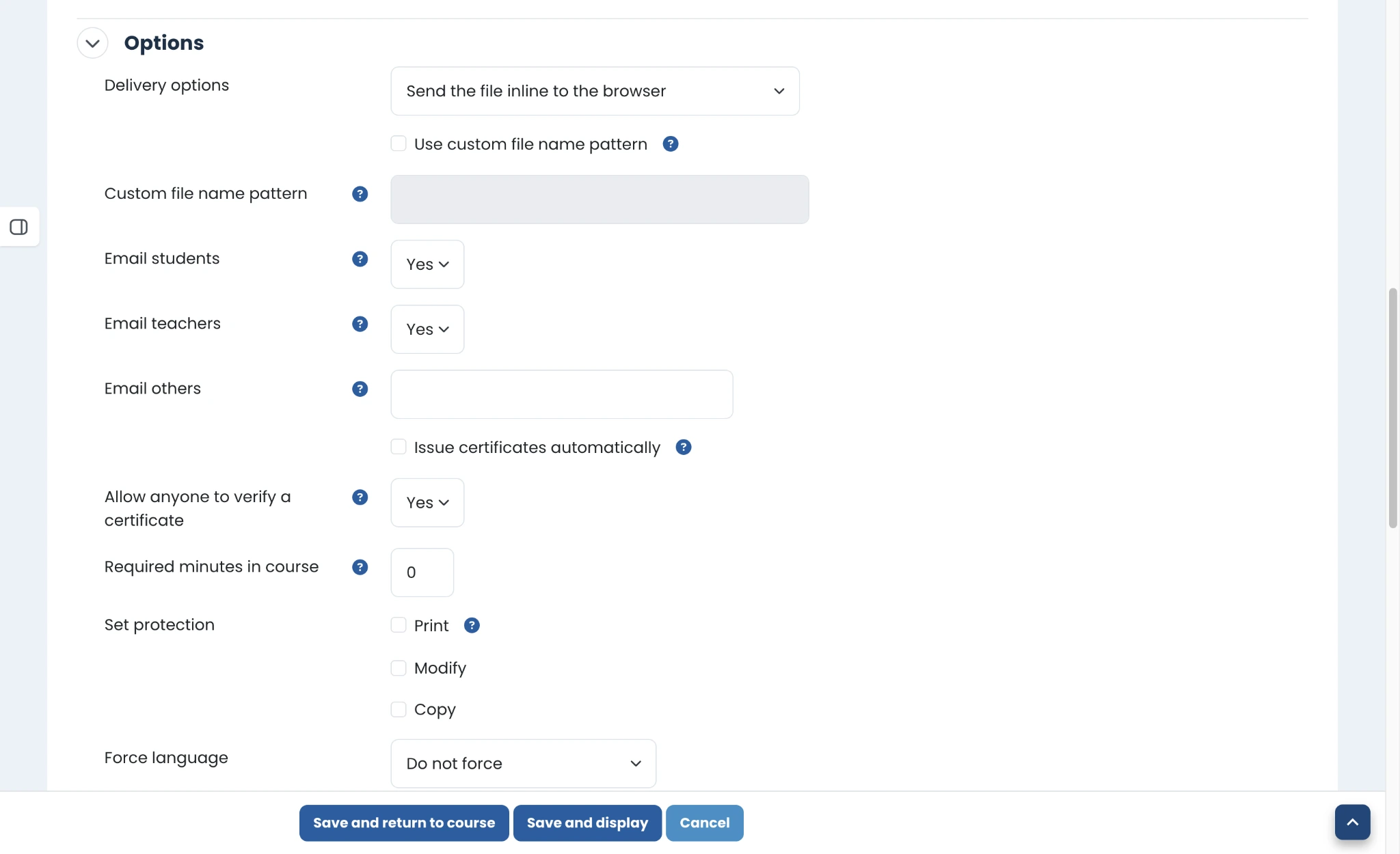
If your organization runs multiple courses, site administrators can configure the default email delivery options in the global Custom Certificate plugin settings. These defaults are applied when new certificate activities are created but can be overridden in the individual certificate activity settings.
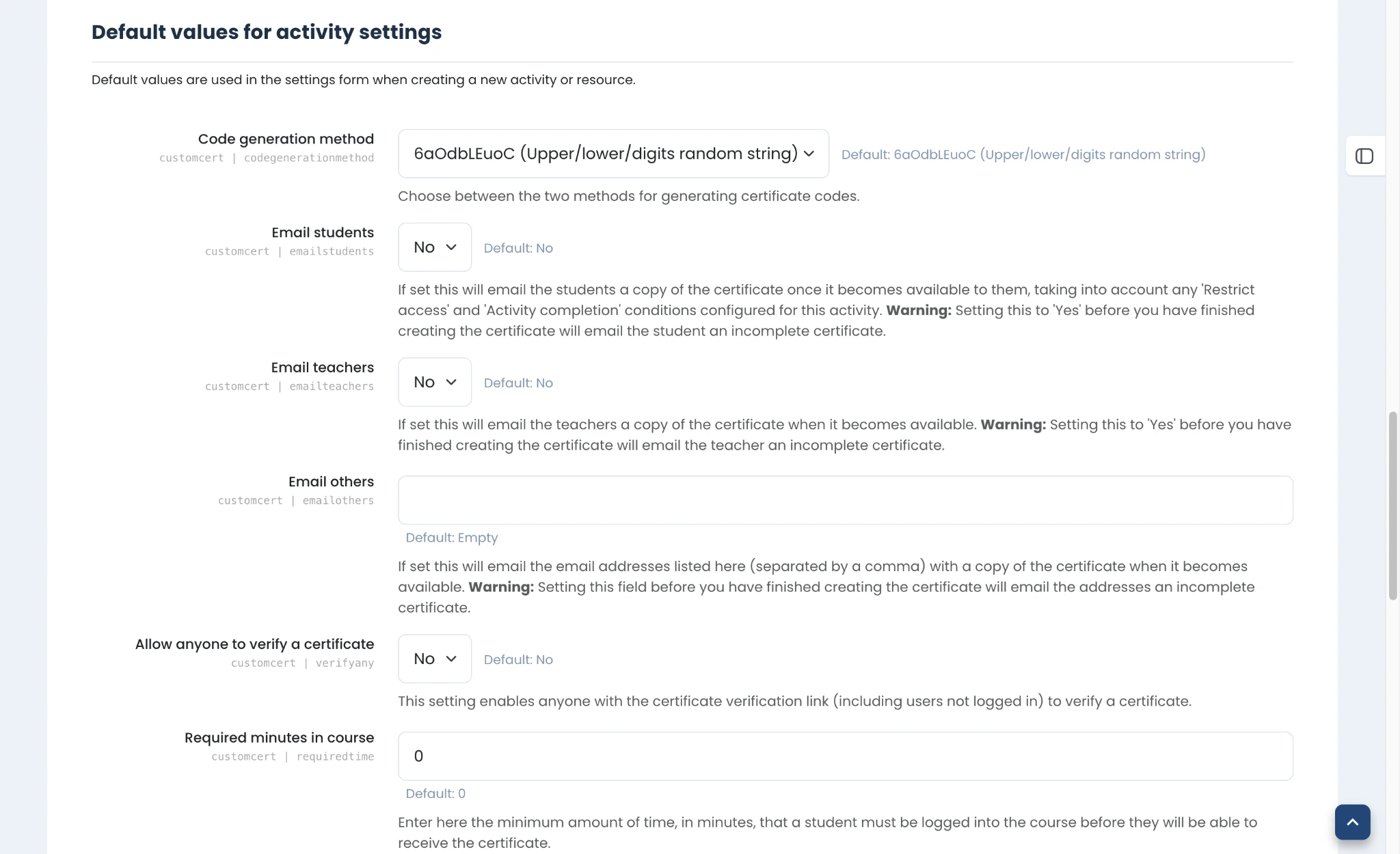
Tip: We recommend leaving automatic email delivery disabled by default and enabling it at the activity level once you’ve finalized your certificate design and award requirements. This helps prevent incomplete certificates from being sent to learners. Make sure your Moodle site’s email configuration and scheduled tasks are working correctly.
How to Create Your Own Certificates in Moodle
Want to create similar certificates for your own Moodle site? All the certificate examples featured in this post were created using the free Custom Certificate plugin.
Follow our detailed step-by-step tutorial to learn how to design, configure, and issue personalized PDF certificates directly in Moodle.
Read our step-by-step guide: How to Generate Course Certificates in Moodle →
Create a Professional, Branded Moodle Site
Creating branded certificates is just one way to provide a consistent, professional learning experience on your Moodle site.
If you’re looking to customize the overall look and feel of your Moodle site without the cost and complexity of bespoke theme development, our premium Moodle themes are designed to help you do just that.
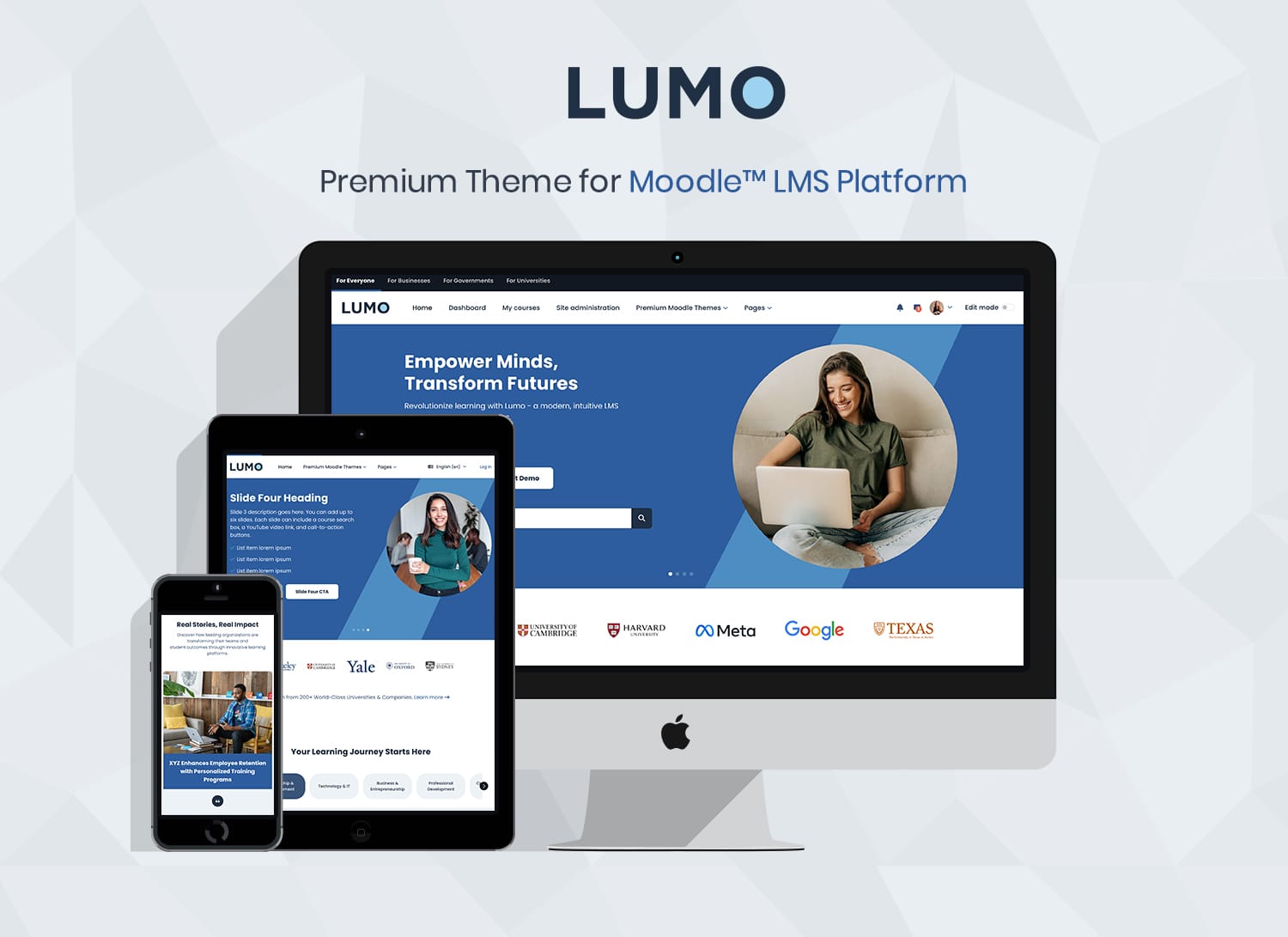
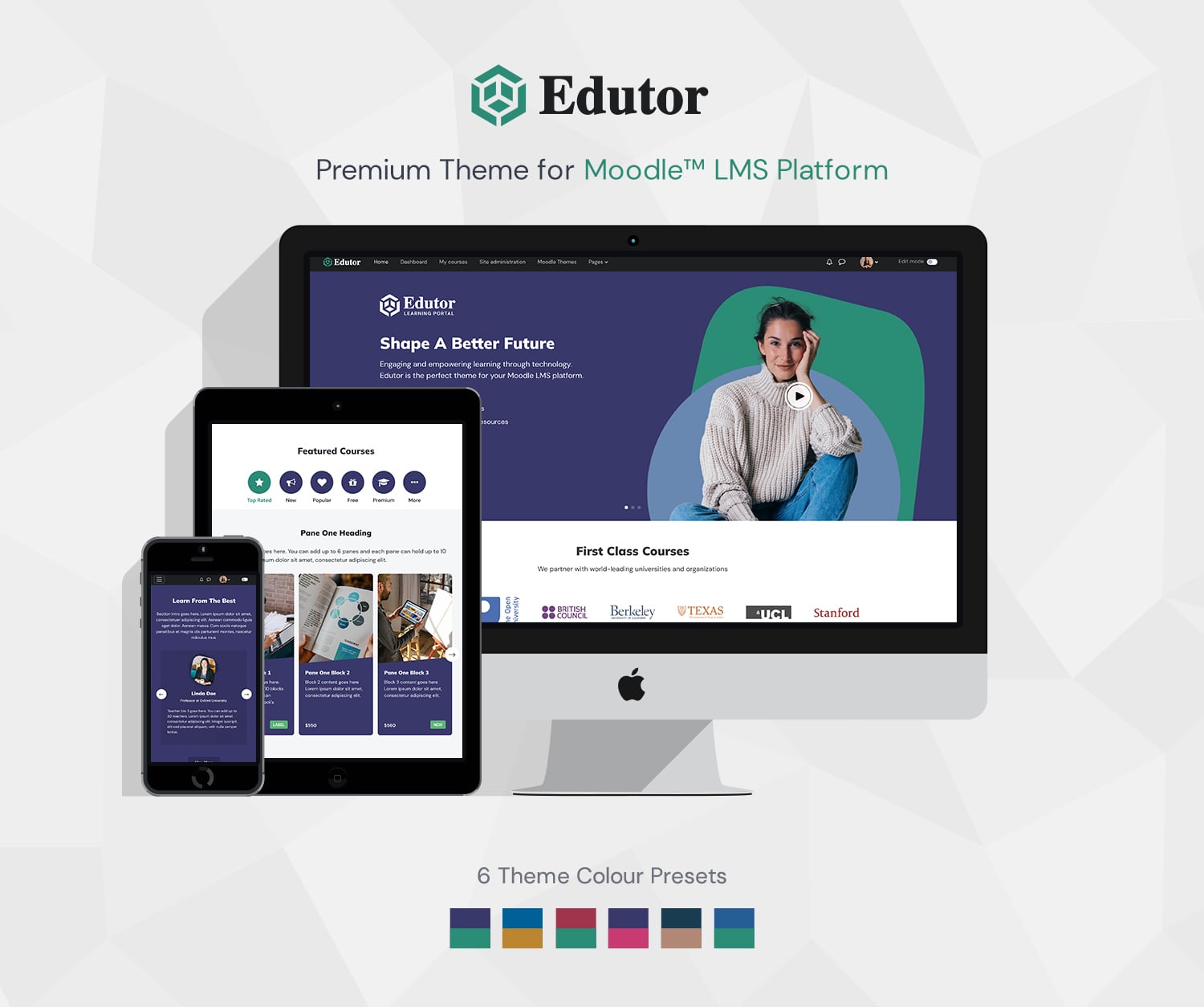
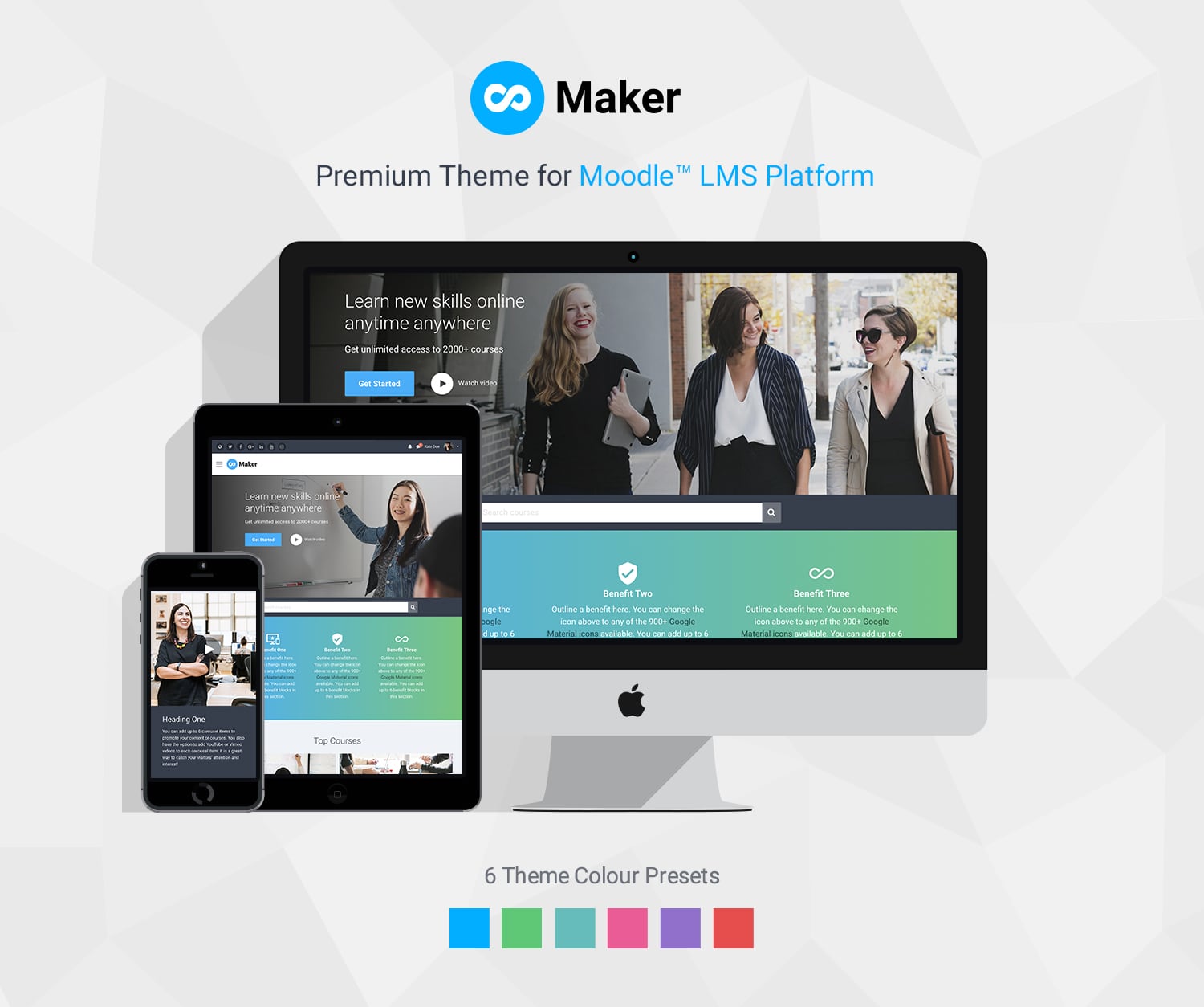
Our Boost-based Moodle themes, Lumo, Edutor, and Maker, come with professionally designed layouts and customization options for universities, training providers, and businesses.
You can use your own logo, brand colors, images, and content to create a professional learning platform that reflects your organization’s visual identity, without having to design and develop a custom Moodle theme from scratch.
All our themes are available as a one-time purchase, with optional paid version upgrades for newer Moodle versions. There’s no mandatory subscription.
We also offer a 30-day money-back guarantee, so you can evaluate your chosen theme privately on your own Moodle installation using your existing courses, plugins, and site settings.
For more information about theme licenses and our refund policy, please see our FAQs.