
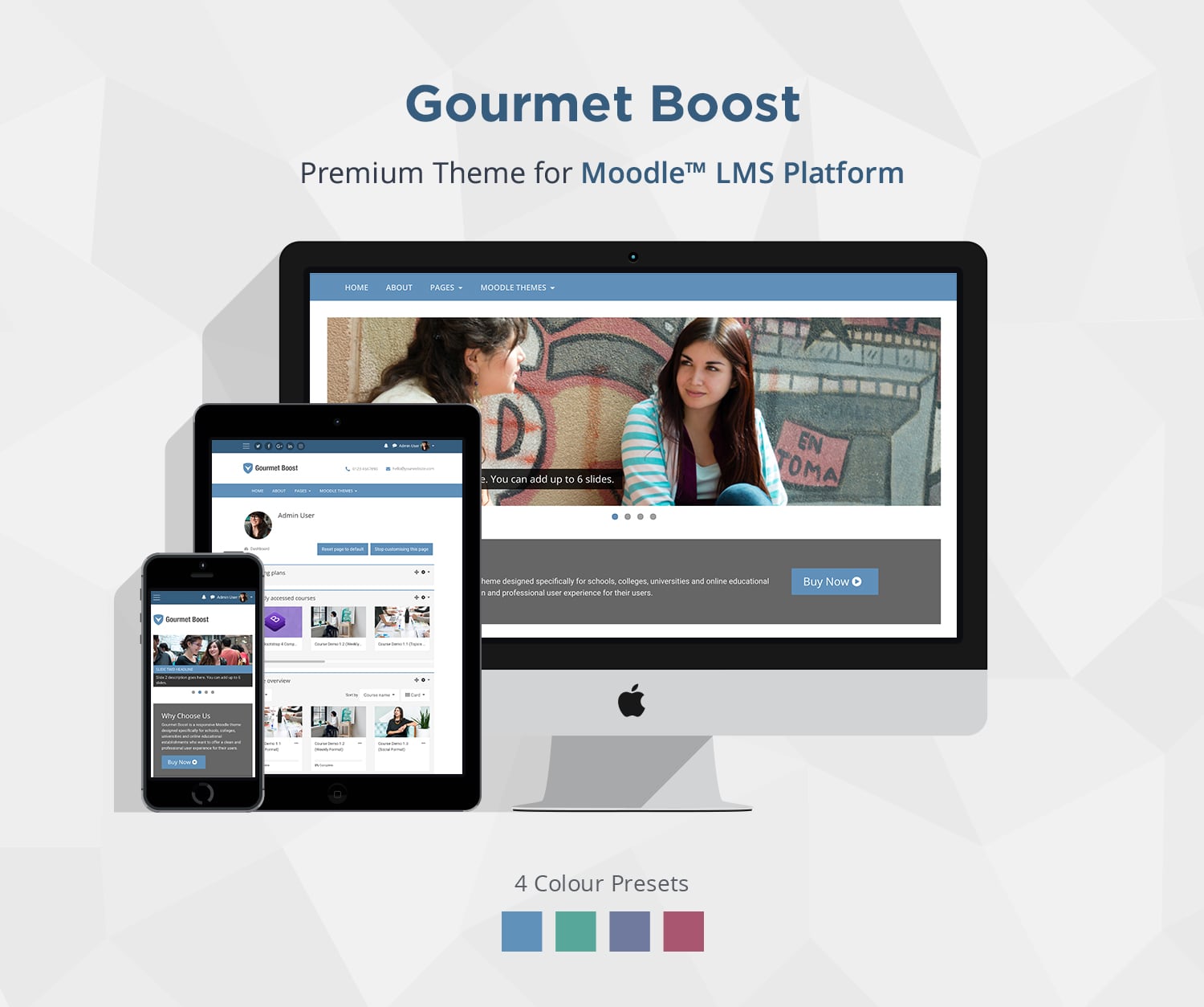
Gourmet Boost Moodle™ Theme Overview
Simple, classic LMS theme for education-focused Moodle sites
Gourmet Boost is a simple, education-focused Moodle theme designed for schools, colleges, and universities that want a familiar and easy-to-use LMS interface without unnecessary complexity.
Its streamlined homepage includes essential sections such as a hero slider, featured content blocks, testimonials, and course listings. The setup is intentionally minimal, making it quick to configure and easy to manage.
Built on Moodle’s core Boost theme, Gourmet Boost stays close to Moodle’s default UI. This reduces upgrade risk and keeps your site aligned with standard Moodle workflows, so existing documentation and training materials remain relevant.
Best suited for:
- Schools, colleges, and education providers
- Simple Moodle LMS sites and internal training portals
- Teams that want an easy-to-configure theme
- Sites that prefer a familiar Moodle-style layout
Theme Licenses
For Moodle 5.3.x (LTS)
Single Application
License (For Moodle 5.3)
License
Multiple Applications
License (For Moodle 5.3)
License
$1299
(Excl.Tax)
- for unlimited domains/subdomains
License Details
For Moodle 5.2.x
Single Application
License (For Moodle 5.2)
License
Multiple Applications
License (For Moodle 5.2)
License
$1299
(Excl.Tax)
- for unlimited domains/subdomains
License Details
For Moodle 4.5.x (LTS)
Single Application
License (For Moodle 4.5)
License
Multiple Applications
License (For Moodle 4.5)
License
$1299
(Excl.Tax)
- for unlimited domains/subdomains
License Details
Want to buy this theme for other versions of Moodle?
You can contact us to request a purchase link
100% Money-Back Guarantee
If it’s not right for your project, contact us within 30 days for a full refund, no questions asked.
Description
Theme Summary
- Theme Version: v16.0 (Moodle 5.3) | v15.0 (Moodle 5.2) | v12.1 (Moodle 4.5)
- Compatibility: Moodle 5.3 LTS, 5.2, and 4.5 LTS
- Last updated: 2026-10-09
- Theme Parents: Moodle Boost Theme
Theme Features
- Based on Moodle’s core theme Boost
- Responsive design
- 4 color presets (switch via theme settings)
- Custom brand color
- Custom logo
- Custom menus
- User menu
- Frontpage alert
- Frontpage hero slideshow (add up to 4 slides)
- Frontpage CTA section
- Frontpage featured blocks (add up to 6 blocks)
- Frontpage testimonials section (add up to 6 items)
- Frontpage partners/press section (add up to 6 logos)
- Header social media links
- Header widget areas
- Header phone and email area
- Footer widget areas
- Footer content blocks (3 blocks) (example code)
- Page “back-to-top” link
- Custom SCSS/CSS
- Custom icons for course activities and files
- Supports popular Moodle course format plugins: Tiles Format, Grid Format, Collapsed Topics, Onetopic Format, Pop up activities
- Supports Moodle Static Pages Plugin
- Blog page design template
- Supports Moodle social logins (Facebook/Google/Linkedin/Microsoft)
- Google analytics
- Supports FontAwesome icons
- Supports Google Material icons
- Supports Bootstrap 5 (Moodle 5.x) and Bootstrap 4 components (Moodle 4.x)
- Compatible Browsers: Latest Chrome, Latest Firefox, Latest Safari
Theme Support
If you would like to report theme bugs and issues, please email us at elearning@3rdwavemedia.com.FAQ
Theme FAQ
No, our theme licenses are NOT subscription-based. They’re perpetual to the specific Moodle theme version.
For example, if you bought a theme license for Moodle 5.3, your license is valid for Moodle version 5.3 forever. You can use the theme on a Moodle 5.2 site as long as you like. You will also get free theme updates (incl. bug fixes and improvements) and support for Moodle 5.2.
If you’d like to upgrade your Moodle site from version 5.3 to a higher version in the future (eg. Moodle 5.4) you will have the option to upgrade your current theme license. A small license upgrade fee will apply so you don’t need to pay for the full license price for a higher version again.
Upgrading is completely optional, and you can choose when to upgrade. Pay for the version you need now, then upgrade later when you choose. Most customers upgrade their Moodle sites and themes every 1–3 years.
Site administration > Appearance > Themes > Gourmet Boost
Installation
Theme Installation
- Download the theme zip file
- Extract the /gourmet_boost/ folder and the files.
- Upload the /gourmet_boost/ folder to your hosting server’s Moodle theme directory:
Your Moodle installation > theme > gourmet_boost - Log into your Moodle site as an admin, and navigate to the theme selector:
Settings > Site administration > Appearance > Themes > Theme selector - Click “use theme” next to the Gourmet Boost theme to activate
Changelog
Changelog
Moodle v5.3 ONLY
2026-10-09: v16.0
- Initial release
Moodle v5.2 ONLY
2026-04-20: v15.0
- Initial release
Moodle v5.1 ONLY
2025-06-22: v14.1
- Improvements and bug fixes
2025-06-05: v14.0
- Initial release
Moodle v5.0 ONLY
2025-08-01: v13.1
- Improvements and bug fixes
- Added lead form design
2025-05-28: v13.0
- Initial release
Moodle v4.5 ONLY
2025-05-28: v12.1
- Improvements and bug fixes
2024-10-07: v12.0
- Initial release
Credits
Theme Credits
- Bootstrap
- Moodle Boost Theme (Theme parents)
- Flexslider
- Google Material Icons
- FontAwesome
- Google Fonts
- Demo images – Francisco Osorio, Creative Commons 2.0 license (All images are shown for demonstration purposes only)
- User profile images – uifaces.com
- HTML5 Template – College Green